Shipment Tracking Emails: Which Updates to Send and Which to Skip
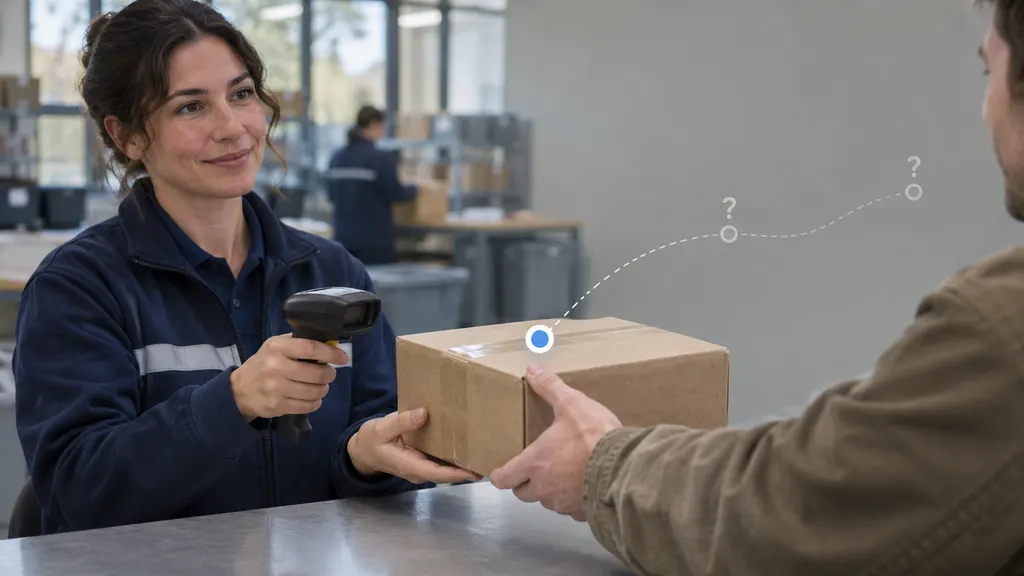
Send shipment tracking emails when an update changes what the customer knows or needs to do: the parcel has entered the carrier’s network, delivery is approaching, an exception needs attention, or delivery has been reported. Skip routine scans, duplicate events, and status changes that do not tell the customer anything useful. The goal is not to email every time tracking data changes; it is to help customers understand what happens next.
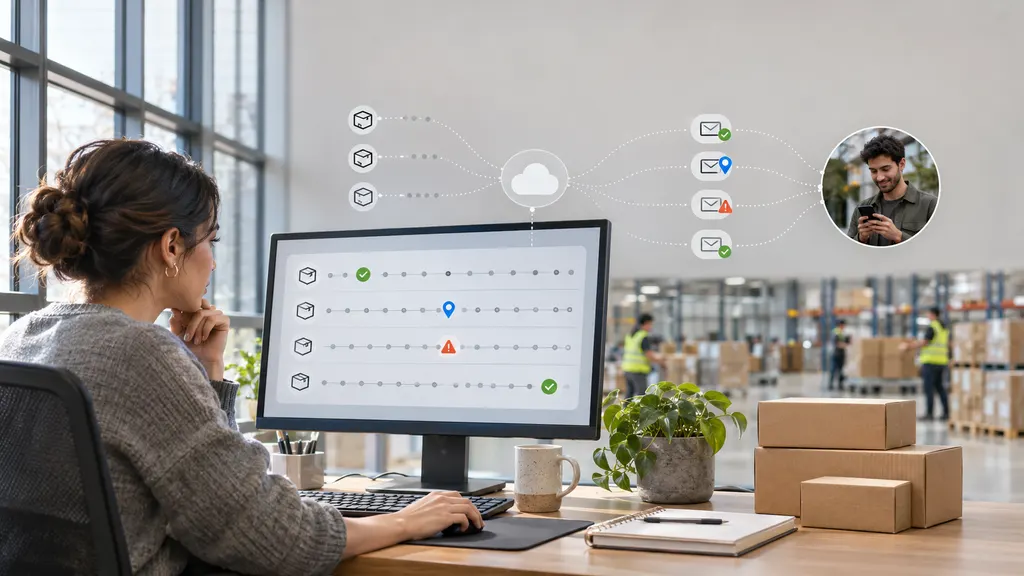
For an ecommerce team, the practical challenge is turning a noisy stream of carrier events into a small, dependable set of customer messages. The right rules depend on what your tracking data can verify, the promises made at checkout, and whether the customer needs to take action.
Start with a rule: Does this update change the customer’s next step?
A useful tracking email answers at least one of three questions: Has my order actually shipped? Is there a delivery development I should plan around? Do I need to do something to prevent a failed delivery? If the answer to all three is no, the update usually belongs on the order-status page rather than in the inbox.
This distinction matters because a merchant’s internal order status and a carrier’s tracking status are not always the same thing. Creating a shipping label shows that shipment information has been prepared; it does not, by itself, prove that the carrier has the parcel. Likewise, a carrier scan may describe movement within a network without changing the delivery outlook. Customer-facing email rules should reflect the event you can establish, not the event you hope has happened.
Updates worth sending
Carrier acceptance or confirmed movement
A first meaningful shipment email tells the customer that the parcel is moving and provides a tracking link. Trigger it from a carrier acceptance event or another reliable indication that the shipment has entered transit. If your workflow sends an earlier “your order is being prepared” message, label it clearly as an order update rather than implying that the carrier has taken possession.
Include the order reference, carrier if known, a direct tracking link, and a plain-language status. If the carrier has not supplied a reliable estimated delivery date, do not invent one to make the email feel complete. Customers can still use the tracking link for the latest available detail.
Out for delivery
“Out for delivery” is useful because it may affect the customer’s plans that day. Send it when the carrier reports that status and the customer can reasonably act on it, particularly for deliveries requiring someone to be present or a secure place to receive the parcel. Keep the wording appropriately cautious: out for delivery indicates an intended delivery attempt, not a guarantee that delivery will occur that day.
If the event reaches your system after a delivered scan, suppress the out-for-delivery email. An update that arrives late can be accurate as a historical event and still be misleading as a new customer notification.
Exceptions that need attention
Prioritize emails about an address problem, attempted delivery, customs request, pickup deadline, or another reported exception when the customer has a clear next step. Explain what the tracking record says, what the customer can do, and where to find authoritative instructions. A message that says only “delivery exception” transfers the interpretation work to the customer.
Not every exception requires customer action. Some are carrier-side processing events that resolve without intervention. For those, consider an email only if the issue materially changes a delivery expectation you previously communicated. Avoid telling customers to contact a carrier, provide documents, or pay a charge unless the relevant requirement has been verified through a trustworthy channel.
Meaningful delays
Send a delay update when there is a credible change to a delivery date or promise the customer has already received. The message should distinguish what is confirmed from what remains uncertain: for example, the carrier has revised its estimate, or the parcel has not progressed as expected and your team is checking the shipment.
A parcel with no new scan is not automatically lost. Scan frequency varies by route and carrier, and tracking feeds can arrive late. Define an internal review rule for shipments with unusually long gaps, then decide whether the customer needs an update. If you cannot verify a new delivery date, say so rather than replacing one unsupported estimate with another.
Delivered, with room for correction
A delivery email closes the routine tracking sequence and gives the customer an easy way to report a problem. Say that the carrier reports the parcel as delivered; do not imply that the customer personally received it unless that has been established. A short pointer to the delivery details and the merchant’s support route is more useful than an immediate demand for a review.
Consider how the message should behave if the carrier later corrects a scan or the customer reports non-receipt. A delivered status is an important signal, but it should not prevent the support team from investigating a credible complaint.
Updates to skip or keep on the tracking page
- Label created, presented as “shipped.” You may notify customers that an order is prepared, but do not turn label creation into a claim of carrier acceptance.
- Every facility arrival and departure. These scans provide useful detail on a tracking page but usually do not change what the customer should do.
- Repeated versions of the same status. Multiple systems may report the same event or a carrier may refresh its data. Send one clear message, not one email per record.
- Minor estimate changes. If the revised estimate does not materially affect the delivery expectation, an email may create more concern than clarity. Keep the latest estimate visible on the tracking page.
- Updates that are already obsolete. A delayed “in transit” event should not be emailed after a newer out-for-delivery or delivered event has been confirmed.
- Unexplained raw carrier codes. Translate a meaningful event into plain language before emailing it. If the code cannot be interpreted confidently, do not guess.
Skipping an email does not mean hiding the tracking record. Customers who want detailed scan history should be able to open the tracking link and inspect the information available there. Email is better reserved for changes that deserve their attention.
Build a small event-to-email plan
Before writing templates, map the statuses your systems actually receive. Record the event source, its plain-language meaning, whether the customer can act, and which message—if any—it should trigger. This exposes differences between a store’s fulfillment status and a carrier’s physical shipment status.
A workable starting plan is:
- Preparation: Send an order-processing update if your customer communications call for one. Do not describe the parcel as in transit without supporting tracking data.
- First confirmed movement: Send one shipment email with a usable tracking link.
- Routine transit: Update the tracking page; suppress repetitive movement emails.
- Actionable exception or material delay: Send a focused email explaining the verified issue and next step.
- Out for delivery: Send if the status arrives in time to be useful.
- Delivered: Send a concise confirmation based on the carrier-reported event and provide a support path.
These are editorial rules, not universal carrier codes. Before launch, test them against real examples from the carriers and routes your store uses. Check what happens when two statuses arrive together, a scan is backdated, an order has multiple parcels, or one parcel is delivered while another is still moving. For split shipments, identify the parcel or items concerned so that “delivered” is not mistaken for completion of the entire order.
Write emails for decisions, not for data dumps
The subject line should describe the event accurately: “Your package is on its way,” “Delivery needs your attention,” or “Carrier reports your package was delivered.” In the body, put the status and the next step first. Follow with the tracking link and order details needed to identify the shipment. If the merchant can help resolve a problem, make the support route easy to find.
Do not copy a carrier’s entire tracking timeline into the message. Long lists of facilities and timestamps can bury the only information the customer needs. Keep technical terms out unless they are necessary, and explain them when they are. For an exception, clarity is especially important: separate a carrier instruction from an action your own support team will take.
Keep promotional content from overwhelming service updates. In the United States, the Federal Trade Commission’s CAN-SPAM guidance explains that an email’s primary purpose matters when determining how the law applies, including when a message contains both transactional and promotional content. Treat this as a reason to keep shipping communications focused and to have the appropriate team review your templates and sending practices for the markets you serve—not as a blanket assumption that every message containing tracking information is exempt from marketing rules.
Check the automation before switching it on
Notification settings are only as reliable as the data and rules behind them. Test with delivered, delayed, duplicated, out-of-order, and missing events. Confirm that the tracking link opens the correct shipment, not merely the order’s first parcel. Make sure a customer does not receive conflicting emails from the store, a carrier, and a tracking tool without a clear reason.
For Shopify merchants evaluating an order-tracking tool, the 17TRACK Shopify app listing is one place to review the available order-tracking and notification features. Before enabling any workflow, confirm in the product’s current settings which events can trigger an email, how multi-parcel orders are handled, and whether its messages overlap with notifications you already send. The useful test is not how many status types a tool can surface, but whether it lets you communicate the right event at the right time.
After launch, review actual customer messages alongside support tickets. If customers repeatedly ask whether a label-created order has shipped, revise that wording. If exception emails produce confusion, make the required action more specific. If routine transit messages generate no useful response and crowd the inbox, remove them. A good sequence is deliberately selective and should change when customer behavior reveals a gap.
FAQ
Should I email customers as soon as a shipping label is created?
You can send an order-preparation update, but avoid calling the parcel “shipped” solely because a label exists. A first shipment email tied to carrier acceptance or confirmed movement gives customers a clearer signal that the parcel is in transit.
How many tracking emails should a customer receive?
There is no fixed number that fits every shipment. A routine delivery may need only a first-movement email and a delivered update; out-for-delivery may also be useful. Exceptions and meaningful delays warrant additional messages when they change the customer’s expectations or require action. Do not send emails merely to meet a target count.
Should every delivery exception trigger an email?
No. Email when the exception needs customer action or materially changes an expectation you have communicated. For a carrier-side issue with no clear customer action, first verify what is happening so the message does not create unnecessary alarm or give unsupported instructions.
What if tracking says delivered but the customer cannot find the parcel?
Treat “delivered” as the carrier-reported status, not proof that the customer has the parcel. Give the customer a clear support route and investigate using the available delivery details and your normal carrier or merchant procedures. Avoid sending follow-up messages that assume the issue is resolved.
Sources
- Federal Trade Commission, CAN-SPAM Act: A Compliance Guide for Business. Used for the distinction between transactional and promotional email content.
- 17TRACK on the Shopify App Store. Product listing referenced as a starting point for merchants evaluating order-tracking and notification settings.