Is My Walmart Order Confirmed? How to Check and Fix Missing Confirmation Emails?
A missing confirmation email does not necessarily mean your Walmart order failed. The most useful check is your order status in Walmart Purchase History. If the order appears there, review its status and details; if it does not, check the email address used at checkout and look for a guest-order receipt before placing the order again. If you still cannot confirm what happened, contact Walmart through its Help Center.
Do not rely on a payment alert or an email alone to decide whether to reorder. Those clues can help you investigate, but the order record is the better place to check what Walmart has received and what you should do next.
Check the order record first
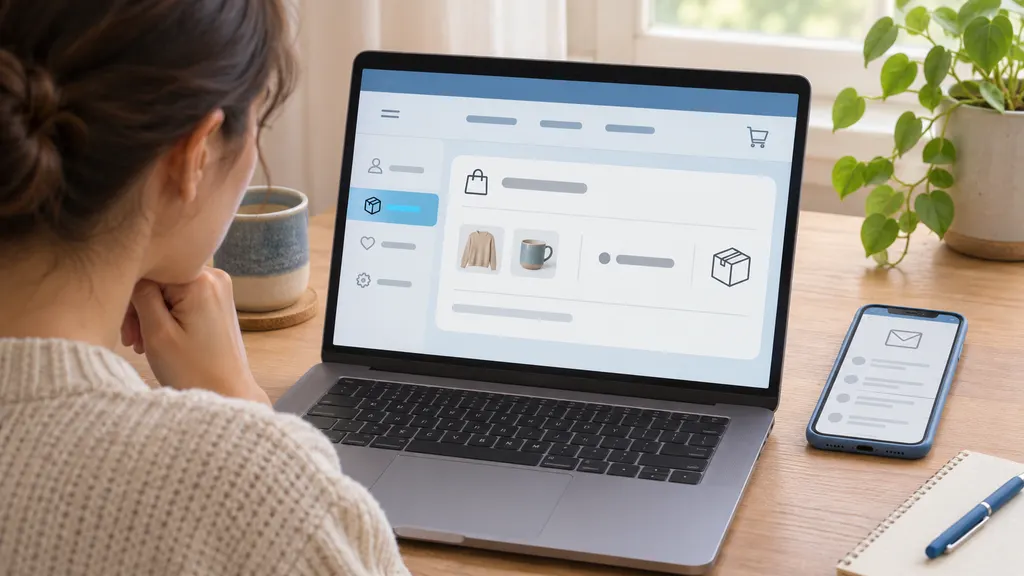
Sign in to Walmart using the account you used at checkout, then open Purchase History. Look for the purchase by its date, items, total, or order number if you have one. Open the order to read its current status and check that the items, delivery or pickup method, and address or store are what you intended.
An order listed in Purchase History is stronger evidence that Walmart has a record of the purchase than an email notification. Still, read the status rather than treating every listed order as ready to ship. An order may be processing, preparing for pickup, shipped, delivered, or canceled, depending on its type and stage. If the details are wrong or the order is canceled, use the options shown for that order or seek help from Walmart.
If you checked out as a guest, an empty account history may not settle the question. Likewise, a purchase made while signed in to a different Walmart account may not appear in the account you are viewing. Check the email address you entered at checkout and any other account you may have used before assuming the purchase did not go through.
What if the order does not appear?
Think back to the last step of checkout. Did you reach an order-complete screen or receive an order number? If you saved a screenshot or receipt, compare its details with the purchase you are trying to find. If checkout stopped at an error message, a loading screen, or a request to retry payment, confirmation is less certain. Avoid submitting the same basket repeatedly while the first attempt remains unresolved, especially if you see a payment notification.
Check Purchase History again after a short interval, and search the inbox associated with the checkout. If you have an order number but cannot locate the order, keep that number for your conversation with Walmart support. If you have neither an order record nor a receipt, Walmart is best placed to check whether an order was created.
Find a confirmation email that may have been missed
Search every folder in the email account used at checkout, including spam, junk, promotions, and trash. Search for “Walmart,” “order,” and the item name, and check whether your mail app is showing only recent messages or a filtered inbox. If you use more than one email address, search each likely account. A simple address typo at checkout can also explain why an otherwise valid order produced no email in your inbox.
Next, check whether your mailbox is full, whether a filter automatically archives or deletes store messages, or whether a work or school email system blocks them. These checks can explain missing mail, but they cannot establish the order’s status. If the order appears in Purchase History, use its details as your reference even if the email never arrives.
Do not use a link in an unexpected message as your only route back to the order. Open the Walmart website or app yourself, sign in, and compare the message with the order record. Treat requests for passwords, one-time codes, or payment information with caution. A message saying that you must urgently “confirm” an order is not proof that the message came from Walmart.
Understand what a payment notification does—and does not—prove
A card or banking-app alert is worth checking, particularly if checkout ended ambiguously. It is not, by itself, a reliable order confirmation. A pending authorization and a completed charge are not the same thing, and the timing and wording of payment entries can vary by payment method and financial institution.
Compare the amount and merchant shown in your payment account with your intended purchase, but do not share full card details in an email or public support message. If you see a charge you do not recognize, investigate it promptly with Walmart and your payment provider. If a payment entry appears but you cannot find an order, do not assume either that a package is on its way or that a second purchase is safe. Ask Walmart to help identify the transaction before retrying checkout.
If no payment entry appears, that may be another useful clue, but it still does not replace checking the order record. The practical goal is to establish whether Walmart has an order and, if so, what status it shows.
Choose the right next step for your situation
- The order is listed and the details are correct: Keep the order number and follow its status in Purchase History. You generally do not need to place the order again just because the email is missing.
- The order is listed, but the details are wrong: Check the actions available on the order page. If you cannot make the needed change there, contact Walmart. Do not assume that changing an account address will change an order already placed.
- The order shows as canceled: Read the order details and any messages Walmart provides before deciding whether to place a new order. Do not treat the original confirmation, if one arrived, as proof that the order is still active.
- No order appears, but you have a receipt or order number: Verify that you are using the right account and email, then contact Walmart with the order number.
- No order appears and checkout was interrupted: Check for a receipt and review your payment activity. If the result is still unclear, ask Walmart to check before submitting another purchase.
For help, start at the Walmart Help Center and use the contact options presented for your issue. Have the approximate purchase time, item names, checkout email, order number if available, and a description of any error ready. Provide sensitive payment information only through an appropriate, secure channel if Walmart requests it; never include a full card number or password in an ordinary message.
Confirmation, shipping, and delivery are separate milestones
An order confirmation tells you that an order was recorded; it is not a shipping notice or proof of delivery. For an item being shipped, tracking information may become relevant later, when Walmart displays shipment details for that order. For pickup or local delivery, follow the instructions and status shown for that service instead of looking for a carrier tracking number.
This distinction matters when you are troubleshooting a missing email. If the order is visible but has not shipped, searching parcel-tracking sites will not resolve the confirmation question. If the order has shipped and Walmart provides a carrier and tracking number, you can use those details to follow the parcel. Tracking services cannot verify that an unlisted Walmart checkout succeeded, retrieve a missing confirmation email, or change an order. Start with Walmart for the purchase record; use tracking information for the shipment stage.
FAQ
How long should I wait for a Walmart confirmation email?
Rather than relying on a fixed wait time, check Purchase History and your inbox folders. Email delivery can be affected by the address entered and your email provider’s filtering. If the order is listed, its status is more useful than waiting for the message. If it is not listed and you have a payment concern, contact Walmart before placing the order again.
Can my order be confirmed if I checked out as a guest?
Guest checkout can make a signed-in account’s Purchase History an incomplete check. Search the email address used at checkout for the receipt or order number. If you have one but cannot access the order details, use Walmart’s Help Center for assistance.
Does a pending card charge mean Walmart accepted my order?
Not necessarily. A pending payment entry does not establish that an order was successfully created. Check Walmart’s order record and any receipt, then ask Walmart to investigate if the result remains unclear. Your payment provider can explain the status of the payment entry.
Should I order again if I did not get an email?
Not on that basis alone. First check Purchase History, search the correct email account, and review any receipt or payment alert. If you cannot determine whether the first attempt succeeded, contact Walmart before trying again to reduce the risk of an unintended duplicate purchase.
Can a tracking number tell me whether my order was confirmed?
A tracking number can help you follow a shipment once one exists, but it is not the first place to verify a checkout attempt. Check the order in Walmart Purchase History or contact Walmart if you cannot find it.
Sources
- Walmart Purchase History — Walmart’s account page for reviewing orders and their details.
- Walmart Help Center — Walmart’s starting point for order assistance and contact options.