How Accurate Is Home Depot Delivery Tracking? Parcel, Appliance and Live Map Explained
Home Depot delivery tracking is most useful for identifying an order’s stage, not for guaranteeing an exact arrival time. A parcel’s carrier scans may show when it was shipped or went out for delivery, while a large appliance may follow a scheduled delivery window with different updates. If a live map appears for your order, treat it as a current estimate—not a promise that the driver will arrive at the displayed time.

The first step is to identify how your item is being delivered. A package handed to a parcel carrier, an appliance delivered by appointment, and a local delivery from a store do not necessarily generate the same tracking information. The order confirmation and the latest details in your Home Depot account are the best places to determine which information applies to your purchase.
What “accurate” means for a Home Depot delivery
Tracking can be accurate about one thing and uncertain about another. A status update may correctly report that a package has left a facility without telling you when it will reach your door. Similarly, a confirmed appliance appointment tells you when to be available, but it does not eliminate the possibility of a route change or delay.
Read each update according to what it actually measures:
- Order status describes progress through the retailer’s process, such as preparing or fulfilling an order. It is not necessarily a report of the driver’s location.
- Carrier tracking reports events recorded by the parcel carrier. An event is generally more useful as confirmation of what has happened than as a precise forecast of what happens next.
- Delivery window gives you a period in which to expect a scheduled delivery. It is planning information, not proof that a vehicle is nearby.
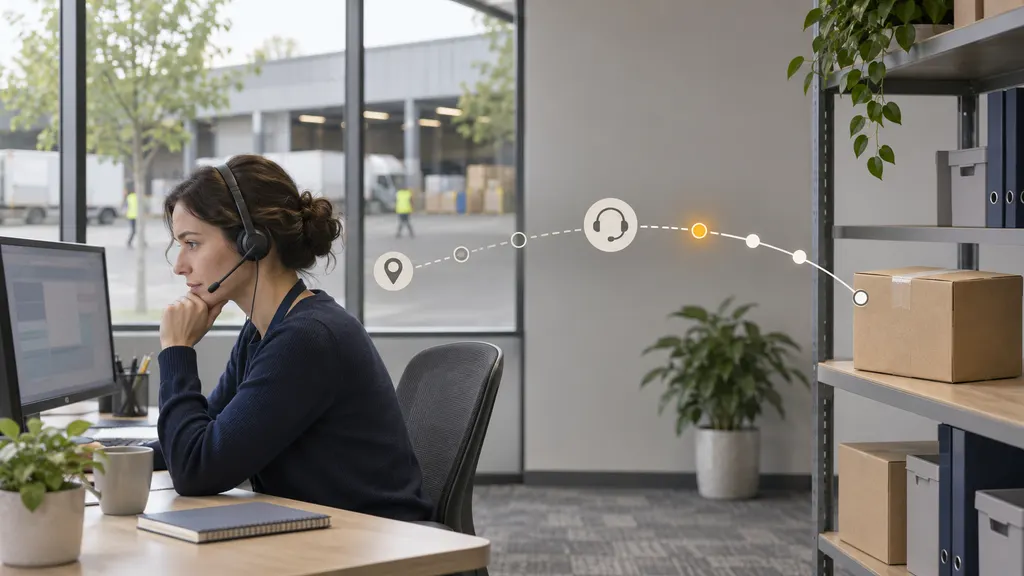
- Live map or driver progress, when offered for a particular delivery, may provide a more immediate view. Its usefulness still depends on how recently it updated and whether the route changes.
There is no responsible single accuracy percentage for all Home Depot deliveries. The information available, who supplies it, and how frequently it changes can differ by order. For a practical decision, compare the latest status with the delivery method and ask whether you need to know what happened or when someone will arrive. Tracking usually answers the first question more confidently.
Parcel tracking: useful scans, imperfect arrival estimates
For a shipped parcel, start with the tracking number in your shipping confirmation or order details. A carrier tracking page may show acceptance, movement through facilities, an out-for-delivery scan, and a final delivery event. If your order has several items, check whether they have separate shipments and tracking numbers. One item moving does not establish that the entire order is on its way.
“Label created” or a similar early status is not the same as a carrier possession scan. It may indicate that shipping information was prepared before the carrier recorded the package in its network. If the status does not change immediately, that alone does not prove the parcel is lost. Check for a later acceptance or movement event before drawing a conclusion.
An “out for delivery” update is more specific: it indicates that the carrier expects to attempt delivery on its route. It does not identify an exact stop time. Traffic, route changes, access problems, weather, and other operating conditions can affect the actual arrival. If an estimated date changes, use the latest carrier update alongside the Home Depot order page rather than relying on an earlier email or notification.
After a “delivered” scan, check the delivery location, any available delivery details, your entrance, and other reasonable drop-off spots. If the parcel still cannot be found, contact the carrier or Home Depot using the order and tracking information. A delivered scan is a recorded event; it does not, by itself, resolve a dispute about whether you received the package.
If you have a carrier tracking number, a multi-carrier tracker such as 17TRACK Tracking can be another place to check shipment events. Use the carrier’s own page and Home Depot’s order details when you need to resolve a discrepancy. A third-party parcel tracker cannot turn a Home Depot order number into a carrier number or confirm an appliance delivery appointment.
Appliance delivery: follow the appointment, not parcel scans
Large appliances often involve a scheduled delivery process rather than an ordinary doorstep parcel. For these orders, the information that matters most is the confirmed date, the applicable delivery window, and any instructions or contact details in your order communications. Do not assume that a parcel-style “out for delivery” scan will appear or that a carrier tracking page will show the vehicle’s position.
Check the order details for the services you selected and for any preparation instructions that apply to your delivery. Delivery, installation, and removal of an old appliance are distinct matters; do not infer from a tracking status that every requested service has been confirmed or completed. If your plans depend on a specific service or the presence of an adult at the property, verify the order details directly rather than interpreting a generic shipment update.
A useful way to judge appliance tracking is to separate three questions. Is the appointment confirmed? Consult the latest order communication. Has the delivery window changed? Check current order updates and messages from the delivery team. Where is the vehicle right now? You may not have that information, even if the appointment is confirmed. If the window has passed or a required service is unclear, contact Home Depot with the order number rather than waiting for a parcel tracking scan.
Is there a Home Depot live delivery map?
Do not assume that every Home Depot order includes a live map. Tracking features can vary with the delivery method and the information presented for that specific order. If you see a map, an approaching-driver notice, or a stops-away indicator, use it as supplemental information alongside the stated delivery window. If you do not see one, its absence does not establish that the delivery has stopped moving.
A map is not the same as a verified, continuously updated position at your door. The display may refresh at intervals, and an estimated arrival can change if a route is adjusted or an earlier stop takes longer than expected. Look for a refresh time or other context on the screen before acting on a map position. Do not leave a required delivery unattended solely because the map appears to show that the driver is several stops away.
The distinction matters most for appliances and other deliveries that require someone to be present. Plan around the confirmed window and the order’s delivery instructions. Treat any finer-grained estimate as helpful when it is available, not as a replacement for those instructions.
What to do when the tracking looks wrong
Before reporting a problem, identify which system produced the update. The retailer’s order page may describe the order overall; a carrier page may describe one package; a delivery appointment may describe a separate scheduled service. Apparently conflicting statuses can refer to different items or different stages of the same order.
- Check the order number and item list. Make sure the update belongs to the item you are expecting, particularly if your purchase was split into multiple shipments or deliveries.
- Find the most recent timestamp. An older email or notification can be overtaken by a newer status in the order details or on the carrier’s tracking page.
- Check the delivery method. For a parcel, use its carrier tracking number. For an appliance appointment, use the scheduling information supplied for that order.
- Read the exact wording. “Shipped,” “out for delivery,” and “delivered” describe different events. None should be treated as interchangeable with an exact arrival time.
- Act on a missed commitment. If the stated delivery window has passed, a delivery attempt is reported incorrectly, or an essential appointment detail is missing, contact the appropriate support team. Have the order number, tracking number if available, the latest status, and the relevant messages ready.
For order-specific assistance, begin with the support options on Home Depot’s official website or in your order confirmation. The parcel carrier may be better placed to explain a specific scan, but Home Depot is the appropriate starting point for questions about the order, appointment, or services purchased.
How to plan around the estimate
Use the level of detail you actually have. A parcel showing only an estimated delivery date calls for different planning than an appliance with a confirmed appointment window. If you must arrange time off, building access, or help moving an old appliance, do so according to the confirmed delivery instructions—not an assumption that tracking will become more precise later.
If the delivery is time-sensitive, keep a record of the current estimate and check again before making a trip or leaving the property. For a parcel, watch for a new carrier event. For a scheduled delivery, watch for a change to the appointment or instructions. This will not prevent a delay, but it helps you distinguish a genuine change from an old notification.
The bottom line: Home Depot tracking can give you a useful account of order progress, but its precision depends on the delivery method. Trust recorded parcel events for past movement, confirmed appointment details for scheduled deliveries, and a live map—if one is offered—only as a changing estimate of near-term progress.
FAQ
Why does my Home Depot order say “shipped” when carrier tracking has no updates?
The two statuses may reflect different stages. An order can have shipping information before the carrier records its first physical scan. Check that you have the correct tracking number and look for a later carrier event. If updates remain absent and the expected delivery is affected, contact Home Depot using your order details.
Does “out for delivery” mean my package will arrive soon?
It means the carrier has marked the parcel for a delivery attempt on its route. It does not provide a reliable minute-by-minute arrival time. Keep an eye on the latest carrier update and any revised estimate.
Can I track a Home Depot appliance delivery with a carrier tracking number?
Not necessarily. Check the delivery method shown in your order. A scheduled appliance delivery may be managed through appointment updates rather than the parcel tracking events used for small packages. Use the order’s scheduling communications for the delivery window.
Why can’t I see a live map for my delivery?
A live map should not be assumed to be available for every order or delivery method. Check the tracking and appointment information provided for your specific order. A missing map does not, on its own, mean the delivery is delayed.
What should I do if tracking says “delivered” but I have nothing?
Verify that the status refers to the correct item and address, then check the delivery details and reasonable drop-off locations. If the package is still missing, report the issue with your order number and carrier tracking number. For a scheduled appliance delivery, contact Home Depot about the appointment rather than relying on parcel-delivery troubleshooting steps.