UPS Label Created Status: Why It Hasn'T Moved and When UPS Picks It Up
“Label Created” means the sender has generated a UPS shipping label, but UPS tracking does not yet show that the package has entered its network. The seller or sender may still be preparing the parcel, waiting for a pickup, or taking it to a drop-off location. There is no universal pickup time: the next update depends on when the sender hands over the package and when UPS records its first movement.

If you are waiting for an order, the most useful next step is to check the date the sender says it shipped, not just the date the label appeared. If the package remains at “Label Created” after the sender’s stated handoff date, ask the sender to confirm whether and how it was given to UPS.
What “Label Created” tells you—and what it does not
Creating a shipping label gives a parcel a tracking number and sends shipment information to UPS. It does not, by itself, prove that the parcel has been packed, collected, dropped off, or scanned by UPS. UPS’s tracking guidance distinguishes shipment information from movement through its network.
This distinction explains why a tracking number can be valid while the package appears not to move. An online store may create labels while processing orders and hand the parcels to UPS later. A sender arranging a pickup may print a label before the driver arrives. Someone using a drop-off location may print a label at home and bring the package in on another day.
“Label Created” is therefore a visibility limit, not a diagnosis. It does not establish that UPS has lost the parcel, that the sender has failed to ship it, or that delivery will be late. It also does not establish that UPS already has the parcel. You need the sender’s handoff information or a subsequent tracking event to narrow down what happened.
When will UPS pick it up?
UPS picks up a package when the sender has arranged a pickup and tenders the parcel as required for that pickup. If the sender instead uses a drop-off point, there may be no pickup from the sender’s address at all. A parcel might then wait at the drop-off location before it moves onward. The tracking number alone cannot tell you which method the sender chose or the time of the next collection.
The interval between label creation and the first movement can vary with the sender’s preparation process, pickup arrangement, drop-off time, operating days, and local handling. A label made late in the day may not correspond to a same-day handoff. Weekends and holidays can also change when a business prepares or tenders its parcels. These are reasons an update may take longer, not a way to calculate an exact arrival time.
If the sender has given you a promised ship date, use that as your first reference point. “Label created today” and “UPS collected it today” are different statements. If the seller says the order has shipped, ask what that means in its process: Was the label printed, was the parcel placed with the day’s outgoing shipments, or was it actually handed to UPS?
Why the status may stay the same after handoff
In many cases, the straightforward explanation is that the sender has not handed over the package yet. But an unchanged status does not prove that. There can be a gap between a physical handoff and the tracking event visible to you. If the sender says the parcel was dropped off, a drop-off receipt or other handoff record is more useful than repeating the tracking number.
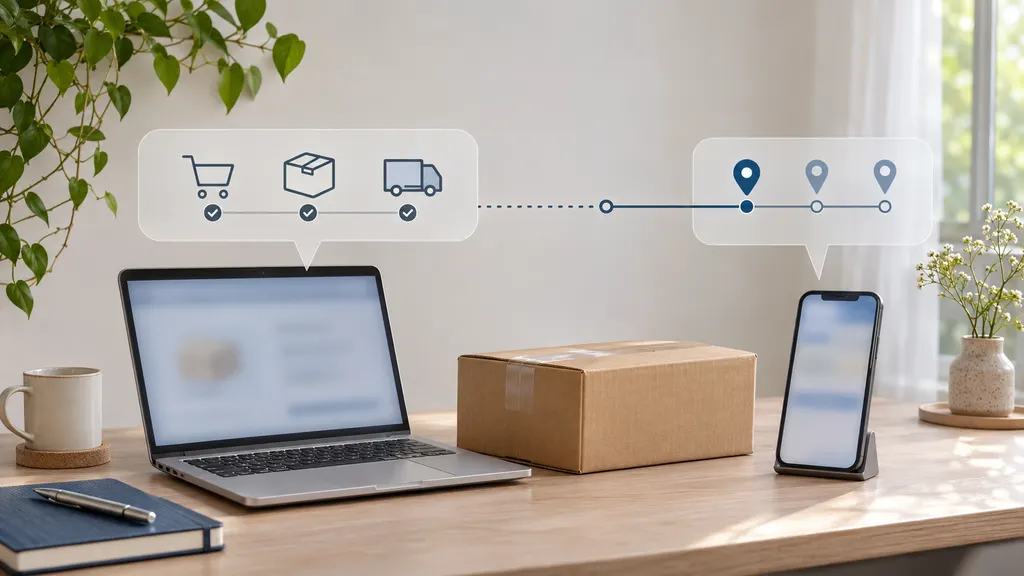
It helps to separate three events that are often described as “shipping”:
- Label creation: Shipment details are entered and a label is produced.
- Physical handoff: The sender gives the parcel to a pickup driver or takes it to a drop-off location.
- Visible UPS movement: Tracking displays an event indicating the parcel is moving through the UPS network.
These events need not appear at the same time. Likewise, an order confirmation or “shipped” email may be triggered by the seller’s own workflow rather than by a UPS movement event. Check the tracking history itself before treating a store notification as proof of carrier possession.
What to check before contacting anyone
Start with the tracking number on the UPS tracking page. Read the full event history and any displayed delivery information, rather than relying only on a short status shown in an order email. Confirm that the number belongs to the order you are asking about; a seller with multiple shipments may send more than one tracking number.
Then compare three dates, if you have them: when you placed the order, when the label was created, and when the sender said it would ship. The order date alone is rarely enough to judge a tracking delay because fulfillment can precede the carrier handoff by an amount of time set by the seller’s process.
Next, check whether the sender has already explained a processing window, preorder date, or dispatch schedule. Do not confuse an estimated delivery date with a confirmed pickup date. If the tracking page has no recorded movement, a delivery estimate from a store should be treated cautiously until the parcel enters the carrier network.
You can also view a UPS shipment through 17TRACK tracking if you prefer to monitor shipments from different carriers in one place. A tracking tool can help you follow reported events, but it cannot cause a pickup or independently verify that a seller has handed over a parcel when no carrier movement is recorded.
Who to contact, and what to ask
For an online purchase that still shows “Label Created,” the seller is usually the best first contact. The seller controls order preparation and can check its shipping records. UPS tracking can show what has been recorded, but it cannot tell you why a merchant has not yet packed or handed over an order.
A focused message is more likely to produce a useful answer than asking why tracking is “stuck.” Include the order number and tracking number, then ask: “Has this parcel been physically handed to UPS? If so, on what date and through which handoff method? Do you have a pickup confirmation or drop-off receipt?” If the seller has not handed it over, ask for a realistic dispatch date.
If you created the label, check your own handoff first. For a scheduled pickup, confirm the appointment and whether the parcel was ready and accessible under the arrangement you made. For a drop-off, check your receipt and the date and location you used. If you have evidence that UPS accepted the parcel but tracking still has no movement, use that evidence when contacting UPS through its official support channels. Keep the receipt rather than assuming the label or payment record proves acceptance.
When should you follow up? There is no single waiting period that fits every shipment. If a label was created shortly before the sender’s stated dispatch window, it may be reasonable to wait until that window has passed. If the promised ship date has passed and the status remains unchanged, contact the sender promptly. If the sender claims a completed handoff and the status still does not reflect it, ask for the handoff record and have the sender help investigate. A time-sensitive order warrants earlier contact because the practical issue may be the promised delivery date, regardless of why tracking has not updated.
How to interpret the next update
Once tracking shows a UPS network event, the situation changes: you can use the recorded movement and any updated delivery information to follow the parcel. Read the wording and event time shown for your specific shipment. Do not assume that the first visible update proves precisely when the physical handoff happened; it tells you when an event was recorded and displayed.
If the package later moves but misses the seller’s promised delivery date, that is a different question from an uncollected label. Check the latest UPS tracking information and the seller’s delivery terms before deciding whom to contact about the delay. Keep screenshots or records of relevant updates if you need to discuss the order with the seller.
The practical rule is simple: while tracking shows only “Label Created,” ask the sender to verify the physical handoff. After UPS tracking shows movement, follow the carrier events for the next delivery update. That approach avoids treating a printed label as a picked-up parcel—or treating a missing first scan as proof of a lost one.
FAQ
Does “Label Created” mean UPS has my package?
No. It means shipment information has been created. That status alone does not confirm UPS has physically received the parcel. Ask the sender for handoff details if you need confirmation.
Why did the seller say “shipped” if UPS still says “Label Created”?
Some sellers send a shipping notification when they create a label or prepare an order for dispatch. Ask whether “shipped” means the parcel was handed to UPS and, if so, when and how.
Can a package move before tracking updates?
Tracking events are not necessarily displayed at the exact moment of a physical handoff. If the sender says the package was given to UPS, request a drop-off receipt or pickup confirmation and continue checking the official tracking history.
Should I contact UPS or the seller first?
For an online order with no recorded UPS movement, contact the seller first. The seller can confirm whether it actually handed over the parcel. If you shipped the package yourself and have a handoff record, contact UPS with the tracking number and that record.
Can I know the delivery date from “Label Created”?
Not reliably from that status alone. A label does not confirm when the package will enter the UPS network. Check for later tracking events and distinguish any seller-provided estimate from a carrier update.
Sources
- UPS: Where Is My Package? — UPS guidance on tracking status and shipment visibility.
- UPS Tracking — official page for checking a shipment’s recorded events.
- 17TRACK Tracking — multi-carrier shipment tracking page.