Depop Tracking Statuses: Has Your Seller Shipped Your Order yet?
A Depop order is not necessarily on its way just because the seller has marked it as shipped. To tell whether your seller has actually dispatched the parcel, open the order receipt in the Depop app, look for tracking details, and check whether the carrier has recorded a physical scan. A label or tracking number can exist before the parcel is handed to the carrier, so the most reliable evidence is a carrier update such as “accepted,” “in transit,” or an equivalent first movement scan.
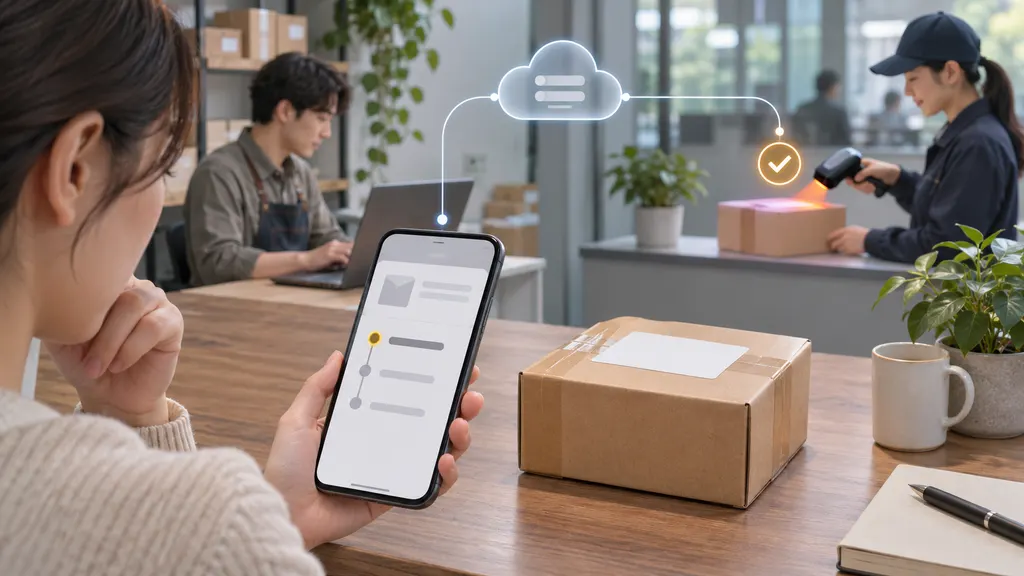
Depop shipping options and status labels can vary by country, seller workflow, carrier, and the way the order was paid for. The wording shown in the app may also differ from the wording on the carrier’s own website. The guide below explains what common statuses usually mean, what to do when tracking is not moving, and when the buyer should contact the seller or Depop.
How to check whether a Depop order has shipped
Start with the order information rather than the seller’s profile or a chat message. In the Depop app, open your purchase history or receipts and select the relevant order. Look for a shipping or tracking section, the carrier name, and a tracking number or link.
- Confirm that the order appears as paid or completed in your receipts.
- Check whether the seller has added tracking information.
- Open the carrier link, if one is available, and compare the latest event with the order status in Depop.
- Note the date and time of the first carrier scan, not only the date on which a label was created.
- If no tracking is available, review the seller’s messages and shipping information, then contact the seller through Depop.
A seller may prepare an order, print a shipping label, or enter a tracking number before the parcel is physically accepted. Those actions can be part of the shipping process, but they do not by themselves prove that the package has left the seller’s possession.
What common Depop tracking statuses mean
| Status or event | What it usually means | What the buyer should check |
|---|---|---|
| Order placed or paid | The purchase has been recorded, but the parcel may not have been packed or dispatched. | Look for the seller’s stated handling or shipping information. |
| Shipping label created | A label or shipment record exists. The carrier may not have received the parcel yet. | Wait for an acceptance or first-scan event before treating it as physically shipped. |
| Pre-shipment or awaiting item | The carrier is waiting for the parcel or has not yet recorded its first movement. | Check the timestamp and ask the seller when it was handed over. |
| Accepted, collected, or in transit | The carrier has recorded possession or movement of the shipment. | Use the carrier’s estimated delivery information cautiously, especially for international orders. |
| Exception, delay, or held | The shipment has encountered an event that may interrupt normal movement. | Read the carrier’s detailed explanation and check whether action is required. |
| Delivered | The carrier reports delivery to its recorded destination or delivery location. | Check safe places, household members, neighbors, and the carrier’s proof-of-delivery details. |
These are general interpretations rather than a guaranteed list of Depop’s current interface labels. The carrier’s detailed scan history is normally the better source for determining whether the parcel has entered the delivery network.
Does “shipped” mean the seller has sent the parcel?
Not always. In marketplace shipping workflows, “shipped” can describe an administrative update rather than a confirmed carrier movement. A seller might mark an order as shipped after packing it or creating a label. The parcel may then be collected later, dropped off without an immediate scan, or scanned at a processing facility instead of at the handover point.
The practical distinction is between shipment preparation and carrier acceptance. Preparation includes packing, printing a label, and adding tracking. Acceptance means the carrier has recorded the parcel. If the tracking page says that the carrier is awaiting the item, the seller may have prepared the shipment without a first scan being available yet. That does not prove the seller has failed to ship, but it does mean the parcel’s physical movement has not been confirmed by tracking.
Why Depop tracking may not update immediately
A quiet tracking page does not have one universal explanation. Common possibilities include:
- The label was created before the parcel was dropped off or collected.
- The first scan has not synchronized to the carrier’s public tracking system.
- The parcel was accepted but will receive its next scan at a sorting facility.
- The seller used a service with limited tracking or entered an incorrect tracking number.
- The carrier is experiencing a processing delay, weekend gap, holiday backlog, or local operational interruption.
- An international shipment is moving between postal or logistics networks, and event visibility is temporarily limited.
Do not assume that no new scan means the parcel is lost, and do not assume that a seller is dishonest solely because the status has not changed. Instead, compare the last scan date with the seller’s message, the stated shipping arrangement, and the carrier’s own guidance. If the tracking number is invalid or belongs to a different destination, contact the seller promptly and keep the conversation inside Depop where possible.
What to message the seller
A short, specific message is more useful than repeatedly asking whether the order has shipped. Mention the order and the exact tracking status, then ask for the handover date and carrier.
For example: “Hi, the tracking page still shows that the carrier is awaiting the parcel. Could you confirm whether it has been dropped off or collected, and which carrier service was used?”
If the seller says the package was sent without tracking, ask for the shipping date and the service used. If the seller provides a new tracking number, enter it carefully on the carrier’s official website. Avoid relying on screenshots alone when the number can be independently checked.
When should a buyer escalate the issue?
Escalation depends on the order’s delivery estimate, the seller’s communication, and the applicable Depop terms for the buyer’s country and payment method. There is no single universal waiting period that applies to every Depop transaction. Check the order receipt, Depop’s current Help Centre guidance, and any buyer-protection instructions attached to the transaction.
Consider contacting Depop support when:
- The seller does not respond after a reasonable follow-up.
- The seller cannot provide credible shipping information or gives tracking that does not match the order.
- The delivery estimate has passed and the package has no meaningful movement.
- The carrier reports a delivery problem, return to sender, or confirmed loss.
- You need to use a dispute, refund, or buyer-protection process and the relevant deadline may apply.
Keep the receipt, tracking history, seller messages, delivery address, and any carrier notices. Do not close a dispute or mark an order as resolved merely because the seller promises that it will arrive. Follow the instructions in the applicable Depop process and avoid sharing sensitive payment information in chat.
Using a separate tracking page for carrier updates
If the carrier link in Depop is incomplete or the order has passed through more than one logistics network, a neutral multi-carrier tracking service can make the event history easier to read. 17TRACK’s tracking page allows a buyer to enter a tracking number and check available carrier events across supported networks. It is a tracking aid, not proof that a seller has handed over a parcel, and it cannot replace Depop’s order or buyer-protection process.
For the clearest result, compare three details: the tracking number, the carrier identified by the shipment, and the destination shown in the tracking history. If a third-party tracker and the carrier’s own website show different information, use the carrier’s official record for the carrier event and contact Depop if the order record remains inconsistent.
A simple decision path for a delayed Depop order
- No tracking number: check the receipt and message the seller for the carrier and dispatch date.
- Label created, no first scan: ask whether the parcel has been handed to the carrier; allow time for the first scan to appear.
- In transit: follow the carrier events and delivery estimate, while allowing for normal gaps between scans.
- Exception or returned shipment: read the carrier instruction and contact the seller before assuming a replacement or refund is automatic.
- No response or overdue delivery: preserve evidence and use the applicable Depop support or dispute route before any stated deadline.
The key question is not simply whether the seller tapped “shipped.” It is whether there is a valid tracking record, a carrier acceptance or movement event, and a reasonable path to resolution if delivery does not occur. Checking those three points gives buyers a clearer answer without jumping to conclusions from a single status label.
FAQ
How long does it take for Depop tracking to update?
There is no universal update time for every carrier or shipping service. Tracking may remain at a label-created or pre-shipment stage until the carrier records the parcel. Check the carrier’s own tracking page, the timestamp of the last event, and the seller’s stated dispatch information.
Can a seller mark an order as shipped before sending it?
A shipment can be marked or prepared before a carrier scan confirms physical handover. A “shipped” label alone is therefore not conclusive evidence of carrier acceptance. Look for an acceptance, collection, or movement event.
What if my Depop tracking number does not work?
Recheck the number and carrier, then ask the seller to confirm that the details were entered correctly. If the number remains invalid or does not correspond with the destination, retain the messages and contact Depop through the applicable support process.
Should I wait if the carrier says it is awaiting the item?
You can allow time for a first scan if the seller has recently dispatched the parcel, but ask the seller when and how it was handed over. If there is no movement after the expected delivery period or the seller does not respond, review the relevant Depop support and buyer-protection options.
Does a “delivered” status guarantee that I received the package?
It means the carrier reports delivery to its recorded destination or location. Check the proof-of-delivery details, safe places, household members, and neighbors first. If the parcel cannot be found, contact the carrier and then follow Depop’s process for a missing delivery.
Sources
- Depop Help Centre — official guidance for orders, shipping, tracking, and buyer support.
- Depop Terms — official transaction and platform terms, which may vary by applicable market.
- 17TRACK Tracking — official multi-carrier tracking page for checking available shipment events.