Bigcommerce Shipping Integrations: Options for Rates, Labels, and Tracking
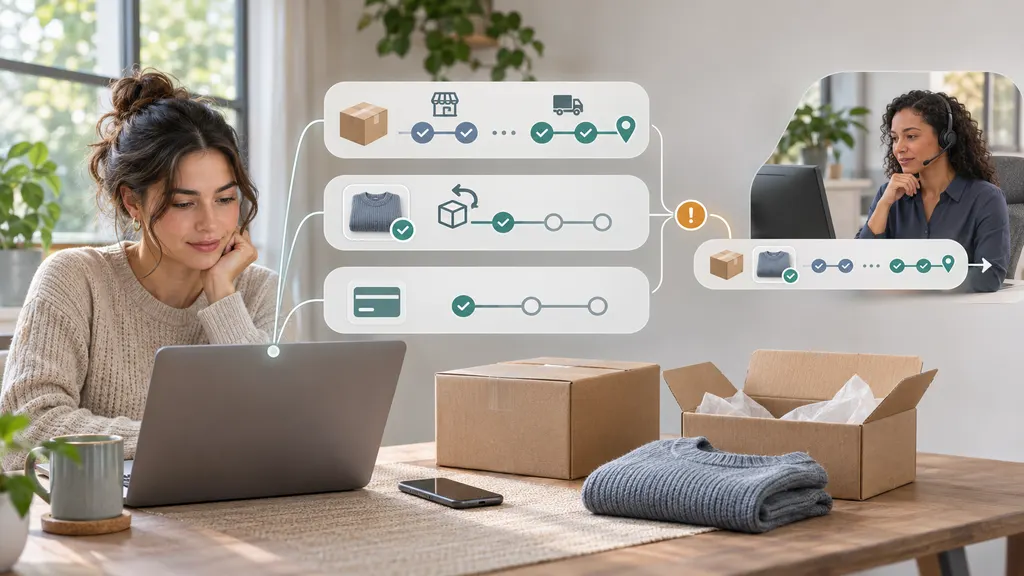
BigCommerce shipping integrations serve three different jobs: calculating shipping rates at checkout, purchasing labels for fulfillment, and tracking parcels after dispatch. For merchants, the right setup is not necessarily one app that promises everything. It is a connected workflow in which checkout methods, warehouse actions, shipment records, and customer updates stay consistent.

Start with the part of shipping that is failing today. Unexpected checkout charges call for a rate review. Slow packing and dispatch call for a label workflow review. Missing delivery updates call for better tracking. These problems can share order data, but solving one does not automatically solve the others.
What each shipping integration actually does
Before choosing an integration, separate the customer-facing shipping offer from the operational work required to fulfill it. A checkout shipping charge is not necessarily the amount you will later pay for a label, and a tracking number is not proof that a carrier has received the parcel.
| Integration layer | Main responsibility | What to verify |
|---|---|---|
| Checkout rates | Determine which delivery methods and charges shoppers see. | Shipping origins, destinations, product data, service eligibility, and fallback behavior. |
| Labels and fulfillment | Turn orders into shipments and produce the documents needed for dispatch. | Carrier accounts, package selection, printer compatibility, and shipment writeback. |
| Post-purchase tracking | Collect delivery events and make shipment progress accessible. | Tracking-number capture, carrier identification, update delivery, and exception handling. |
BigCommerce’s official app marketplace is a starting point for finding packaged integrations. Its developer documentation is the starting point for validating a custom connection. A marketplace listing alone should not be treated as confirmation that an app supports every country, carrier service, checkout configuration, or fulfillment workflow you use.
Choose the integration route around your workflow
Use platform shipping settings when the rules are straightforward
If your shipping offer is simple, first review the shipping configuration already available in your store. Define the destinations you serve, the methods shoppers should see, and the commercial rules behind those methods before adding another system.
For example, a store offering a standard domestic shipping charge may need clearer shipping zones and exclusions rather than an external rate engine. A store shipping oversized products from several locations has a different problem: a simple charge may hide meaningful differences in fulfillment cost.
Best fit: merchants with predictable parcels, limited fulfillment complexity, and shipping rules that their existing configuration can express. Move beyond this route when the required logic cannot be represented reliably—not merely because another app has more settings.
Use a packaged integration for repeatable fulfillment work
A packaged shipping integration is worth evaluating when staff repeatedly copy addresses, select services, purchase labels, or enter tracking numbers. Its value comes from reducing handoffs and keeping the order record aligned with what actually shipped.
Do not assume every label integration also supplies checkout rates. Likewise, do not assume an app that imports orders can write shipment details back to BigCommerce. Ask the provider to demonstrate each required direction of data movement using your workflow.
Best fit: teams that want an established operating interface without maintaining their own integration. It is a poor fit if essential warehouse rules require manual workarounds that negate the time saved.
Use a custom connection when another system owns fulfillment
A custom integration can make sense when an order management system, warehouse platform, or third-party logistics provider already controls dispatch. In that arrangement, BigCommerce may be the sales channel rather than the operational source of truth for every shipping action.
Define which system owns addresses, package decisions, label purchases, shipment creation, and tracking updates. Then confirm the necessary API operations, authentication requirements, permissions, and platform constraints in the relevant documentation.
Best fit: merchants with a genuine workflow requirement and the technical capacity to maintain it. Custom development is not automatically the cheapest route once monitoring, support, and future changes are included.
Rates: make the checkout promise match the shipping operation
A rate integration should produce a delivery offer you can fulfill, not simply return a number. Before testing providers, document the origin, destination, product, and packaging inputs that determine service eligibility and cost.
- Origins: Which warehouse or fulfillment partner will dispatch the order?
- Product data: Are weights and dimensions accurate, and are their units consistent?
- Packaging: Does the calculation use individual products, a selected carton, or an estimated package?
- Destinations: What happens with remote areas, postal boxes, and locations outside your service area?
- Commercial rules: Will you charge the calculated amount, subsidize shipping, or apply a promotional threshold?
Checkout charges and label costs may differ because the package, service, origin, or account used at fulfillment differs from the checkout assumptions. Compare both sides of a test order before concluding that the rate calculation is wrong.
Define failure behavior too. If a rate request fails, should checkout display a configured alternative, remove the affected method, or stop the order? The appropriate choice depends on whether your team can honor the alternative. A fallback charge that accepts an unshippable order is not a successful recovery.
For international orders, separate the transportation charge from duties and taxes. Do not describe a rate as an all-inclusive landed cost unless the responsible service explicitly calculates the relevant charges and the fulfillment process supports the stated payment arrangement.
Labels: evaluate the full dispatch cycle
Label purchasing should be tested from order import through cancellation, not just through the first successful print. The operational question is whether the integration keeps warehouse work and store records synchronized.
Use these acceptance checks:
- Order import: Confirm that the correct orders become available for fulfillment and that edits are handled predictably.
- Package creation: Test a single parcel, multiple parcels, and an order that ships only some items.
- Service selection: Check how the shopper’s checkout method maps to the service purchased by warehouse staff.
- Printing: Confirm that label size, file format, and print settings work with the actual warehouse equipment.
- Shipment writeback: Verify that the correct tracking information and shipped items reach the BigCommerce order.
- Reprints and voids: Establish how staff avoid duplicate purchases and how unused labels are handled under the applicable provider rules.
A particularly useful test is a label purchase that succeeds while the subsequent order update fails. Staff need a recovery path that updates the order without buying another label. This is where a polished demonstration can differ from a dependable production workflow.
Also check who owns customer notifications. If both a shipping integration and another connected system send dispatch messages, customers may receive duplicate or conflicting updates.
Tracking: distinguish shipment records from delivery visibility
Writing a tracking number to an order solves a recordkeeping problem. Collecting later carrier events solves a visibility problem. Your business may need both, but they should be evaluated separately.
A useful tracking workflow preserves the relationship between the order, shipment, parcel, carrier, and tracking number. That relationship matters when one order has several parcels or when a parcel moves through more than one delivery operator.
For a developer-led tracking layer, the 17TRACK Tracking API is a relevant option to assess. Its official API documentation provides the basis for evaluating tracking registration and event delivery in a custom workflow. This is a tracking use case, not a substitute for checkout rate calculation or label purchasing.
Do not assume that API availability means a ready-made BigCommerce connector is included. Establish how shipment details will move from your store or fulfillment system into the tracking service, how updates will reach their destination, and who will maintain the connection.
Before implementation, confirm support for your actual carriers and services, the relevant subscription terms, and the update-delivery configuration. Then test delayed scans, unrecognized numbers, duplicate updates, and delivery exceptions. A tracking integration cannot create a physical carrier scan that has not occurred.
Choose a tracking owner inside the business as well. An exception dashboard has limited operational value unless someone is responsible for investigating stalled shipments and deciding when to contact the carrier or customer.
Compare total cost without relying on headline pricing
Because these integration layers do different work, compare costs against the workflow you need rather than a single advertised subscription figure.
- Software charges: Identify subscriptions, usage allowances, overages, and separately billed features.
- Shipping charges: Separate postage and carrier adjustments from the software fee.
- Implementation: Include setup, data cleanup, service mapping, testing, and staff training.
- Ongoing operations: Account for manual corrections, failed synchronizations, and support ownership.
- Exit requirements: Check how you can retrieve shipment records and remove the connection without disrupting open orders.
Ask each provider to explain which event counts toward billable usage. Orders, labels, parcels, registered tracking numbers, and API requests are not interchangeable units. Use a representative period from your own operation when estimating cost.
Run a small end-to-end pilot before switching
The strongest selection method is a controlled pilot using realistic orders. Include an ordinary domestic parcel, a multi-item order, a split shipment, and any international or unusual shipment type that matters to your business.
For each test, record the checkout offer, selected service, label outcome, shipment record, tracking destination, and customer notifications. Add at least one failure case, such as a rejected address or interrupted synchronization.
Assign clear ownership: the ecommerce team approves checkout behavior, warehouse staff approve packing and printing, customer support approves shipment visibility, and the technical owner approves permissions and recovery procedures. Review what customer data each connection receives and grant only the access required for its job.
The practical recommendation: keep the setup as simple as your operation allows. Use existing shipping configuration where it meets the requirement, add a fulfillment integration where it removes repetitive work, and introduce a dedicated tracking layer when shipment visibility needs its own workflow. Connect the layers deliberately rather than buying overlapping capabilities by default.
FAQ
Do I need separate integrations for rates, labels, and tracking?
Not necessarily. One integration may cover several functions, while another may handle only one. Verify each required function independently, including whether it reads orders, writes shipment information back, and delivers later tracking updates.
Will a label integration automatically change checkout shipping rates?
Do not assume so. Label purchasing happens during fulfillment, while checkout rates are presented before the order is placed. Confirm whether the integration provides checkout-rate functionality and whether it works with your store’s configuration.
Can I connect my own carrier accounts?
That depends on the integration, carrier, account eligibility, and shipping region. Ask which accounts and services are supported, whether your account rates can be used, and who bills postage and subsequent adjustments.
Can 17TRACK replace a BigCommerce label tool?
The Tracking API should be evaluated for tracking visibility, not as a replacement for label purchasing. A custom workflow can connect shipment information to a tracking service while leaving checkout calculations and label creation with the systems responsible for those tasks.
Why might a customer see no movement after receiving a tracking number?
A tracking number can exist before a parcel receives its first carrier scan. Other possibilities include an incorrect number, a carrier-identification issue, or delayed event availability. Check the fulfillment handoff and carrier information before treating the absence of updates as a software failure.
Sources
- BigCommerce App Marketplace — official starting point for identifying packaged integrations and checking individual listings.
- BigCommerce Developer Documentation — official reference for validating platform integration requirements and API implementation details.
- 17TRACK Tracking API — official product reference for the tracking API option discussed in this guide.
- 17TRACK API Documentation — technical reference for evaluating a custom tracking workflow.