N

Nike Order Tracking

https://www.nike.com/

Enter a tracking number that can be used for shipment tracking to check the logistics history of your Nike order.

About Nike

Nike is a global sportswear and footwear brand and DTC retailer. For orders placed on Nike.com or in Nike digital channels, Nike’s account and order systems show order status, shipment information and available tracking links; the actual transport scans are controlled by the delivery carrier used for that shipment.

Brand Entity & Order Ownership

Entity / order partyRole in the order
Nike / Nike.comBrand retailer and order owner for Nike.com purchases.
View all details for Nike / Nike.com
What it controlsOrder record, account order page, order emails, eligible cancellation or return workflows, refund processing after Nike accepts a return or issue.
What it cannot controlCarrier scan timing after the package is handed to a delivery network, weather, local delivery access, customs processes or third-party mailbox handling.
Why it matters to trackingNike is the first place to confirm whether an order exists, whether it shipped and whether multiple shipments were created.
Buyer accountThe Nike Member or guest identity connected to the purchase.
View all details for buyer account
What it controlsAccess to order details, saved contact information, delivery address visibility and return start options when eligible.
What it cannot controlIt cannot create carrier scans or prove that a carrier physically received a parcel.
Why it matters to trackingIf the customer cannot access the account or email used at checkout, Nike may need identity and order details before support can help.
Seller or merchantFor Nike.com orders, Nike is normally the merchant; Nike is not a general marketplace.
View all details for seller or merchant
What it controlsMerchant-side order acceptance, fulfillment initiation, return authorization and customer support for Nike.com purchases.
What it cannot controlOrders bought from non-Nike retailers, resale platforms or marketplace sellers are controlled by that merchant, not by Nike.com order tools.
Why it matters to trackingA Nike-branded item bought from another retailer must be tracked through that retailer’s order system unless a carrier tracking number is available.
Fulfillment partyNike warehouse, store fulfillment operation or other Nike fulfillment channel, depending on the order.
View all details for fulfillment party
What it controlsPicking, packing, label creation and handoff to the selected delivery network.
What it cannot controlDownstream carrier route changes, last-mile access or a delivery scan after handoff.
Why it matters to trackingTracking may not update until a label is scanned by the carrier, even if Nike says the order is preparing or shipped.
Carrier / last-mile carrierThe delivery network that transports and scans the package.
View all details for carrier / last-mile carrier
What it controlsShipment scans, out-for-delivery events, delivery attempts, proof of delivery when offered and return-to-sender scans.
What it cannot controlNike order edits, item substitutions, refund approval or Nike account access.
Why it matters to tracking17TRACK and carrier sites rely on carrier tracking events; the carrier number is different from the Nike order number.
Payment / refund channelThe payment method and Nike refund workflow used for the purchase.
View all details for payment / refund channel
What it controlsPayment authorization, refund destination and bank or wallet posting after Nike issues a refund.
What it cannot controlReturn package scans or delivery exceptions.
Why it matters to trackingA returned package being delivered to Nike is not the same as the refund being completed by payment processing.
17TRACK relationshipIndependent tracking platform for available carrier tracking numbers.
View all details for 17TRACK relationship
What it controlsAggregating available carrier tracking events and helping detect the carrier when supported.
What it cannot control17TRACK cannot access private Nike order details, change an address, cancel an order, approve a return, issue a refund or contact Nike on the customer’s behalf.
Why it matters to trackingUse 17TRACK after you have a carrier tracking number, not as a replacement for the Nike account order page.

Quick Answer

To track a Nike order, sign in to your Nike account or use the order email, open the order details, and look for the shipment status, carrier and tracking number. If a carrier tracking number is available, you can paste it into 17TRACK to follow carrier events.

QuestionDirect answer
How do I track my Nike order?Use Nike order details first, then the carrier site or 17TRACK when a carrier number is shown.
Where is the tracking number?Check the Nike order details page, shipping confirmation email, SMS or app notification.
What if there is no tracking?The order may still be processing, the label may not be scanned yet, or the purchase may need the Nike order route instead of carrier tracking.
Who should I contact?Contact Nike for order, return or refund access; contact the carrier for delivery attempt or proof-of-delivery details; use 17TRACK only to view available tracking events.
Pro Tip: A Nike order number proves the purchase in Nike’s system; a carrier tracking number is what 17TRACK and carrier websites normally need to show package movement.

How to Track Nike Orders

The most reliable path starts in Nike’s order details because it can show whether the order is processing, split into shipments, shipped, ready for pickup, returned or refunded. Use carrier tracking only after Nike provides a carrier tracking number or link.

Tracking Path Comparison

Tracking pathUse when
Official account / OrdersYou bought on Nike.com or in a Nike digital channel using a Nike account.
View all details for official account tracking
Identifier neededNike account login and the order record.
What you can seeOrder status, shipment information, tracking link if available, return or cancellation options when eligible.
Best next stepSign in, open the orders page, choose the order, then check each shipment separately.
Important limitationAccount order status may update before carrier scans appear.
Official order email or SMSYou checked out as a guest or need the shipping confirmation message.
View all details for order email or SMS
Identifier neededOrder confirmation or shipping confirmation message sent by Nike.
What you can seeOrder number, shipping link, estimated delivery information when provided and sometimes carrier details.
Best next stepSearch your inbox and spam folders for Nike order or shipping confirmation, then follow the official tracking link.
Important limitationIf you do not control the recipient email or phone, Nike may restrict access to private order details.
17TRACKYou have a carrier tracking number from Nike, the email or the carrier link.
View all details for 17TRACK tracking
Identifier neededCarrier tracking number, not the Nike order number.
What you can seeAvailable carrier scan events, shipment route events and delivery status supported by the carrier data source.
Best next stepPaste the carrier number into 17TRACK and compare the latest event with Nike’s order page if there is a discrepancy.
Important limitation17TRACK cannot open Nike-only order records or trigger refunds, replacements or address changes.
Carrier websiteNike provides the carrier name or the tracking link redirects to a delivery company.
View all details for carrier website tracking
Identifier neededCarrier tracking number and sometimes destination ZIP or postal code for delivery options.
What you can seeDelivery attempts, local facility scans, proof of delivery where offered and delivery management options where supported.
Best next stepUse carrier tools for missed delivery, pickup, access instructions or proof-of-delivery questions.
Important limitationThe carrier cannot approve Nike refunds or confirm item contents.
Guest / gift routeThe order was placed without your Nike account, by another person, or as a gift.
View all details for guest or gift tracking
Identifier neededOrder email, order number, recipient or purchaser details requested by Nike support, or a gift return link if provided.
What you can seeOnly the information available through the email link, tracking number or authorized support flow.
Best next stepAsk the purchaser for the Nike order email or carrier tracking number if you are the recipient.
Important limitationPrivacy rules may prevent Nike from disclosing full order or payment details to someone who did not place the order.
Nike app notificationsYou use Nike’s app ecosystem and enabled account notifications.
View all details for Nike app notifications
Identifier neededNike account session and notification permissions.
What you can seeOrder updates and links back to Nike order information when supported for your region and app version.
Best next stepOpen the app, check order history or notification center, and compare with your email confirmation.
Important limitationApp alerts may not include every carrier event and can depend on account settings.

Official account steps: sign in to Nike, open your order history, select the order, review order status or shipment details, follow any Track Package or carrier link, and check whether separate items were split into different shipments.

Order Numbers, Tracking Numbers and Where to Find Them

Nike order numbers and carrier tracking numbers are different. The order number identifies the purchase with Nike; the tracking number identifies a physical package with a carrier after shipment information exists.

Identifier & Tracking Number Guide

Identifier typeWhere users find it
Nike order numberNike order confirmation email, Nike account order details or official receipt.
View all details for Nike order number
Looks like / exampleUse a masked example such as NKE-ORDER-#######; Nike formats can vary by region and channel.
Who issues itNike order system.
Can 17TRACK use it?No, not as a carrier tracking number.
What it can and cannot proveIt helps Nike locate the purchase, but it does not prove carrier possession or delivery.
Shipment / tracking numberShipping confirmation email, order detail page, app notification or carrier tracking link.
View all details for shipment / tracking number
Looks like / exampleMasked carrier-style example such as 1Z #### #### #### #### or 9400 #### #### #### #### ##; actual format depends on the carrier.
Who issues itThe carrier or shipping label system.
Can 17TRACK use it?Yes, when the carrier and data source are supported and the number has usable tracking events.
What it can and cannot proveIt can show carrier events, but it does not confirm order contents or refund eligibility.
Carrier tracking numberCarrier website reached from Nike’s track link or the shipment email.
View all details for carrier tracking number
Looks like / exampleCarrier-specific alphanumeric string; do not assume a Nike-only format.
Who issues itThe delivery carrier or shipping partner.
Can 17TRACK use it?Usually yes if it is a public carrier number rather than an internal order reference.
What it can and cannot proveIt proves a tracking record exists, but a label-created event may still precede physical carrier pickup.
Return tracking numberReturn label, return confirmation email, carrier receipt or QR-code return drop-off receipt.
View all details for return tracking number
Looks like / exampleCarrier-specific masked number, separate from the outbound shipment number.
Who issues itCarrier or Nike return label system.
Can 17TRACK use it?Yes, if it is a carrier return tracking number supported by 17TRACK.
What it can and cannot proveIt can show the return parcel movement, but it does not prove Nike has inspected the return or issued the refund.
Return authorization / RMANike return workflow, return email or return label information if Nike provides one.
View all details for return authorization / RMA
Looks like / exampleMasked example such as RETURN-#######; current format is not standardized publicly across regions.
Who issues itNike return system.
Can 17TRACK use it?No, unless it is also a carrier tracking number.
What it can and cannot proveIt identifies a return request, not shipment movement.
Gift / order linkForwarded Nike email or purchaser-provided link and shipment details.
View all details for gift / order link
Looks like / exampleOfficial Nike link or email content; avoid sharing private account links publicly.
Who issues itNike or the purchaser forwarding Nike information.
Can 17TRACK use it?No; extract the carrier tracking number if it is shown.
What it can and cannot proveIt may help the recipient track a shipment, but it may not grant refund or payment information access.
Marketplace order IDOnly relevant if the Nike item was bought from another marketplace or retailer, not from Nike.com.
View all details for marketplace order ID
Looks like / exampleFormat depends on Amazon, eBay, a local retailer or another marketplace.
Who issues itThe marketplace or retailer where the purchase occurred.
Can 17TRACK use it?No, unless the marketplace also provides a public carrier tracking number.
What it can and cannot proveIt proves a purchase in that marketplace’s system, not a Nike.com order.

Fulfillment, Sellers and Carriers

Nike.com is not treated here as a multi-seller marketplace. Carrier names, delivery services and handoff points can vary by order, region, item type and delivery option, so do not assume one carrier for every Nike package.

Fulfillment & Carrier Relationship

Fulfillment modelWho ships it
Nike warehouse shipmentNike fulfillment operation hands the parcel to a delivery carrier.
View all details for Nike warehouse shipment
Typical carriers or delivery networkCarrier varies by order, region, item type and delivery option.
Who updates trackingNike updates order status; the carrier updates transport scans.
Who handles delivery issuesCarrier handles delivery attempts and proof-of-delivery questions; Nike handles order support and refunds.
What the customer should check firstNike order details, then the carrier tracking link.
Split shipmentDifferent items may ship separately from different fulfillment points.
View all details for split shipment
Typical carriers or delivery networkEach shipment may use a different carrier or tracking number.
Who updates trackingEach carrier updates its own package; Nike groups them under the order.
Who handles delivery issuesUse the specific tracking number for the missing shipment and contact Nike if an item is missing from the order.
What the customer should check firstCheck whether Nike shows more than one shipment or delivery date.
Store pickup or pickup-related orderNike store or pickup operation prepares the item when the service is available in the customer’s region.
View all details for store pickup or pickup-related order
Typical carriers or delivery networkThere may be no public carrier movement if the order is picked up rather than shipped to an address.
Who updates trackingNike or store system updates readiness and pickup status.
Who handles delivery issuesNike store or Nike support, depending on the order flow.
What the customer should check firstPickup confirmation, ready-for-pickup notice and store instructions.
Nike item bought from another retailerThe retailer or marketplace seller where the purchase was made.
View all details for Nike item bought from another retailer
Typical carriers or delivery networkCarrier varies by that seller or platform.
Who updates trackingThe seller or platform provides shipment records; carrier updates scans.
Who handles delivery issuesThe selling retailer or marketplace support, not Nike.com order support.
What the customer should check firstOrder page on the site where you paid.
Digital service or membership-related transactionNike account system rather than a parcel carrier.
View all details for digital service or membership transaction
Typical carriers or delivery networkNo physical carrier tracking applies unless a physical item is shipped.
Who updates trackingNike account or service system.
Who handles delivery issuesNike support for account or service access.
What the customer should check firstAccount status, email confirmation and Nike help resources.

Tracking Statuses and Meanings

Nike order statuses, carrier scan statuses, return statuses and refund statuses describe different parts of the lifecycle. Use the source of the status to decide what to do next.

Status Quick Lookup

Status shownLifecycle stage
Pending / order receivedOrder confirmation and payment review.
View all details for pending / order received
What it usually meansNike has received the order information, but fulfillment may not have started.
Who is responsible nowNike order system and payment channel.
What happens nextOrder is accepted, canceled or moved to processing.
What the customer should doWait for official confirmation and check payment or email issues if Nike requests action.
Processing / preparingFulfillment preparation.
View all details for processing / preparing
What it usually meansItems are being prepared, allocated or packed; a carrier number may not exist yet.
Who is responsible nowNike fulfillment.
What happens nextA shipment is created or the order is updated if an item cannot be fulfilled.
What the customer should doCheck order details for cancellation windows or shipment creation.
Label created / shipped with no scansShipment record created before full carrier movement.
View all details for label created / shipped with no scans
What it usually meansA label or shipment record exists, but the carrier may not have scanned the parcel yet.
Who is responsible nowNike until handoff; carrier after first acceptance scan.
What happens nextCarrier acceptance or origin facility scan appears if the parcel is moving.
What the customer should doRecheck later and compare Nike status with carrier tracking.
In transitCarrier transport.
View all details for in transit
What it usually meansThe package is moving through carrier facilities or linehaul routes.
Who is responsible nowCarrier or delivery network.
What happens nextArrival at local facility, out-for-delivery scan or exception.
What the customer should doMonitor carrier events and verify address access.
Out for deliveryLast-mile delivery attempt.
View all details for out for delivery
What it usually meansThe package is with the local route or delivery agent for delivery that day or route cycle.
Who is responsible nowLast-mile carrier.
What happens nextDelivered, attempted, delayed or rescheduled scan.
What the customer should doWatch for delivery instructions, secure access and check carrier delivery options.
DeliveredCarrier reports final delivery.
View all details for delivered
What it usually meansThe carrier marked the package delivered to the address, pickup point, front desk or other recorded location.
Who is responsible nowCarrier for delivery evidence; Nike for order support if the item is not received.
What happens nextCustomer verifies receipt or opens a support case if missing.
What the customer should doCheck delivery location, household, neighbors, front desk, photo proof and carrier details before escalating.
Pickup readyPickup or store collection stage.
View all details for pickup ready
What it usually meansThe order is available at the specified pickup location if that service applies.
Who is responsible nowNike store or pickup location.
What happens nextCustomer collects the order or follows pickup expiry instructions.
What the customer should doBring required identification and pickup confirmation if Nike instructs it.
Exception / attemptedDelivery problem or access issue.
View all details for exception / attempted
What it usually meansThe carrier could not complete normal delivery because of access, address, weather, route or other issue.
Who is responsible nowCarrier for delivery resolution; Nike for order-level support if the parcel is returned or lost.
What happens nextRedelivery, pickup, address clarification, return-to-sender or investigation.
What the customer should doFollow carrier instructions quickly and save screenshots of the latest event.
Return in transit / refund pendingPost-delivery return and refund workflow.
View all details for return in transit / refund pending
What it usually meansThe return package is moving or Nike is processing the return and refund.
Who is responsible nowCarrier for return transport; Nike and payment channel for refund processing.
What happens nextReturn delivered, inspected where applicable, then refund issued according to Nike and payment processing.
What the customer should doTrack the return number and check Nike return or refund status separately.

Delivery Time and Delay Factors

Use the delivery estimate shown by Nike for your region, item and checkout method. Public estimates can vary by country, product availability, customization, pickup option and carrier capacity, so this page does not invent universal delivery days.

Delivery Time & Delay Factors

Scenario/serviceTypical timing source
Standard home deliveryNike checkout estimate, order confirmation and order details.
View all details for standard home delivery
What can delay itPayment review, fulfillment backlog, carrier pickup timing, weather, high-volume periods or local delivery access.
When tracking may updateAfter shipment creation and again after carrier acceptance or facility scans.
Who to contact firstNike before carrier acceptance; carrier after active carrier scans.
Important caveatAn estimated delivery date is not the same as a guaranteed delivery promise unless Nike states conditions for that order.
Expedited delivery optionService availability and estimate shown at checkout for the destination.
View all details for expedited delivery option
What can delay itCutoff time, item availability, carrier exception, address validation or peak season capacity.
When tracking may updateOften after label creation and carrier pickup; updates may still pause between scans.
Who to contact firstNike if service was not applied; carrier if transport is already active.
Important caveatCheck official Nike delivery terms for your country before assuming eligibility or refundability of shipping fees.
Customized or limited productsProduct page, checkout and order status for that item.
View all details for customized or limited products
What can delay itProduction, personalization, inventory allocation or release-volume constraints.
When tracking may updateOnly after the item is completed and assigned to a shipment.
Who to contact firstNike order support.
Important caveatDo not compare a customized item to regular in-stock delivery timing unless Nike groups them together.
Split packageEach shipment row in Nike order details.
View all details for split package
What can delay itDifferent warehouses, item availability, separate carriers or staggered handoff.
When tracking may updateEach package updates independently.
Who to contact firstNike if one item never ships; carrier for a package that has active scans.
Important caveatOne delivered package does not prove every item in the order was delivered.
Pickup / store collectionReady-for-pickup notification or Nike order page.
View all details for pickup / store collection
What can delay itStore inventory confirmation, order preparation or store operating conditions.
When tracking may updateWhen the order becomes ready or is picked up; carrier scans may not apply.
Who to contact firstNike store or Nike support according to the pickup notice.
Important caveat17TRACK generally cannot track pickup-only readiness without a carrier tracking number.
Cross-border or remote area deliveryNike country site and carrier events for the destination.
View all details for cross-border or remote area delivery
What can delay itCustoms, handoff between carriers, local holidays, remote routing or import checks where applicable.
When tracking may updateAt export, import, customs release and last-mile acceptance points when carriers publish scans.
Who to contact firstCarrier for customs or local delivery instructions; Nike for order and return support.
Important caveatInternational availability and duties depend on the Nike country site and order conditions.

Common Problems and Next Steps

Most Nike tracking problems fall into four groups: no carrier number yet, carrier scans not updating, delivery exception, or a post-delivery return/refund issue. The right escalation depends on who currently controls that lifecycle stage.

Problem & Next Step

Problem shownCheck first
No tracking numberNike order details and shipping confirmation email.
View all details for no tracking number
Likely causeOrder is processing, pickup-only order, shipment not created, or guest/purchaser email is inaccessible.
Immediate actionWait for shipment confirmation or sign in to Nike and check each order line.
When to escalateIf Nike’s official estimate has passed or the order page requests support action.
Who to contactNike support.
Tracking number not workingWhether the number is a carrier number or only a Nike order number.
View all details for tracking number not working
Likely causeLabel was just created, carrier has not scanned it, wrong carrier selected, copied number has spaces or the number is not public carrier tracking.
Immediate actionCopy the number again from Nike email, try the linked carrier page, then try 17TRACK carrier auto-detection.
When to escalateIf Nike shows shipped but the carrier has no record after a reasonable scan window for your region.
Who to contactNike first if no carrier record; carrier if the number exists but scan details conflict.
Order says shipped but no scansNike shipment date and first carrier acceptance event.
View all details for shipped but no scans
Likely causeShipment label created before pickup, batch handoff delay or carrier scan lag.
Immediate actionMonitor Nike and carrier tracking; avoid opening duplicate cases before the first expected scan window unless Nike advises.
When to escalateIf delivery estimate passes without carrier acceptance.
Who to contactNike order support.
Package stuckLatest carrier event, location and event age.
View all details for package stuck
Likely causeLinehaul gap, facility backlog, customs where applicable, weather or missed scan.
Immediate actionCheck carrier site for service alerts and compare with 17TRACK events.
When to escalateIf the carrier’s expected delivery or Nike’s estimate has passed without movement.
Who to contactCarrier for active transit details; Nike if the carrier suggests shipper contact or package loss.
Delivery attemptedCarrier instructions and attempted-delivery notice.
View all details for delivery attempted
Likely causeNo access, signature or safe place unavailable, recipient not present, or address problem.
Immediate actionUse carrier redelivery or pickup instructions if available.
When to escalateIf the package is returning to sender or the carrier cannot resolve access.
Who to contactCarrier first, then Nike if return-to-sender occurs.
Address problemOrder address and carrier exception wording.
View all details for address problem
Likely causeIncomplete apartment, postal code mismatch, access issue or carrier validation problem.
Immediate actionCheck whether Nike still allows order changes; otherwise follow carrier instructions if the shipment is in transit.
When to escalateIf the package is undeliverable or returned.
Who to contactCarrier for in-transit delivery instructions; Nike for order-level resolution.
Customs holdCarrier customs event and Nike country-site order terms.
View all details for customs hold
Likely causeImport review, documentation check, taxes or destination-country processing where applicable.
Immediate actionFollow carrier customs instructions and keep Nike order documents available.
When to escalateIf the carrier requests shipper documents or the parcel is returned.
Who to contactCarrier for customs action; Nike if shipper support is required.
Delivered but not receivedDelivery location, household, front desk, neighbors and proof-of-delivery details.
View all details for delivered but not received
Likely causeDelivered to alternate safe location, front desk, neighbor, pickup point, wrong address or premature delivery scan.
Immediate actionCheck all likely delivery spots, ask household or building staff, review photo proof if available, then contact the carrier with the tracking number.
When to escalateIf the carrier cannot locate the package or delivery evidence conflicts with your address.
Who to contactCarrier for delivery evidence; Nike support for missing-package review. Refund or replacement is not automatic.
Split shipment missing itemWhether Nike created multiple shipments and which item each shipment contains.
View all details for split shipment missing item
Likely causeAnother package is still pending, delivered separately or not fulfilled.
Immediate actionTrack each shipment number and compare delivered items with the packing slip or order details.
When to escalateIf all shipments are delivered but an item is still missing.
Who to contactNike support with photos and order details.
Wrong item or damaged packagePhotos, packaging, label, item tag and order details.
View all details for wrong item or damaged package
Likely causeFulfillment error, transit damage or packaging issue.
Immediate actionTake photos before discarding packaging and review Nike return or support options.
When to escalateImmediately if the item is unusable, incorrect or missing contents.
Who to contactNike support; carrier only if Nike asks for carrier damage documentation.
Return not updating / refund pendingReturn tracking number and Nike return status separately.
View all details for return not updating / refund pending
Likely causeReturn label not scanned, drop-off delay, return center processing or payment posting delay.
Immediate actionKeep drop-off receipt, track the return number, then check Nike refund status.
When to escalateIf the carrier shows delivered to return destination but Nike has no update after its stated processing guidance for your region.
Who to contactNike for refund status; carrier for missing return shipment scans.

Returns, Exchanges and Refunds

Nike’s official returns and refund rules depend on the country site, item condition, order channel and current policy. Track the return package with the return tracking number; check refund approval and payment posting through Nike and the payment method.

Returns & Refunds

ScenarioWhere to start
Return a Nike.com purchaseNike orders page or official Nike returns help for your region.
View all details for returning a Nike.com purchase
Who can start itThe purchaser or authorized account holder, subject to Nike’s eligibility rules.
Identifier neededNike order number, account email and item details.
Return shipping/trackingUse the return label, QR code or return instructions Nike provides when eligible.
Refund timing dependencyDepends on return delivery, Nike processing and payment method posting.
Important limitation17TRACK can track a carrier return number, but cannot approve the return.
Exchange requestNike return or exchange help flow if available for the product and region.
View all details for exchange request
Who can start itThe purchaser or eligible account user.
Identifier neededOrder number, product, size or color information.
Return shipping/trackingFollow Nike’s exchange instructions; return and replacement shipments may have separate tracking.
Refund timing dependencyExchange timing depends on item availability and Nike processing.
Important limitationAvailability of exchanges is not universal across all regions or products.
Cancel orderNike order page as soon as possible after purchase.
View all details for cancel order
Who can start itThe purchaser while Nike’s cancellation option is still available.
Identifier neededOrder record and account or email verification.
Return shipping/trackingNo return tracking applies if cancellation succeeds before shipment.
Refund timing dependencyDepends on payment authorization reversal or refund processing.
Important limitationOnce fulfillment advances, cancellation may not be available and return may be the next option.
Return package trackingCarrier receipt, return label or return confirmation email.
View all details for return package tracking
Who can start itAnyone holding the carrier return tracking number can view public carrier events.
Identifier neededReturn tracking number, not the Nike order number.
Return shipping/trackingUse carrier website or 17TRACK when supported.
Refund timing dependencyDelivery to the return destination may precede Nike inspection and refund processing.
Important limitationA delivered return scan does not prove refund approval.
Gift returnNike gift return instructions if available, or ask the purchaser for order support.
View all details for gift return
Who can start itRecipient or purchaser depending on Nike’s region-specific gift return flow.
Identifier neededGift receipt, order details or purchaser-provided information.
Return shipping/trackingUse Nike-provided return label or drop-off instructions if eligible.
Refund timing dependencyRefund or credit method depends on Nike gift return rules and payment information privacy.
Important limitationGift recipients may not have access to purchaser payment details.
Third-party retailer returnThe marketplace or retailer where the Nike item was purchased.
View all details for third-party retailer return
Who can start itThe buyer under that retailer’s policy.
Identifier neededMarketplace order ID, seller return authorization or carrier return number.
Return shipping/trackingFollow the selling platform’s return label and tracking process.
Refund timing dependencyDepends on that retailer or marketplace, not Nike.com.
Important limitationNike.com support may not be able to modify or refund a purchase made elsewhere.

Customer Service and Escalation

Use Nike’s official help and contact pages for order access, return eligibility, refund status and account issues. Avoid using phone numbers or hours from unofficial pages because Nike contact options can vary by country and time.

Customer Service

ChannelBest for
Nike HelpOrder tracking help, shipping, returns, refunds and account guidance.
View all details for Nike Help
Where to accesshttps://www.nike.com/help/
Information to prepareOrder number, email or phone used at checkout, shipping address, item name and latest tracking event.
Who should use itNike.com buyers and Nike account holders.
Important limitationHelp content and contact options may redirect to your country-specific Nike site.
Nike order details pageChecking order status, shipment links and eligible cancellation or return actions.
View all details for Nike order details page
Where to accessSign in on Nike.com and open order history, or use the official link in the order email.
Information to prepareNike account credentials or email order link.
Who should use itThe person who placed the order or has authorized access to the order email.
Important limitationPrivate account data is not visible to 17TRACK or to unauthorized gift recipients.
Nike contact pageEscalating order, product, return or account questions through official options.
View all details for Nike contact page
Where to accessNike Help contact options
Information to prepareOrder number, tracking number, photos, invoice, return label, refund case reference and payment method type.
Who should use itBuyers who need Nike to review an order-level or refund-level issue.
Important limitationAvailable contact methods can vary; this page does not publish unverified phone numbers or hours.
Carrier supportDelivery attempt, proof of delivery, pickup location, customs or local route question.
View all details for carrier support
Where to accessCarrier website linked from Nike tracking or shown in tracking events.
Information to prepareCarrier tracking number, destination address, delivery notice and latest scan.
Who should use itRecipients with active carrier tracking or delivery exceptions.
Important limitationCarrier support cannot authorize Nike refunds or change Nike order contents.
Retailer or marketplace supportNike-branded product purchased somewhere other than Nike.com.
View all details for retailer or marketplace support
Where to accessThe order page on the platform where payment was made.
Information to prepareMarketplace order ID, seller name, carrier tracking number, photos and messages.
Who should use itBuyers from Amazon, eBay, local retailers, resale platforms or other merchants.
Important limitationNike.com order tools generally cannot refund or modify another merchant’s order.

Seller, Marketplace and Buyer Responsibility

Nike.com is not a general third-party marketplace. This section applies when a customer bought a Nike-branded item from another retailer or marketplace rather than directly from Nike.com.

Marketplace Responsibility

IssueBuyer action
Seller has not shippedOpen the marketplace order page and contact the seller or platform under its rules.
View all details for seller has not shipped
Platform roleDisplays order status and may enforce seller handling time.
Seller roleConfirms stock, creates shipment and provides tracking.
Carrier roleNo role until it receives a package or label record.
Evidence to keepOrder ID, seller messages and promised ship date.
Seller provided wrong trackingCompare destination, carrier and item timeline; report through the marketplace if suspicious.
View all details for wrong tracking
Platform roleReviews disputes under marketplace policy.
Seller roleMust provide valid shipment information for the order.
Carrier rolePublishes scan events for the number only.
Evidence to keepScreenshots, tracking events, delivery city if visible and seller replies.
Item not receivedCheck carrier proof first, then file with the selling platform if unresolved.
View all details for item not received
Platform roleMay mediate not-received claims for marketplace orders.
Seller roleProvides proof of shipment and responds to disputes.
Carrier roleProvides delivery scan or investigation information.
Evidence to keepTracking number, delivery proof, address evidence and messages.
Item not as described or wrong itemPhotograph product, packaging and labels before starting a return or dispute.
View all details for item not as described
Platform roleHandles dispute or return policy for the marketplace transaction.
Seller roleResponds to condition, authenticity, wrong item or listing mismatch claims.
Carrier roleUsually only relevant if transit damage is claimed.
Evidence to keepListing, photos, label, invoice, packaging and communication record.
Return dispute or refund after delivery failureFollow the marketplace dispute timeline and upload carrier and return evidence.
View all details for return dispute or refund after delivery failure
Platform roleDetermines buyer protection or refund outcome under platform rules.
Seller roleMay approve return, inspect item or challenge claim.
Carrier roleProvides return tracking and delivery confirmation.
Evidence to keepReturn label, drop-off receipt, tracking history, photos and case ID.

Brand App, Notifications and Delivery Options

Nike provides digital account and app experiences that can surface order updates. Delivery management options such as redelivery, pickup or delivery instructions are often controlled by the carrier after shipment, not by 17TRACK.

App, Notifications and Delivery Options

FeatureUse case
Nike account order historyCentral place to check order and shipment status for Nike.com purchases.
View all details for Nike account order history
Where to enableSign in to Nike.com or Nike app with the account used for purchase.
When it appearsAfter order placement and as Nike updates the order.
What it can changeMay provide eligible return or cancellation actions according to Nike policy.
LimitationsDoes not show carrier-only scans that the carrier has not published to Nike.
Email and SMS updatesReceiving order confirmation, shipment notice and delivery-related links.
View all details for email and SMS updates
Where to enableCheckout contact information and account notification settings where available.
When it appearsAt confirmation, shipment creation and other order events Nike sends.
What it can changeIt can help you reach the official order or tracking page quickly.
LimitationsMessages can be filtered by spam tools or sent to the purchaser, not the recipient.
Nike app notificationsMobile alerts for account and order activity when supported.
View all details for Nike app notifications
Where to enableNike app and device notification settings.
When it appearsWhen Nike sends supported account or order updates.
What it can changeIt can direct you to order details faster.
LimitationsIt is not a carrier control panel and may not contain every delivery scan.
Carrier delivery managementRedelivery, pickup, proof of delivery or local instructions after carrier handoff.
View all details for carrier delivery management
Where to enableCarrier website or app shown in the Nike tracking link.
When it appearsAfter the carrier recognizes the shipment and offers options for that destination.
What it can changeMay allow pickup, redelivery or instructions depending on carrier rules.
LimitationsAvailability depends on carrier, location, service and shipper restrictions.

Business, Seller or Developer API

Current public official Nike order tracking API access for ordinary merchants or consumers is not confirmed from Nike’s public shopping help pages. For shipment tracking integrations, use carrier tracking numbers with a tracking API such as 17TRACK rather than Nike order numbers.

Developer/API Comparison

OptionPrimary use
Nike public order tracking APICurrent public official consumer order tracking API not confirmed.
View all details for Nike public order tracking API
ProviderNike, if available through non-public partner arrangements.
Order/tracking coverageNot publicly confirmed for general developers.
Authentication/accessNot publicly confirmed.
Webhook/batch capabilityNot publicly confirmed.
Current documentationNo public official Nike consumer order tracking API documentation verified for this page.
Important limitationDo not build integrations that assume Nike order numbers can be queried through a public API.
17TRACK Tracking APIRegister and track carrier tracking numbers across supported carriers.
View all details for 17TRACK Tracking API
Provider17TRACK.
Order/tracking coverageCarrier tracking events for supported numbers and carriers.
Authentication/access17token header and API key according to 17TRACK documentation.
Webhook/batch capabilityRefer to current 17TRACK API documentation for supported tracking, notification and query features.
Current documentation17TRACK API Documentation
Important limitationRequires carrier tracking number, not Nike order number, payment ID or invoice number.

FAQ

Basic FAQs

1. How do I track my Nike order?

Sign in to your Nike account, open your order details, and use the shipment link or carrier tracking number when Nike shows one. If you have a carrier tracking number, you can also track available carrier events with 17TRACK.

2. Where do I find my Nike tracking number?

Look in the Nike shipping confirmation email, Nike order details page, SMS update or Nike app notification. The number may appear only after the order moves from processing to shipment.

3. Can I track a Nike order with the order number?

You can use the Nike order number with Nike support or Nike order tools, but 17TRACK normally needs the carrier tracking number. An order number identifies the purchase, not the carrier shipment.

4. Why does my Nike order say shipped but the tracking number has no updates?

A shipped status can appear after label creation before the carrier publishes the first scan. Recheck the carrier link later and contact Nike if the order passes the estimated delivery window without carrier acceptance.

5. Why is my Nike tracking number not working on 17TRACK?

The number may be a Nike order number, a newly created label, an unsupported internal reference or a copied number with mistakes. Copy it from the shipping email and confirm it works on the carrier page if Nike provides one.

6. How long does Nike delivery take?

Use the delivery estimate shown by Nike at checkout, in the order confirmation and in the order page for your country. Timing can vary by item, destination, delivery option, fulfillment point and carrier conditions.

7. What should I do if Nike tracking says delivered but I did not receive it?

Check all delivery locations, household members, neighbors, building staff and any photo or proof-of-delivery details first. If the package is still missing, contact the carrier for delivery evidence and Nike support for an order review.

8. How do I track a Nike return?

Use the return tracking number from the return label, carrier receipt or Nike return email. 17TRACK can show return package movement if the number is a supported carrier tracking number.

9. Does return tracking mean my Nike refund is complete?

No, return tracking only shows the return parcel’s movement. Refund status depends on Nike receiving and processing the return and on the payment method posting the refund.

10. How do I contact Nike about an order problem?

Use Nike Help, the order details page or official contact options in your country. Prepare your order number, tracking number, email used at checkout, shipping address, photos and latest tracking event.

Expert FAQs

11. Is Nike a marketplace with third-party seller tracking?

Nike.com is not a general third-party marketplace for the purpose of this tracking guide. If you bought a Nike-branded item from Amazon, eBay, a resale site or another retailer, track it through that seller’s order system and use 17TRACK only if a carrier number is available.

12. Why do I have more than one Nike tracking number?

Nike orders can be split into multiple shipments when items ship from different fulfillment points or become ready at different times. Track each shipment separately and compare the item list attached to each package.

13. Can 17TRACK see my private Nike order details?

No, 17TRACK cannot access private Nike account data, payment information, item contents or refund decisions. It can only display available carrier tracking events for a tracking number you provide.

14. Who is responsible after Nike hands the package to the carrier?

The carrier controls transport scans, delivery attempts and local proof-of-delivery details after acceptance. Nike remains responsible for order-level support such as missing-package review, returns and refunds under its policies.

15. How should a gift recipient track a Nike package?

A gift recipient should ask the purchaser for the official shipment email or carrier tracking number. Nike may limit access to payment or full order details if the recipient did not place the order.

16. Can I change the delivery address from 17TRACK?

No, 17TRACK cannot modify a Nike order or carrier delivery address. Check Nike order options before shipment or the carrier’s delivery management tools after carrier handoff, subject to shipper and carrier restrictions.

17. What evidence should I save for a Nike lost or damaged package case?

Save the Nike order number, carrier tracking number, delivery proof, photos of damage or packaging, invoice, messages and any return label or case ID. This evidence helps Nike or the carrier separate delivery evidence from order-content issues.

18. Is there a public Nike tracking API for merchants?

A current public official Nike consumer order tracking API is not confirmed for this page. For logistics visibility, businesses generally need a carrier tracking number and can register that number with a tracking API such as 17TRACK.

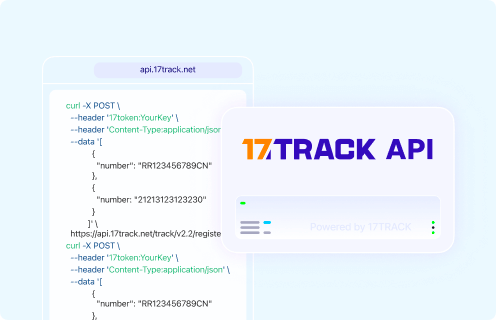
Tracking API

POST https://api.17track.net/track/v2.4/register
Headers:
  17token: YourKey
  Content-Type: application/json

Body:
[
  {
    "number": "TRACKING_NUMBER"
  }
]

Important:
Use the carrier tracking number from Nike shipment details, the shipping email, the return label or the carrier page.
Do not send a Nike order number, payment authorization, invoice number, gift link or return authorization unless it is also a carrier tracking number.

Sources & References

17TRACK is an independent tracking platform and is not affiliated with Nike.
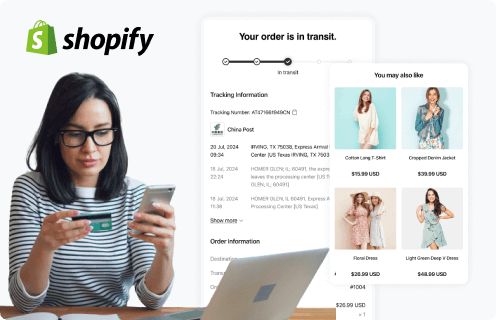
Use the 17TRACK Shopify APP to track your Nike packages.
An order tracking App built for Shopify sellers, keeping track of Nike packages.Get started
Use the 17TRACK API to track your Nike packages.
Nike tracking API makes auto track & trace and webhook push a breeze.Start a free trial
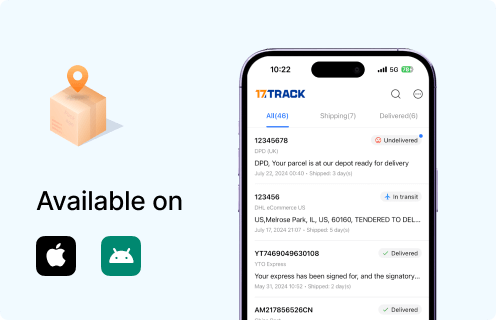
Use the 17TRACK API to track your Nike packages.
Get real-time notifications on Nike delivery updates.Download now
Loading