Rreth Shopee Xpress
Shopee Xpress i referohet SPX Express Indonesia, që zakonisht u shfaqet blerësve si Shopee Xpress ose SPX, shërbimi logjistik i përdorur për parcelat e Shopee Indonesia dhe dërgesa të zgjedhura jashtë marketplace në Indonezi. SPX Express Indonesia është kryesisht një transportues vendas parcelash për first-mile, sortim, line-haul dhe last-mile; për porositë ndërkufitare të Shopee, mund të shfaqet pasi parcela të jetë dorëzuar nga një rrjet logjistik në anën e origjinës në Indonezi.
Marrëdhëniet ndërmjet entiteteve të transportuesit
| Entiteti | Marrëdhënia |
|---|
| SPX Express Indonesia | SPX Express Indonesia është entiteti kanonik i transportuesit për gjurmimin Shopee Xpress në Indonezi. |
Shikoni të gjitha detajet për SPX Express Indonesia| Lloji i entitetit | Markë transportuesi dhe rrjet operativ logjistik. |
|---|
| Pse ka rëndësi për gjurmimin | Faqja e gjurmimit SPX dhe njohja e transportuesit nga 17TRACK duhet të përdoren për numrat SPX Waybill në vend të numrit të porosisë Shopee. |
|---|
| Dëshmi zyrtare | Faqja zyrtare indoneziane e SPX është publikuar në https://spx.co.id/ dhe ofron pika hyrjeje për gjurmimin e parcelave. |
|---|
|
| Shopee Indonesia | Shopee Indonesia është marketplace ku shumë blerës marrin fletëdërgesat SPX brenda detajeve të porosisë. |
Shikoni të gjitha detajet për Shopee Indonesia| Lloji i entitetit | Marketplace dhe kanal i mbështetjes për klientët për porositë Shopee. |
|---|
| Pse ka rëndësi për gjurmimin | Rimbursimet, mosmarrëveshjet me shitësit dhe problemet e porosive në marketplace trajtohen përmes mbështetjes së porosive Shopee, jo nga 17TRACK. |
|---|
| Dëshmi zyrtare | Faqet e Shopee Help Center përshkruajnë rrjedhat e punës për dorëzimin e porosive, kthimet dhe mbështetjen blerës-shitës. |
|---|
|
| Mjeti i gjurmimit SPX | Mjeti i gjurmimit SPX shfaq ngjarjet e disponueshme të skanimit për fletëdërgesat SPX të futura nga përdoruesi. |
Shikoni të gjitha detajet për mjetin e gjurmimit SPX| Lloji i entitetit | Produkt zyrtar gjurmimi për konsumatorët. |
|---|
| Pse ka rëndësi për gjurmimin | Është vendi i parë për të verifikuar nëse numri është pranuar nga SPX dhe nëse ngjarja më e fundit zyrtare është e dukshme. |
|---|
| Dëshmi zyrtare | Faqja zyrtare e SPX Indonesia ofron hyrjen për gjurmimin e transportuesit. |
|---|
|
| Qendrat e sortimit dhe stacionet e dorëzimit | Qendrat e sortimit dhe stacionet e dorëzimit të SPX përpunojnë parcelat ndërmjet marrjes, transportit rajonal dhe dorëzimit nga korrieri. |
Shikoni të gjitha detajet për objektet e SPX| Lloji i entitetit | Entitete rrjeti dhe objektesh. |
|---|
| Pse ka rëndësi për gjurmimin | Ngjarjet që përmendin qendra, transit, mbërritje në stacion ose caktim korrieri përshkruajnë lëvizjen e ruajtjes brenda rrjetit vendas SPX. |
|---|
| Dëshmi zyrtare | Emrat specifikë të objekteve dhe formulimet e skanimit mund të ndryshojnë sipas feed-it të ngjarjeve SPX dhe duhet të interpretohen përmes rezultatit të gjurmimit. |
|---|
|
| Partnerët logjistikë të origjinës | Për porositë ndërkufitare në marketplace, një partner logjistik i origjinës mund ta lëvizë parcelën përpara se SPX ta marrë atë në Indonezi. |
Shikoni të gjitha detajet për partnerët logjistikë të origjinës| Lloji i entitetit | Partner ndërkombëtar ose i miljes së parë, në varësi të itinerarit të porosisë. |
|---|
| Pse ka rëndësi për gjurmimin | Një njoftim paraprak nga partneri ose një skanim eksporti nuk do të thotë gjithmonë se SPX tashmë ka kujdestari fizike në Indonezi. |
|---|
| Dëshmi zyrtare | Përgjegjësia ndërkufitare zakonisht është e dukshme përmes detajeve të porosisë në marketplace dhe ngjarjeve të gjurmimit, jo përmes një liste universale publike partnerësh. |
|---|
|
| 17TRACK | 17TRACK grumbullon ngjarjet e disponueshme të gjurmimit të SPX Express Indonesia kur disponohen një numër i vlefshëm gjurmimi dhe njohja e transportuesit. |
Shiko të gjitha detajet për 17TRACK| Lloji i entitetit | Platformë e pavarur gjurmimi me shumë transportues. |
|---|
| Pse ka rëndësi për gjurmimin | 17TRACK mund të normalizojë statuset ndërmjet transportuesve, por nuk mund të ndryshojë një adresë, të dërgojë një korrier, të miratojë një rimbursim ose të zgjidhë një pretendim. |
|---|
| Dëshmi zyrtare | Dokumentacioni i API i 17TRACK përshkruan regjistrimin me shumë transportues dhe aksesin në gjurmim. |
|---|
|
| Fusha | Përgjigje e verifikuar |
|---|
| Faqja zyrtare e internetit | https://spx.co.id/ |
| Emra të zakonshëm | SPX Express, Shopee Xpress, Shopee Xpress Indonesia, Shopee Xpress. |
| Lloji i transportuesit | Transportues vendas paketash dhe rrjet logjistik i marketplace; mund të veprojë si transportues i miljes së fundit për porosi të zgjedhura ndërkufitare të Shopee në Indonezi. |
| Rajoni kryesor | Indonezi. |
| Themelimi dhe selia | Nuk është konfirmuar publikisht në materialet aktuale zyrtare të gjurmimit të përdorura për këtë udhëzues. |
Përgjigje e shpejtë
Për të gjurmuar një paketë Shopee Xpress, futni numrin e fletëdërgesës SPX ose numrin e gjurmimit në faqen zyrtare të SPX Indonesia ose përdorni 17TRACK për të grumbulluar ngjarjet e disponueshme të transportuesit. Nëse nuk shfaqet asnjë rezultat, fillimisht kontrolloni që keni futur fletëdërgesën, jo ID-në e porosisë Shopee, dhe lini kohë për skanimin e parë të pranimit fizik pasi shitësi të krijojë dërgesën.
Këshillë profesionale: 17TRACK është një platformë e pavarur gjurmimi. 17TRACK mund t'ju ndihmojë të lexoni dhe të krahasoni ngjarjet e gjurmimit, por SPX, Shopee, shitësi ose tregtari duhet të trajtojë udhëzimet e transportit, rimbursimet, ndryshimet e adresës, hetimet dhe pretendimet.
Si të gjurmoni një paketë Shopee Xpress
Përdorni numrin e fletëdërgesës SPX nga detajet e porosisë Shopee, konfirmimi i transportit nga shitësi ose etiketa e printuar e transportit. Një numër porosie Shopee identifikon transaksionin në marketplace; një numër gjurmimi identifikon lëvizjen e dërgesës.
- Hapni faqen zyrtare të internetit të SPX Indonesia në https://spx.co.id/ dhe futni numrin e fletëdërgesës në fushën e gjurmimit.
- Gjurmimi me 17TRACK kur dëshironi zbulim automatik të transportuesit, histori me shumë transportues, statuse të standardizuara ose monitorim në masë për disa dërgesa.
- Nëse numri refuzohet, hiqni hapësirat dhe vizat, kopjojeni përsëri nga faqja e porosisë dhe verifikoni që transportuesi i dërgesës është SPX Express dhe jo një korrier tjetër i mbështetur nga Shopee.
- Nëse rezultati thotë vetëm se porosia u krijua, prisni skanimin e pranimit në marrje ose dorëzim në pikë përpara se ta konsideroni si vonesë të transportuesit.
Statuset e gjurmimit dhe kuptimet e tyre
Formulimi i statusit SPX mund të ndryshojë sipas gjuhës së aplikacionit dhe furnizimit të ngjarjeve. Pyetja kryesore e gjurmimit është kujdestaria: nëse ekziston vetëm një etiketë elektronike, nëse SPX e ka pranuar fizikisht parcelën, nëse një partner ose autoritet doganor kontrollon hapin e radhës, ose nëse korrieri lokal po tenton dorëzimin.
Kërkim i shpejtë i statusit
| Statusi | Çfarë do të thotë |
|---|
| Informacioni i dërgesës u mor | Ekziston një etiketë ose porosi elektronike, por pranimi fizik nga SPX mund të mos ketë ndodhur. |
Shiko të gjitha detajet për informacionin e marrë të dërgesës| Faza e ciklit jetësor | Para dërgesës. |
|---|
| Pala aktuale përgjegjëse | Shitësi, magazina ose pika e marrjes deri në skanimin e parë të pranimit nga SPX. |
|---|
| Çfarë ndodh më pas | Parcela duhet të merret, të dorëzohet në pikë ose të pranohet në rrjetin SPX. |
|---|
| Çfarë duhet të bëni | Kërkojini shitësit të konfirmojë dorëzimin nëse nuk shfaqet skanim pranimi pas afatit të trajtimit të marketplace-it. |
|---|
|
| Parcela u mor ose u pranua | SPX e ka regjistruar parcelën në rrjetin e vet. |
Shiko të gjitha detajet për parcelën e pranuar| Faza e ciklit jetësor | E pranuar. |
|---|
| Pala aktuale përgjegjëse | Ekipi i marrjes SPX, pika e dorëzimit ose objekti i parë i sortimit. |
|---|
| Çfarë ndodh më pas | Sortim, nisje drejt transportit line-haul ose lëvizje drejt rajonit të destinacionit. |
|---|
| Çfarë duhet të bëni | Monitorojeni normalisht, përveç nëse ngjarja e radhës mungon për një periudhë të pazakontë për atë itinerar. |
|---|
|
| Në tranzit ose mbërritur në qendrën e sortimit | Parcela po lëviz përmes transportit line-haul të SPX ose një nyjeje rajonale përpunimi. |
Shiko të gjitha detajet për në tranzit| Faza e ciklit jetësor | Në tranzit. |
|---|
| Pala aktuale përgjegjëse | Rrjeti i transportit ose i sortimit SPX. |
|---|
| Çfarë ndodh më pas | Nisje drejt një qendre tjetër, mbërritje në stacionin e destinacionit ose caktim korrieri. |
|---|
| Çfarë duhet të bëni | Kontrolloni për boshllëqe në itinerar të shkaktuara nga transporti në distanca të gjata, fundjavat, festat ose skanimet e humbura. |
|---|
|
| Përpunim doganor ose importi | Një pako ndërkufitare është nën përpunim importi, sigurie ose dokumentacioni përpara lirimit për shpërndarje brenda vendit. |
Shiko të gjitha detajet për përpunimin doganor ose të importit| Faza e ciklit jetësor | Dogana/Dorëzim. |
|---|
| Pala aktuale përgjegjëse | Autoriteti doganor, ndërmjetësi, partneri logjistik i tregut ose transportuesi i destinacionit, në varësi të ngjarjes. |
|---|
| Çfarë ndodh më pas | Lirim, kërkesë për taksë ose dokument, dorëzim te SPX, ose kthim nëse kërkesat e importit nuk plotësohen. |
|---|
| Çfarë duhet të bëni | Ndiqni udhëzimet e Shopee ose udhëzimet zyrtare të importit; mos e konsideroni mbërritjen në Indonezi si zhdoganim. |
|---|
|
| Në dorëzim | Një korrier lokal e ka pakon për tentativë dorëzimi. |
Shiko të gjitha detajet për në dorëzim| Faza e ciklit jetësor | Në dorëzim. |
|---|
| Pala aktuale përgjegjëse | Stacioni i dorëzimit SPX dhe korrieri i caktuar. |
|---|
| Çfarë ndodh më pas | Dorëzim, tentativë e dështuar, ricaktim, udhëzim për tërheqje ose proces kthimi. |
|---|
| Çfarë duhet të bëni | Mbajeni telefonin të arritshëm dhe kontrolloni adresën, aksesin në ndërtesë dhe kërkesat e pagesës nëse ka. |
|---|
|
| Dorëzuar | Sistemi regjistroi dorëzimin përfundimtar ose marrjen e autorizuar. |
Shiko të gjitha detajet për të dorëzuar| Faza e ciklit jetësor | Dorëzuar. |
|---|
| Pala aktuale përgjegjëse | Marrësi, familjarët, recepsioni, vendndodhja e pakos ose SPX nëse prova e dorëzimit kontestohet. |
|---|
| Çfarë ndodh më pas | Dërgesa mbyllet, përveç nëse hapet një mosmarrëveshje dorëzimi ose ankesë në treg. |
|---|
| Çfarë duhet të bëni | Kontrolloni vendet e sigurta, familjarët, recepsionin dhe provën e dorëzimit të Shopee përpara se ta përshkallëzoni çështjen. |
|---|
|
| Dorëzimi dështoi, përjashtim ose kthim | Dorëzimi nuk mund të përfundonte për shkak të problemeve me adresën, aksesin, kontaktin, pagesën, refuzimin, dëmtimin ose itinerarin. |
Shiko të gjitha detajet për përjashtimin e dorëzimit ose kthimin| Faza e ciklit jetësor | Përjashtim ose Kthim. |
|---|
| Pala aktuale përgjegjëse | SPX, marrësi, shitësi ose mbështetja e Shopee, në varësi të arsyes së shfaqur. |
|---|
| Çfarë ndodh më pas | Ritentativë, kërkesë kontakti, tërheqje, verifikim adrese ose kthim te dërguesi. |
|---|
| Çfarë duhet të bëni | Veproni shpejt në aplikacionin Shopee ose kanalin SPX, sepse opsionet pas tentativës mund të jenë të kufizuara në kohë. |
|---|
|
Shërbimet dhe kohët e dorëzimit
Disponueshmëria e shërbimit SPX Indonesia, përshtatshmëria e shitësit, opsionet e tërheqjes dhe vlerësimet e dorëzimit varen nga cilësimet e Shopee, origjina, destinacioni, karakteristikat e pakos dhe operacionet lokale. Garancitë publike fikse për kohën në tranzit nuk konfirmohen për të gjitha fletëdërgesat SPX, prandaj afati kohor i gjurmimit dhe data e parashikuar e dorëzimit nga Shopee duhet të lexohen si udhëzime operative dhe jo si garanci universale.
Krahasimi i shërbimeve
| Shërbimi | Më i përshtatshëm për |
|---|
| SPX Standard / pako e rregullt tregu | Pako të tregut Shopee që kanë nevojë për tërheqje brenda vendit, sortim dhe dorëzim në miljen e fundit. |
Shiko të gjitha detajet për SPX Standard| Lloji i shërbimit | Dorëzim pakosh brenda vendit. |
|---|
| Mbulimi | Indonezi, në varësi të zonave të origjinës dhe destinacionit ku ofrohet shërbimi. |
|---|
| Niveli i gjurmimit | Ngjarjet e fletëdërgesës nga krijimi i etiketës, tërheqja, qendrat, dorëzimi nga korrieri dhe statusi përfundimtar aty ku skanimet janë të disponueshme. |
|---|
| Kushti kryesor i madhësisë/peshës | Kufijtë aktualë duhet të kontrollohen në Shopee ose në rregullat e shitësit SPX për shërbimin specifik. |
|---|
| Mbrojtje e përfshirë/shërbim shtesë | Mbrojtja e blerësit në treg dhe rregullat logjistike të shitësit mund të zbatohen përmes Shopee. |
|---|
| Kufizimi kryesor | Premtimi publik për dorëzim i njëjtë për të gjithë nuk konfirmohet për çdo itinerar. |
|---|
|
| Opsionet SPX për të njëjtën ditë, të menjëhershme ose për itinerare të veçanta | Vetëm aty ku Shopee/SPX checkout ose platforma e shitësit e ofron opsionin në mënyrë të qartë. |
Shiko të gjitha detajet për opsionet e itinerareve të veçanta| Lloji i shërbimit | Opsion lokal ose më i shpejtë dorëzimi kur është i disponueshëm. |
|---|
| Mbulimi | Specifik për itinerarin dhe jo universal në të gjithë Indonezinë. |
|---|
| Niveli i gjurmimit | Zakonisht i dukshëm në gjurmimin e porosisë Shopee dhe në ngjarjet SPX kur lëshohet një SPX waybill. |
|---|
| Kushti kryesor i madhësisë/peshës | Kualifikimi kontrollohet nga checkout, cilësimet logistike të shitësit dhe rregullat lokale të shërbimit. |
|---|
| Mbrojtje e përfshirë/shërbim shtesë | Varet nga kushtet e porosisë Shopee dhe produkti logjistik i zgjedhur. |
|---|
| Kufizimi kryesor | Mos e supozoni disponueshmërinë nëse nuk shfaqet në checkout ose në mjetet e shitësit. |
|---|
|
| Pako ndërkufitare Shopee me SPX last mile | Porosi ndërkombëtare marketplace të dorëzuara në Indonezi pas importit dhe dorëzimit te pala tjetër. |
Shiko të gjitha detajet për SPX last mile ndërkufitar| Lloji i shërbimit | Logjistikë ndërkufitare plus dorëzim last-mile në Indonezi. |
|---|
| Mbulimi | Origjina dhe destinacioni varen nga itinerari ndërkombëtar logjistik i Shopee dhe kualifikimi për import. |
|---|
| Niveli i gjurmimit | Mund të përfshijë partnerin e origjinës, eksportin, importin, doganat, dorëzimin te pala tjetër dhe ngjarjet e brendshme SPX. |
|---|
| Kushti kryesor i madhësisë/peshës | Kontrollohet nga rregullat e importit të marketplace, kërkesat doganore dhe kualifikimi për dorëzim lokal SPX. |
|---|
| Mbrojtje e përfshirë/shërbim shtesë | Mbrojtja e porosisë së blerësit trajtohet nga Shopee sipas kushteve të marketplace. |
|---|
| Kufizimi kryesor | Doganat dhe dorëzimet te partnerët mund të krijojnë boshllëqe në dukshmëri jashtë kontrollit të SPX. |
|---|
|
Koha e dorëzimit
| Shërbimi | Standardi i publikuar i dorëzimit |
|---|
| Dorëzim i brendshëm SPX marketplace | Ndryshon sipas origjinës, destinacionit, afatit të fundit të marrjes, kapacitetit lokal dhe datës së vlerësuar të dorëzimit nga Shopee. |
Shiko detajet e kohës së dorëzimit për SPX të brendshëm| Ditë pune ose kalendarike | Nuk konfirmohet si rregull publik universal për çdo itinerar SPX. |
|---|
| Statusi i garancisë | Nuk konfirmohet asnjë garanci universale rimbursimi për të gjitha waybills në burimet e përdorura këtu. |
|---|
| Fillon të numërohet nga | Transiti operacional duhet të vlerësohet pas pranimit fizik, jo thjesht pas krijimit të etiketës. |
|---|
| Faktorët kryesorë të vonesës | Dorëzimi nga shitësi, mbingarkesa e hub, itineraret në distanca të gjata, festat, moti, cilësia e adresës dhe kontakti i dështuar. |
|---|
| Data/vlefshmëria e burimit zyrtar | Përdorni vlerësimin aktual të porosisë Shopee dhe faqen e gjurmimit SPX për vlefshmërinë specifike të itinerarit. |
|---|
|
| Porosi ndërkufitare e dorëzuar nga SPX në Indonezi | Ndryshon sipas eksportit nga origjina, fluturimit ose line-haul, doganave të importit, përpunimit të marketplace dhe dorëzimit të brendshëm. |
Shiko detajet e kohës së dorëzimit për SPX ndërkufitar| Ditë pune ose kalendarike | Varet nga itinerari ndërkombëtar dhe përpunimi doganor; një standard i vetëm publik nuk konfirmohet. |
|---|
| Statusi i garancisë | Mos e trajtoni ETA të marketplace si garanci për zhdoganimin. |
|---|
| Fillon të numërohet nga | Kohëmatës të ndryshëm mund të zbatohen për dërgimin nga shitësi, eksportin, lirimin nga importi dhe marrjen last-mile nga SPX. |
|---|
| Faktorët kryesorë të vonesës | Siguria e eksportit, të dhënat doganore, taksat, mallrat e kufizuara, dorëzimi te partneri dhe sinkronizimi i skanimeve. |
|---|
| Data/vlefshmëria e burimit zyrtar | Kontrolloni detajet e porosisë Shopee dhe gjurmimin SPX për itinerarin aktual të dërgesës. |
|---|
|
Probleme të zakonshme të gjurmimit dhe zgjidhjet
Shumica e problemeve me gjurmimin SPX shkaktohen nga një nga katër kufijtë: shitësi nuk e ka dorëzuar pakon, pakoja është midis skanimeve, një partner ose autoritet doganor kontrollon hapin tjetër, ose stacioni i dorëzimit ka nevojë për veprim nga marrësi.
Problemi dhe zgjidhja
| Problemi/statusi i shfaqur | Veprimi i menjëhershëm |
|---|
| Numër i pavlefshëm ose pa rezultat | Kopjoni përsëri SPX waybill, hiqni hapësirat dhe konfirmoni që transportuesi është SPX Express. |
Shiko të gjitha detajet për numrin e pavlefshëm| Shkaku i mundshëm | ID-ja e porosisë e futur, gabim shtypi, mospërputhje e transportuesit ose ende nuk është transmetuar në sistemin e gjurmimit. |
|---|
| Kontrolloni së pari | Detajet e logjistikës së Shopee dhe konfirmimi i dërgesës nga shitësi. |
|---|
| Kur të eskalohet | Kur shitësi konfirmon dorëzimin, por nuk shfaqet asnjë rezultat SPX pas dritares së pritshme të përditësimit të treguar nga Shopee. |
|---|
| Kë të kontaktoni | Shitësin ose Shopee për verifikimin e porosisë në marketplace; SPX për një waybill të vlefshëm me ngjarje të transportuesit. |
|---|
|
| Etiketa u krijua / informacioni i dërgesës u mor | Prisni pranimin e marrjes ose pyetni shitësin nëse paketa është dorëzuar vërtet. |
Shikoni të gjitha detajet për etiketën e krijuar| Shkaku i mundshëm | Ekziston një njoftim paraprak elektronik përpara pranimit fizik. |
|---|
| Kontrolloni së pari | Statusi i përgatitjes nga shitësi dhe konfirmimi i marrjes/dorëzimit në pikë. |
|---|
| Kur të eskalohet | Nëse koha e trajtimit në marketplace kalon pa një skanim pranimi. |
|---|
| Kë të kontaktoni | Së pari shitësi, pastaj mbështetja e porosive të Shopee nëse shitësi nuk mund të provojë nisjen. |
|---|
|
| Ka ngecur në tranzit ose nuk ka përditësim | Krahasoni gjurmimin e SPX dhe Shopee, pastaj monitoroni për skanimin e ardhshëm në qendër ose stacion dorëzimi. |
Shikoni të gjitha detajet për mungesën e përditësimit| Shkaku i mundshëm | Lëvizje line-haul, skanim i humbur, ngarkesë e qendrës, moti, festë ose dorëzim te partneri. |
|---|
| Kontrolloni së pari | Vendndodhja e skanimit të fundit, lloji i dërgesës, rajoni i destinacionit dhe nëse ETA ka ndryshuar. |
|---|
| Kur të eskalohet | Kur ka kaluar pragu i mbrojtjes së porosisë ose i qendrës së ndihmës së Shopee për porosinë. |
|---|
| Kë të kontaktoni | Shopee për afatet e mbrojtjes së porosisë; SPX për pyetje transporti për waybill të vlefshëm. |
|---|
|
| Dorëzimi dështoi ose problem me adresën | Kontrolloni menjëherë disponueshmërinë e telefonit, detajet e adresës, aksesin në ndërtesë dhe udhëzimet në aplikacion. |
Shikoni të gjitha detajet për dështimin e dorëzimit| Shkaku i mundshëm | Marrësi i padisponueshëm, adresë e gabuar, ambient i mbyllur, ndërtesë e paarritshme, refuzim ose korrieri nuk mundi të kontaktojë marrësin. |
|---|
| Kontrolloni së pari | Shënimi i dorëzimit, njoftimet e Shopee dhe numri i telefonit të marrësit. |
|---|
| Kur të eskalohet | Përpara se të nisë kthimi te dërguesi ose kur aplikacioni kërkon veprim nga marrësi. |
|---|
| Kë të kontaktoni | Mbështetja e dorëzimit e SPX ose Shopee; shitësi nëse adresa është futur gabim në porosi. |
|---|
|
| Dorëzuar, por nuk është marrë | Kontrolloni vendndodhjen e dorëzimit, familjen, recepsionin, fqinjin dhe provën përpara se të hapni një mosmarrëveshje. |
Shikoni të gjitha detajet për dorëzuar, por të pamarrë| Shkaku i mundshëm | Dorëzim në vend të sigurt, marrje nga përfaqësues, pikë dorëzimi e gabuar, skanim i parakohshëm ose mosmarrëveshje dorëzimi. |
|---|
| Kontrolloni së pari | Foto ose provë dorëzimi, ora e dorëzimit, recepsioni i ndërtesës dhe anëtarët e familjes. |
|---|
| Kur të eskalohet | Sapo kontrollet lokale të dështojnë, veçanërisht përpara se të skadojnë afatet e mbrojtjes së blerësit ose të ankesave në Shopee. |
|---|
| Kë të kontaktoni | Mbështetja e porosive të Shopee për mosmarrëveshjet në marketplace dhe SPX për provën e dorëzimit të lidhur me waybill. |
|---|
|
| Humbur, dëmtuar ose kthyer | Ruani paketimin, bëni foto, mblidhni provën e vlerës dhe hapni procesin e duhur në Shopee ose nga ana e dërguesit. |
Shikoni të gjitha detajet për humbjen, dëmtimin ose kthimin| Shkaku i mundshëm | Humbje në rrjet, përmbajtje e dëmtuar, tentativa të dështuara dorëzimi, artikull i kufizuar, adresë e gabuar ose proces kthimi nga shitësi. |
|---|
| Kontrolloni së pari | Ngjarja më e fundit e gjurmimit, gjendja e artikullit, fotot, fatura dhe afati i mbrojtjes së porosisë. |
|---|
| Kur të eskalohet | Menjëherë kur zbulohet dëmtimi ose kur shfaqet statusi i kthimit/humbjes. |
|---|
| Kë të kontaktoni | Shopee për rimbursimet dhe mosmarrëveshjet e blerësit; shitësi ose dërguesi i kontraktuar për pretendime logjistike kur është e zbatueshme. |
|---|
|
Transporti ndërkombëtar, doganat dhe dorëzimet ndërmjet transportuesve
SPX Indonesia është kryesisht e rëndësishme për lëvizjen e brendshme në Indonezi dhe dorëzimin e miljes së fundit. Në një rrugë ndërkufitare të Shopee, transportuesi i origjinës, ofruesi line-haul, autoriteti doganor dhe SPX mund të kontrollojnë secili faza të ndryshme; dukshmëria e gjurmimit mund të ndalet ndërsa ndryshon kujdestaria fizike ose përgjegjësia e të dhënave.
Rrjedha ndërkombëtare
| Faza | Çfarë po ndodh |
|---|
| Dërgimi nga shitësi i origjinës | Shitësi ose magazina jashtë vendit krijon të dhënat e dërgesës dhe ia dorëzon paketën rrjetit logjistik të origjinës. |
Shikoni të gjitha detajet për dërgimin nga shitësi i origjinës| Kujdestari fizik/subjekti përgjegjës | Shitësi, magazina ose partneri i miljes së parë në origjinë. |
|---|
| Ngjarje tipike e gjurmimit | Porosia u paketua, informacioni i dërgesës u mor ose u mor nga partneri i origjinës. |
|---|
| A mund të ndryshojë numri i gjurmimit? | Po, një referencë partneri mund të lidhet më vonë me një fletëdërgesë SPX. |
|---|
| Hendek normal i dukshmërisë | Të dhënat mund të jenë të dukshme përpara se pakoja të lëvizë fizikisht. |
|---|
| Çfarë duhet të bëjë klienti | Përdorni detajet e porosisë Shopee dhe shmangni supozimin se SPX e ka marrë ende në zotërim. |
|---|
|
| Eksporti dhe transporti ndërkombëtar | Pakoja përpunohet për eksport, transportohet ndërkombëtarisht dhe dërgohet drejt Indonezisë. |
Shiko të gjitha detajet për eksportin dhe transportin ndërkombëtar| Kujdestari fizik/subjekti përgjegjës | Ofruesi logjistik i origjinës, linja ajrore, ofruesi i transportit ndërkombëtar ose rrjeti logjistik ndërkufitar i marketplace. |
|---|
| Ngjarje tipike e gjurmimit | U nis nga vendi i origjinës, mbërriti në qendrën tranzit ose është në tranzit ndërkombëtar. |
|---|
| A mund të ndryshojë numri i gjurmimit? | Po, por gjurmimi i marketplace mund t’i mbajë të lidhur identifikuesit përkatës. |
|---|
| Hendek normal i dukshmërisë | Përpunimi i fluturimit, kontejnerit dhe sigurisë mund të krijojë boshllëqe pa skanim. |
|---|
| Çfarë duhet të bëjë klienti | Monitoroni ETA-n e porosisë dhe prisni për ngjarjet e importit ose të mbërritjes në Indonezi. |
|---|
|
| Dogana e importit dhe zhdoganimi | Pakoja mund të kërkojë kontrolle të të dhënave të importit, vlerësim të detyrimeve/taksave ose kontroll sigurie përpara dorëzimit lokal. |
Shiko të gjitha detajet për doganën e importit dhe zhdoganimin| Kujdestari fizik/subjekti përgjegjës | Autoriteti doganor, ndërmjetësi ose operatori i caktuar logjistik. |
|---|
| Ngjarje tipike e gjurmimit | Mbërriti në vendin e destinacionit, përpunim doganor ose u lirua nga dogana. |
|---|
| A mund të ndryshojë numri i gjurmimit? | Mundësisht, sidomos kur dorëzimi te shërbimi vendas i miljes së fundit krijon një fletëdërgesë SPX. |
|---|
| Hendek normal i dukshmërisë | Mbajtjet doganore ndryshojnë; mbërritja nuk do të thotë lirim. |
|---|
| Çfarë duhet të bëjë klienti | Ndiqni udhëzimet e Shopee ose të doganës për taksat, dokumentet ose kufizimet e importit. |
|---|
|
| Dorëzimi te SPX Indonesia | SPX merr ose i caktohet pakoja për klasifikim dhe dorëzim vendas pas përpunimit të importit. |
Shiko të gjitha detajet për dorëzimin te SPX Indonesia| Kujdestari fizik/subjekti përgjegjës | SPX vetëm pasi një ngjarje dorëzimi ose pranimi vendas tregon se pakoja është nën kujdesin e SPX. |
|---|
| Ngjarje tipike e gjurmimit | U mor nga partneri lokal i dorëzimit, mbërriti në objektin SPX ose u përpunua në qendrën e klasifikimit. |
|---|
| A mund të ndryshojë numri i gjurmimit? | Po, blerësit mund të shohin një fletëdërgesë të re vendase ose një numër partneri të lidhur. |
|---|
| Hendek normal i dukshmërisë | Njoftimi paraprak elektronik mund të shfaqet përpara dorëzimit fizik të pakos. |
|---|
| Çfarë duhet të bëjë klienti | Gjurmoni si porosinë në marketplace, ashtu edhe fletëdërgesën SPX nëse shfaqen të dyja. |
|---|
|
| Dorëzimi i miljes së fundit | SPX e klasifikon pakon drejt një stacioni dorëzimi dhe cakton një korrier për përpjekjen e dorëzimit. |
Shiko të gjitha detajet për dorëzimin e miljes së fundit| Kujdestari fizik/subjekti përgjegjës | Stacioni i dorëzimit SPX dhe korrieri i caktuar. |
|---|
| Ngjarje tipike e gjurmimit | Mbërriti në stacion, doli për dorëzim, u dorëzua ose dorëzimi dështoi. |
|---|
| A mund të ndryshojë numri i gjurmimit? | Zakonisht fletëdërgesa vendase mbetet referenca kryesore e mbështetjes. |
|---|
| Hendek normal i dukshmërisë | Skanimet e rrugës lokale mund të përditësohen pasi korrieri të kthehet ose të sinkronizojë pajisjen. |
|---|
| Çfarë duhet të bëjë klienti | Mbajini të arritshme të dhënat e kontaktit dhe përdorni mbështetjen Shopee/SPX për përpjekjet e dështuara. |
|---|
|
Menaxhimi i dorëzimit dhe opsionet pas dërgesës
Opsionet pas dërgesës për pakot SPX zakonisht kontrollohen nga rregullat e porosisë Shopee, operacionet e dorëzimit SPX dhe faza aktuale e dërgesës. Ndryshimet e adresës pas nisjes, ricaktimi i korrierit dhe ndryshimi i itinerarit nuk garantohen në mënyrë universale.
| Opsioni | Kush mund të kërkojë |
|---|
| Ripërpjekje dorëzimi pas dorëzimit të dështuar | Marrësi përmes udhëzimeve Shopee/SPX aty ku janë të disponueshme. |
Shiko detajet e menaxhimit të dorëzimit për ripërpjekjen| Kualifikueshmëria | Varet nga arsyeja e dështimit, itinerari dhe nëse ka filluar përpunimi i kthimit. |
|---|
| Afati/faza e disponueshme | Pas një ngjarjeje dorëzimi të dështuar dhe përpara kthimit përfundimtar. |
|---|
| Tarifë | Nuk është konfirmuar si rregull universal publik për tarifat. |
|---|
| E garantuar? | Jo; zbatohen mundësia operacionale dhe rregullat e porosisë. |
|---|
| Lidhja zyrtare e veprimit | Përdorni rrjedhën e mbështetjes së porosisë në Shopee ose hyrjen zyrtare të kontaktit SPX për fletëdërgesën. |
|---|
|
| Korrigjim i adresës ose kontaktit | Blerësi, shitësi ose mbështetja e Shopee, në varësi të gjendjes së porosisë në marketplace. |
Shiko detajet e menaxhimit të dorëzimit për korrigjimin e adresës| Kualifikueshmëria | Më e mundshme para nisjes; pas nisjes mund të jetë e kufizuar ose e padisponueshme. |
|---|
| Afati/faza e disponueshme | Më e sigurta është para përpjekjes së dorëzimit nga korrieri. |
|---|
| Tarifë | Nuk është konfirmuar publikisht si rregull universal i SPX. |
|---|
| E garantuar? | Jo; ridrejtimi mund të mos jetë i mundur. |
|---|
| Lidhja zyrtare e veprimit | Filloni me ndihmën e porosisë në Shopee për porositë në marketplace. |
|---|
|
Të humbura, të dëmtuara, kërkesa dëmshpërblimi, sigurim dhe rimbursime
Një kërkesë për gjurmim, një hetim transporti, një kërkesë sigurimi dhe një rimbursim për blerësin në Shopee janë procese të ndara. Për porositë në marketplace, blerësit zakonisht fillojnë nga mbështetja e porosisë në Shopee; shitësit ose dërguesit e kontraktuar mund të kenë rregulla të veçanta për kërkesat logjistike.
| Procesi | Përdoret kur |
|---|
| Kërkesë për gjurmim | Pakoja nuk ka përditësim, ka një ngjarje të paqartë ose një përjashtim dorëzimi. |
Shiko detajet e kërkesave dhe rimbursimeve për kërkesën e gjurmimit| Kush e paraqet | Marrësi, blerësi, shitësi ose dërguesi me fletëdërgesën. |
|---|
| Koha më e hershme/më e vonshme e paraqitjes | Ndiqni udhëzimet e ndihmës Shopee/SPX për porosinë specifike; këtu nuk konfirmohet asnjë afat publik universal. |
|---|
| Provat e kërkuara | Numri i gjurmimit, numri i porosisë, skanimi më i fundit, adresa, numri i telefonit dhe pamjet e ekranit. |
|---|
| Rezultati i mundshëm | Sqarim i statusit, udhëzim dorëzimi, hetim ose këshillë për të kontaktuar mbështetjen e marketplace. |
|---|
| Lidhja zyrtare | Faqja zyrtare e SPX ose Shopee Help Center. |
|---|
|
| Mosmarrëveshje për rimbursim ose kthim në Shopee | Artikulli nuk është marrë, është i dëmtuar, i gabuar, mungon, ose nevojitet procesi i mbrojtjes së porosisë. |
Shiko detajet e kërkesave dhe rimbursimeve për mosmarrëveshjen në Shopee| Kush e paraqet | Blerësi ose shitësi përmes Shopee sipas rregullave të marketplace. |
|---|
| Koha më e hershme/më e vonshme e paraqitjes | Përdorni afatet aktuale të mbrojtjes së porosisë dhe të mosmarrëveshjeve në Shopee që shfaqen në llogari. |
|---|
| Provat e kërkuara | Foto, video, etiketa e paketës, fatura, historiku i bisedës, prova e dorëzimit dhe gjendja e artikullit. |
|---|
| Rezultati i mundshëm | Rimbursim, kthim, refuzim, kërkesë për më shumë prova ose zgjidhje nga shitësi. |
|---|
| Lidhja zyrtare | Shopee Help Center dhe rrjedha e mosmarrëveshjes së porosisë brenda aplikacionit. |
|---|
|
| Kërkesë logjistike nga dërguesi i kontraktuar | Dërguesi ka një kontratë të drejtpërdrejtë logjistike me SPX dhe ka nevojë për kompensim për humbje ose dëmtim. |
Shiko detajet e kërkesave dhe rimbursimeve për kërkesën e dërguesit| Kush e paraqet | Shitësi, tregtari ose dërguesi i kontraktuar kur marrëveshja e lejon. |
|---|
| Koha më e hershme/më e vonshme e paraqitjes | Kontrolloni marrëveshjen aktuale të dërguesit ose politikën logjistike të shitësit; ky udhëzues nuk konfirmon një afat publik universal. |
|---|
| Provat e kërkuara | Fletëdërgesa, prova e vlerës, fotot, paketimi, përmbajtja, fatura dhe regjistri i dërgesës. |
|---|
| Rezultati i mundshëm | Hetim, kompensim sipas kontratës, refuzim ose kërkesë për më shumë dokumente. |
|---|
| Lidhja zyrtare | Mbështetja logjistike për shitësit ose kanali i kontaktit të biznesit SPX. |
|---|
|
17TRACK nuk mund të miratojë kërkesa, të lëshojë rimbursime, të ndryshojë rezultatin e dorëzimit ose të anulojë vendimet e mbrojtjes së blerësit në Shopee.
Kufizimet e transportit dhe trajtimi i posaçëm
Kufizimet e transportit të SPX dhe Shopee mund të ndikojnë në pranimin, tranzitin, lirimin doganor, kthimin dhe kompensimin. Përmbledhja më poshtë nuk është një udhëzues i plotë ligjor ose për mallrat e rrezikshme; kontrolloni gjithmonë rregullat aktuale të Shopee/SPX për produktin dhe itinerarin.
| Kategoria | Shembuj tipikë |
|---|
| Mallra të ndaluara | Artikuj të paligjshëm, mallra të rrezikshme që nuk pranohen nga shërbimi, mallra të falsifikuara ose të kufizuara në marketplace. |
Shiko detajet e kufizimeve për mallrat e ndaluara| Të ndaluara ose të kufizuara | Të ndaluara kur përcaktohen nga Shopee, SPX, ligji ose rregullat e transportit. |
|---|
| Kushti kryesor/paketimi | Nuk mund të bëhet i pranueshëm thjesht duke e ripaketuar nëse artikulli është i ndaluar. |
|---|
| Kufizim transporti | Mund të refuzohet, ndalohet, kthehet ose sekuestrohet. |
|---|
| Ndikim i mundshëm në gjurmim/dorëzim | Përjashtim, kthim, mbajtje në doganë ose hetim. |
|---|
| Rregulla zyrtare | Kontrolloni rregullat aktuale të Shopee për artikujt e ndaluar dhe rregullat e transportit të SPX. |
|---|
|
| Bateri, lëngje, artikuj të brishtë dhe mallra që kërkojnë trajtim të veçantë | Power bank, kozmetikë, lëngje, qelq, elektronikë dhe artikuj që kërkojnë paketim të sigurt. |
Shiko detajet e kufizimeve për mallrat që kërkojnë trajtim të veçantë| Të ndaluara ose të kufizuara | Mund të kufizohen sipas shërbimit, itinerarit, sasisë, etiketimit dhe paketimit. |
|---|
| Kushti kryesor/paketimi | Parandalimi i rrjedhjeve, mbrojtja nga goditjet, përshkrimi i saktë dhe pajtueshmëria e shitësit janë të rëndësishme. |
|---|
| Kufizim transporti | Mund të zbatohen kufizime për transportin ajror, ndërkufitar dhe trajtimin në hub. |
|---|
| Ndikim i mundshëm në gjurmim/dorëzim | Pranim i vonuar, inspektim, kthim ose mosmarrëveshje për dëmtim. |
|---|
| Rregulla zyrtare | Përdorni rregullat aktuale të logjistikës për shitësit e Shopee dhe kërkesat e pranimit të SPX. |
|---|
|
Shërbimi ndaj klientit
Përdorni kanalin që përputhet me rolin tuaj. Blerësit duhet të fillojnë nga mbështetja për porositë në Shopee kur përfshihet një rimbursim, kthim, mosmarrëveshje me shitësin ose afat për mbrojtjen e blerësit; kanalet SPX janë më të përshtatshme për pyetje të dorëzimit që lidhen me waybill-in.
Shërbimi ndaj klientit
| Kanal | Më i përshtatshëm për |
|---|
| Faqja zyrtare e internetit e SPX Indonesia | Gjurmimi i një waybill-i të vlefshëm SPX dhe gjetja e informacionit zyrtar të SPX. |
Shiko detajet e shërbimit ndaj klientit për faqen zyrtare të internetit të SPX| Kontakt/lidhje e verifikuar | https://spx.co.id/ |
|---|
| Rajoni/gjuha | Indonezi; kontekst shërbimi në gjuhën indoneziane. |
|---|
| Orari dhe zona kohore | Nuk është konfirmuar publikisht në burimet e përdorura këtu. |
|---|
| Informacion për t'u përgatitur | Waybill SPX, emri i marrësit, numri i telefonit, adresa, skanimi më i fundit dhe përshkrimi i problemit. |
|---|
| Kufizim i rëndësishëm | Faqja e internetit nuk mund të zëvendësojë proceset e rimbursimit të Shopee ose të mosmarrëveshjeve me shitësin. |
|---|
|
| Shopee Help Center / mbështetje për porositë brenda aplikacionit | Rimbursime në marketplace, kthime, mbrojtje e blerësit, probleme me shitësin dhe mosmarrëveshje për porositë. |
Shiko detajet e shërbimit ndaj klientit për Shopee Help Center| Kontakt/lidhje e verifikuar | https://help.shopee.co.id/portal |
|---|
| Rajoni/gjuha | Indonezi; mbështetje marketplace në gjuhën indoneziane. |
|---|
| Orari dhe zona kohore | Përdorni informacionin aktual të mbështetjes brenda aplikacionit; orari mund të ndryshojë. |
|---|
| Informacion për t'u përgatitur | Order ID, waybill SPX, emri i shitësit, pamje ekrani, foto, dëshmi dorëzimi dhe detaje pagese/rimbursimi. |
|---|
| Kufizim i rëndësishëm | Shopee mund të kërkojë veprim përmes faqes specifike të porosisë, jo përmes një faqeje të përgjithshme gjurmimi. |
|---|
|
| 17TRACK | Gjurmim me shumë transportues, normalizim i statusit dhe dukshmëri e dërgesës për konsumatorët ose tregtarët. |
Shiko detajet e shërbimit ndaj klientit për 17TRACK| Kontakt/lidhje e verifikuar | https://www.17track.net/ |
|---|
| Rajoni/gjuha | Platformë ndërkombëtare gjurmimi me përvojë produkti në shumë gjuhë. |
|---|
| Orari dhe zona kohore | Nuk është kanal dërgimi i transportuesit. |
|---|
| Informacion për t'u përgatitur | Numri i gjurmimit dhe transportuesi i dyshuar. |
|---|
| Kufizim i rëndësishëm | 17TRACK nuk mund të kontaktojë korrierin, të ndryshojë adresën, të miratojë rimbursime ose të zgjidhë pretendime. |
|---|
|
Përshkallëzoni në mënyrë efikase në këtë rend: verifikoni numrin e gjurmimit, kontrolloni detajet e porosisë në Shopee, lexoni ngjarjen më të fundit SPX, mblidhni prova, kontaktoni shitësin nëse dorëzimi te transportuesi ose përmbajtja e artikullit kontestohen, pastaj përdorni mbështetjen Shopee/SPX për procesin e duhur.
Gjurmimi për tregtinë elektronike dhe biznesin
Tregtarët duhet të dallojnë gjurmimin për konsumatorët, mjetet logistike të shitësve në Shopee, çdo integrim të ofruar nga transportuesi dhe API-të me shumë transportues të 17TRACK. Opsioni i duhur varet nga fakti nëse biznesi ka nevojë për mbështetje porosish, gjenerim etiketash, monitorim përjashtimesh ose dukshmëri ndërmjet transportuesve.
| Opsioni | Ofruesi |
|---|
| Faqja zyrtare publike e gjurmimit SPX | SPX Express Indonesia |
Shikoni detajet për zhvilluesit për faqen zyrtare publike të gjurmimit SPX| Mbulimi i transportuesit | Fletëdërgesat e SPX Indonesia dhe dërgesat e lidhura të mbështetura. |
|---|
| Përdorimi kryesor | Kërkim manual nga konsumatori ose mbështetja. |
|---|
| Autentifikimi | Nuk është konfirmuar asnjë autentifikim publik API për këtë udhëzues. |
|---|
| Aftësia për tracking/batch/webhook | Faqe manuale gjurmimi; aftësia batch dhe webhook nuk është konfirmuar publikisht. |
|---|
| Dokumentacioni aktual për zhvilluesit | Nuk është konfirmuar asnjë dokumentacion aktual publik i API-së së gjurmimit të SPX Indonesia nga burimet zyrtare të përdorura këtu. |
|---|
| Shënim për migrimin/heqjen nga përdorimi | Mos kopjoni endpoint-e jozyrtare ose të vjetra pa dokumentacion aktual të SPX. |
|---|
|
| Mjetet logjistike për shitësit e Shopee | Shopee Indonesia |
Shikoni detajet për zhvilluesit për mjetet logjistike të shitësve të Shopee| Mbulimi i transportuesit | Transportuesit e aktivizuar nga Shopee dhe SPX kur zgjidhen ose caktohen. |
|---|
| Përdorimi kryesor | Përpunimi i porosive të shitësit, menaxhimi i etiketave dhe operacionet logjistike të tregut online. |
|---|
| Autentifikimi | Llogari shitësi në Shopee ose akses partneri sipas rregullave të Shopee. |
|---|
| Aftësia për tracking/batch/webhook | Varet nga mjetet e shitësit Shopee ose API-të e partnerëve të disponueshme për tregtarin. |
|---|
| Dokumentacioni aktual për zhvilluesit | Përdorni dokumentacionin zyrtar të shitësit ose partnerit të Shopee për aksesin aktual. |
|---|
| Shënim për migrimin/heqjen nga përdorimi | Lejet dhe endpoint-et e Marketplace API mund të ndryshojnë sipas rajonit dhe rolit të llogarisë. |
|---|
|
| 17TRACK Tracking API | 17TRACK |
Shikoni detajet për zhvilluesit për 17TRACK Tracking API| Mbulimi i transportuesit | Mbulim me shumë transportues, duke përfshirë njohjen e mbështetur të SPX kur është e disponueshme. |
|---|
| Përdorimi kryesor | Regjistrim masiv i gjurmimit, monitorim i normalizuar i statusit dhe dukshmëri e dërgesave me shumë transportues. |
|---|
| Autentifikimi | Header 17token me një çelës 17TRACK API. |
|---|
| Aftësia për tracking/batch/webhook | 17TRACK API mbështet regjistrimin e gjurmimit dhe rrjedhat përkatëse të punës me shumë transportues të përshkruara në dokumentacionin e tij. |
|---|
| Dokumentacioni aktual për zhvilluesit | https://api.17track.net/en/doc |
|---|
| Shënim për migrimin/heqjen nga përdorimi | Përdorni dokumentacionin aktual të 17TRACK dhe mbani placeholder-in e kodit të transportuesit nëse nuk është konfirmuar. |
|---|
|
FAQ
1. Si ta gjurmoj paketën time Shopee Xpress?Vendosni fletëdërgesën SPX në faqen zyrtare të SPX Indonesia ose gjurmojeni me 17TRACK për të parë ngjarjet e disponueshme të dërgesës.
2. Ku mund ta gjej numrin tim të gjurmimit SPX?Zakonisht mund ta gjeni fletëdërgesën SPX në detajet logjistike të porosisë Shopee, në konfirmimin e dërgimit nga shitësi ose në etiketën e printuar të dërgimit.
3. Si duket një numër gjurmimi i SPX Indonesia?Fletëdërgesat SPX zakonisht janë identifikues alfanumerikë të dërgesave, por SPX Indonesia nuk publikon një rregull të plotë publik formati për çdo itinerar, prandaj përdorni faqen zyrtare të gjurmimit ose njohjen e transportuesit nga 17TRACK për të verifikuar numrin.
4. Pse numri im i gjurmimit SPX nuk është ende aktiv?Numri mund të jetë një etiketë e krijuar rishtazi që nuk ka marrë ende skanim fizik të marrjes ose dorëzimit në pikë, prandaj kërkojini shitësit konfirmim të dorëzimit nëse statusi nuk përparon.
5. Pse gjurmimi im Shopee Xpress ka ndaluar së përditësuari?Gjurmimi mund të ndalet gjatë transportit line-haul, përpunimit në qendër, skanimeve të humbura, festave, motit të keq, dorëzimit te partneri ose përpunimit doganor për porositë ndërkufitare.
6. Sa kohë zgjat dorëzimi me SPX Indonesia?Koha e dorëzimit ndryshon sipas origjinës, destinacionit, dorëzimit nga shitësi, disponueshmërisë së shërbimit, festave dhe kushteve operacionale; përdorni vlerësimin e porosisë Shopee dhe ngjarjet e gjurmimit SPX për dërgesën specifike.
7. Çfarë duhet të bëj nëse dorëzimi me SPX dështoi?Kontrolloni arsyen e dështimit, mbajeni telefonin të disponueshëm, verifikoni adresën dhe ndiqni shpejt udhëzimet e Shopee ose SPX përpara se të fillojë përpunimi i kthimit.
8. Çfarë duhet të bëj nëse SPX thotë se është dorëzuar, por unë nuk e kam marrë pakon?Kontrolloni vendndodhjen e dorëzimit, anëtarët e familjes, recepsionin, fqinjët dhe çdo provë dorëzimi, pastaj hapni një kërkesë te Shopee ose SPX nëse pakoja ende mungon.
9. Si ta raportoj një pako SPX të humbur ose të dëmtuar?Ruani paketimin, bëni foto, mblidhni detajet e porosisë dhe të gjurmimit dhe nisni procesin e duhur të kontestimit të porosisë në Shopee ose procesin e kërkesës për kompensim nga ana e dërguesit.
10. Si të kontaktoj shërbimin ndaj klientit të Shopee Xpress?Përdorni faqen zyrtare të SPX Indonesia për pyetje të dorëzimit specifike për fletëdërgesën dhe Shopee Help Center ose mbështetjen e porosisë brenda aplikacionit për rimbursime, kthime dhe mosmarrëveshje me shitësit në tregun online.
11. A e lëshon SPX Indonesia çdo numër që shfaqet në një porosi ndërkufitare të Shopee?Jo, një porosi ndërkufitare e Shopee mund të shfaqë një referencë të partnerit të origjinës përpara se SPX ta marrë pakon në Indonezi, dhe numri më vonë mund të lidhet me një fletëdërgesë vendase të SPX.
12. A do të thotë një ngjarje e krijimit të etiketës se SPX e ka pakon?Jo, krijimi i etiketës zakonisht do të thotë se ekzistojnë të dhënat e dërgesës; kujdestaria fizike nga SPX tregohet më mirë nga një skanim marrjeje, dorëzimi, pranimi ose në qendër.
13. A mund ta vonojnë doganat një dërgesë të SPX në Indonezi?Po, porositë ndërkufitare mund të ndalen gjatë dokumentacionit të importit, vlerësimit të taksave, kontrolleve të sigurisë ose shqyrtimit të mallrave të kufizuara përpara se SPX të mund të përfundojë dorëzimin lokal.
14. A mund ta ndryshoj adresën e dorëzimit pas nisjes së dërgesës nga SPX?Ndryshimet e adresës pas nisjes së dërgesës nuk janë të garantuara në mënyrë universale, prandaj kontrolloni mbështetjen e porosisë në Shopee ose udhëzimet e SPX sa më herët të jetë e mundur.
15. A mund t’i gjurmojnë bizneset dërgesat e SPX Indonesia përmes një API?Një API aktuale publike zyrtare për gjurmimin e SPX Indonesia nuk u konfirmua për këtë udhëzues; bizneset mund të shqyrtojnë mjetet për partnerët e Shopee ose të përdorin 17TRACK API për rrjedha pune të mbështetura të gjurmimit me shumë transportues.
16. A mund ta zgjidhë 17TRACK mosmarrëveshjen time për dorëzimin nga SPX?Jo, 17TRACK mund të shfaqë të dhënat e disponueshme të gjurmimit, por Shopee, SPX, shitësi ose dërguesi i kontraktuar duhet të trajtojnë mosmarrëveshjet, rimbursimet, udhëzimet e dorëzimit dhe kërkesat.
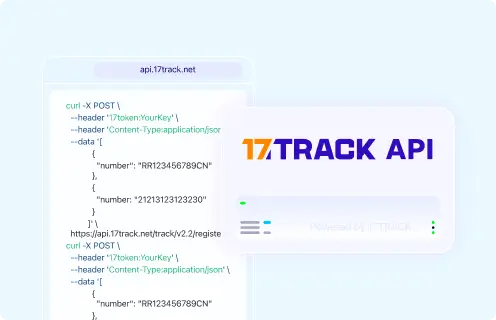
Tracking API
Një endpoint aktual publik zyrtar i API për gjurmimin e SPX Indonesia, metoda e autentikimit dhe dokumentacioni për zhvilluesit nuk u konfirmuan nga burimet zyrtare të përdorura për këtë udhëzues. Shembulli i 17TRACK më poshtë e mban kodin e transportuesit si placeholder, sepse kodi aktual i transportuesit në 17TRACK duhet të konfirmohet në llogarinë tuaj 17TRACK ose në listën e transportuesve përpara përdorimit në prodhim.
# 1. Carrier official tracking API
# Current public official SPX Indonesia tracking API not confirmed.
# Do not implement unofficial SPX endpoints without current SPX documentation.

# 2. 17TRACK API: register an SPX Indonesia shipment for tracking
# Confirm the current 17TRACK carrier code before production use.
curl -X POST "https://api.17track.net/track/v2.4/register" \
  -H "17token: YourKey" \
  -H "Content-Type: application/json" \
  -d '[
    {
      "number": "TRACKING_NUMBER",
      "carrier": "CARRIER_CODE"
    }
  ]'
Burime dhe referenca
Deklaratë mohimi: 17TRACK është një platformë e pavarur gjurmimi dhe nuk është e lidhur me Shopee Xpress.