Newegg Order Tracking
https://www.newegg.comEnter a tracking number that can be used for shipment tracking to check the logistics history of your Newegg order.
About Newegg
Newegg is an online electronics-focused retailer and marketplace. An order can involve Newegg, a third-party seller, a fulfillment operation, and a delivery carrier. The responsible party depends on the item, seller, delivery option, and order details.
Official website: https://www.newegg.com
Brand Entity & Order Ownership
| Order party | Primary role |
|---|---|
| Newegg | Displays order information and may sell or facilitate marketplace purchases. |
| Buyer account | Provides access to order history, shipment information, and available support routes. |
| Seller or merchant | May control item preparation, dispatch, seller communication, and seller-side resolution. |
| Carrier | Controls physical transportation scans and delivery events. |
| 17TRACK | Can display available carrier tracking events; it cannot alter the Newegg order or approve a refund. |
Quick Answer
Sign in to Newegg, open your order history, select the order, and review its shipment or tracking information. If a carrier tracking number is shown, you can enter it on the carrier website or 17TRACK.
The Newegg order number identifies the purchase in the Newegg system; it is not necessarily a carrier tracking number. If no tracking number is shown, check whether the order is still processing, split into shipments, or handled by a seller.
17TRACK can help track a usable carrier number or identify a supported carrier. It cannot view private order details, change an address, contact a seller, cancel an order, or initiate a refund.
How to Track Newegg Orders
Start with the Newegg order record because it connects the purchase to the shipment. Use an external carrier or 17TRACK only after a carrier tracking number is available.
Tracking Path Comparison
| Tracking path | Use when |
|---|---|
| Newegg account order history | You have account access and need the order or shipment record. |
| Order email or notification | You need to locate the order reference or shipment notice. |
| 17TRACK | A carrier tracking number is available and external event history is useful. |
| Carrier website | The carrier is identified and you need its delivery events or instructions. |
| Seller or marketplace messages | The order is associated with a third-party seller or seller-controlled shipment. |
For a guest or gift order, use the original confirmation, order link, recipient information, or the account used to place the order. A recipient may see shipment information without having permission to change the purchase or request a refund.
Order Numbers, Tracking Numbers and Where to Find Them
Keep the Newegg order number and every shipment tracking number. One purchase can have more than one shipment, and each shipment can have a separate carrier identifier.
Identifier & Tracking Number Guide
| Identifier type | Where users find it |
|---|---|
| Newegg order number | Order history, confirmation, or order-related message. |
| Carrier tracking number | Shipment details, dispatch notice, or carrier handoff message. |
| Marketplace seller reference | Seller communication or marketplace order details. |
| Return tracking number | Carrier receipt or return shipment record. |
| Return authorization | Newegg return workflow or return documentation. |
A purchase reference can prove that an order exists in the Newegg system, but it normally does not prove that a carrier has accepted a parcel. Use the carrier-issued number for carrier or 17TRACK searches.
Fulfillment, Sellers and Carriers
Newegg delivery responsibility varies by seller, item, region, and fulfillment arrangement. The order page and seller information should be checked before escalating a shipment problem.
Fulfillment & Carrier Relationship
| Fulfillment model | First party to check |
|---|---|
| Newegg-sold or warehouse-dispatched item | Newegg order details, then the identified carrier for transport events. |
| Third-party seller shipment | Seller information and Newegg marketplace order messages. |
| Split shipment | Each shipment line and its separate tracking number. |
| Cross-border shipment | The order record, international carrier, customs status, and local delivery carrier. |
| Carrier delivery event | Carrier for scan interpretation; Newegg or seller for order remedies. |
Tracking Statuses and Meanings
Status Quick Lookup
| Status shown | What it usually means |
|---|---|
| Processing | The order is being prepared or has not reached carrier acceptance. |
| Shipped | A shipment record may exist; confirm whether the carrier has posted a scan. |
| In transit | The carrier has recorded movement or transportation activity. |
| Out for delivery | The carrier indicates an attempted final delivery route. |
| Delivered | A delivery event was recorded; it does not itself decide refund eligibility. |
| Exception or delay | An event requires attention, such as an address, weather, customs, or handling issue. |
| Return or refund | Return transportation and financial processing are separate workflows. |
Delivery Time and Delay Factors
Use the delivery estimate shown for the specific order and destination. An estimate is not the same as a carrier guarantee, and different shipments in one order can have different dates.
Delivery Time & Delay Factors
| Scenario | What can affect delivery |
|---|---|
| Domestic order | Handling, selected service, carrier capacity, address, and local delivery conditions. |
| Third-party seller | Seller processing and the seller-selected shipping network. |
| Cross-border order | Export, customs, handoff between carriers, and destination-country delivery. |
| Preorder or unavailable item | Release date, inventory arrival, and order allocation. |
| Split shipment | Different warehouse, seller, inventory, or carrier schedules. |
Common Tracking Problems and Solutions
Problem & Next Step
| Problem | Check first |
|---|---|
| No tracking number | Order status, shipment split, seller details, and dispatch messages. |
| Tracking number not working | Remove spaces, confirm the identifier type, and allow for the first carrier scan. |
| Shipped but no scans | Confirm whether the carrier has accepted the parcel; ask Newegg or the seller if no event appears. |
| Package stuck or delayed | Latest scan, estimated date, exception message, customs status, and delivery address. |
| Delivered but not received | Check the delivery location, household, front desk, neighbors, photo, and proof of delivery; then contact the carrier and Newegg or seller. |
| Wrong or damaged item | Keep photographs, packaging, invoice, and shipment evidence; use the applicable Newegg or seller return route. |
| Return not updating | Check the return tracking number and carrier acceptance before asking the return channel to review it. |
| Refund pending | Check return receipt, approval status, and payment method; shipping scans do not equal refund approval. |
Returns, Exchanges and Refunds
Start a return or exchange through the applicable Newegg order or seller workflow. 17TRACK may show the return parcel’s transportation events, but it cannot determine whether a return is accepted or a refund is approved.
Returns & Refunds
| Scenario | Where to start |
|---|---|
| Return request | The Newegg order or return workflow connected to the purchase. |
| Seller-order return | The marketplace seller route and applicable Newegg marketplace support. |
| Return shipment | Use the issued label or approved carrier method and retain the receipt. |
| Refund status | Check the order or return record and the payment channel; a carrier scan is not a financial status. |
| Gift return | Use the recipient- or purchaser-authorized return path associated with the order. |
Customer Service and Escalation
Use the order-linked support route first. Prepare the order number, tracking number, seller name, account email, latest event, delivery address, photographs, return label, and any case reference.
Customer Service
| Channel | Best for |
|---|---|
| Newegg Help Center | General order, shipping, return, and account guidance. |
| Order details | A specific purchase, shipment, return, or seller-linked issue. |
| Seller message route | Seller-controlled dispatch, product, or marketplace communication. |
| Carrier support | Delivery scans, address instructions, attempted delivery, or proof of delivery. |
| 17TRACK | Tracking visibility when a supported carrier identifier is available, not order remedies. |
Seller, Marketplace and Buyer Responsibility
Marketplace Responsibility
| Issue | First action |
|---|---|
| Seller has not shipped | Review seller status and contact the seller through the Newegg order route. |
| Wrong tracking | Preserve the seller message and ask the seller or Newegg marketplace support to review it. |
| Item not received | Check carrier evidence, then escalate through the order or seller process. |
| Item not as described | Keep photographs and listing evidence and use the applicable return or dispute route. |
| Delivery scan conflict | Ask the carrier about the scan and Newegg or the seller about the order remedy. |
FAQ
Basic FAQs
Sign in to Newegg, open the order details, and use the listed shipment information or carrier tracking number.
Look in the shipment section of the order record and in shipment-related email or notification messages.
Usually you need the carrier tracking number, because a Newegg order number identifies the purchase rather than the parcel.
Check whether the order is still processing or split into shipments, then contact Newegg or the listed seller if dispatch information remains absent.
Confirm that it is a carrier number, enter it without accidental spaces, and allow time for the carrier’s first scan after dispatch.
A shipment can be between scans or awaiting carrier acceptance; compare the order status with the latest carrier event before escalating.
Use the estimate shown for that order because timing depends on item availability, seller, destination, service, and carrier handling.
Check delivery locations, household members, neighbors, the front desk, photo evidence, and proof of delivery, then contact the carrier and Newegg or seller.
No; 17TRACK can show return transportation events, while Newegg, the seller, and the payment channel handle refund status.
Use the Newegg Help Center or the support route connected to the order, with the order number and latest tracking event ready.
Expert FAQs
No; carrier selection can vary by seller, item, destination, and delivery option, so check the shipment record for the applicable carrier.
Yes, a purchase may be split into shipments, and each shipment should be reviewed separately in the order details.
The seller may control preparation and dispatch, the carrier controls transport scans, and Newegg provides the marketplace order and support framework.
A recipient may use shipment information shared by the purchaser, but order changes and financial remedies generally require the authorized account or order owner.
No; a seller or order system can mark an item shipped before the carrier posts its first acceptance or movement scan.
No; a delivered scan is evidence of a carrier event, while refund eligibility depends on the applicable Newegg, seller, return, and payment review.
Use the return tracking number from the carrier receipt or label, then check the return workflow separately for acceptance and refund progress.
Review the latest customs or carrier event, provide requested information through the responsible party, and contact Newegg or the seller about order-level options.
Sources & References
- Newegg — Official website. Newegg
- Newegg Knowledge Base. Newegg
- 17TRACK — Package tracking platform. 17TRACK
17TRACK is an independent tracking platform and is not affiliated with Newegg.
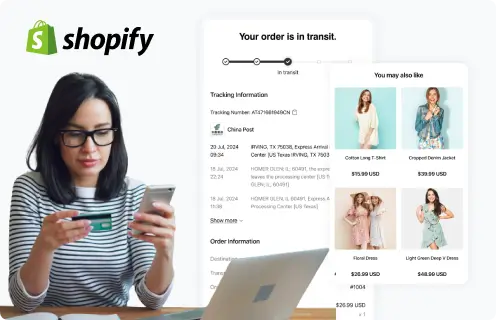
Supported by 3500+ carriers worldwide