Packeta

Packeta Tracking

Please enter the Packeta tracking number to check the latest shipping status.

TRACK

About Packeta

Packeta is a global logistics platform for e-commerce. Packeta provides parcel delivery through pick-up points, Z-BOX lockers, home delivery and integrations with local carriers. The official website states that Packeta delivers across 33 countries and works with more than 60 international partner carriers.

FactVerified information
Official namePacketa
Official websitehttps://www.packeta.com/
Carrier typeE-commerce logistics platform, parcel delivery provider and carrier-network integrator.
Primary regionEurope, with partner-carrier coverage also stated for the USA and Turkey.
Tracking pagePacketa parcel tracking
Parent organizationPacketa Group entities are presented on the official website; a separate legal parent is not used here.

Carrier Entity Relationships

EntityEntity type
PacketaPacketa is the canonical logistics platform and parcel-delivery entity described by the official website.
Pick-up points and Z-BOXThese are Packeta delivery and collection channels; a customer may receive a pick-up code by text message or email.
Packeta Home DeliveryPacketa states that its own home-delivery service operates in Czechia and Slovakia.
International partner carriersPacketa states that more than 60 local carriers help deliver parcels abroad; the final carrier can therefore vary by destination and capacity.
Packeta tracking and mobile appPacketa provides online tracking and says its mobile application supports parcel tracking.
17TRACK17TRACK independently aggregates available tracking events and does not transport parcels or decide claims.

Quick Answer

Enter the Packeta parcel number at the official Packeta tracking page or use 17TRACK. Packeta’s official tracker says the parcel number starts with the letter “Z” followed by digits. If no result appears, check that you used the parcel number rather than an order number, and allow time for the online shop to hand the parcel to Packeta.

Pro Tip: 17TRACK is an independent tracking platform. It cannot redirect a parcel, change an address, approve a refund or decide a Packeta claim.

How to Track Packeta Packages

PathSteps
Official Packeta tracking1. Open the official tracker. 2. Enter the Z-prefixed parcel number. 3. Submit the search and review the latest event.
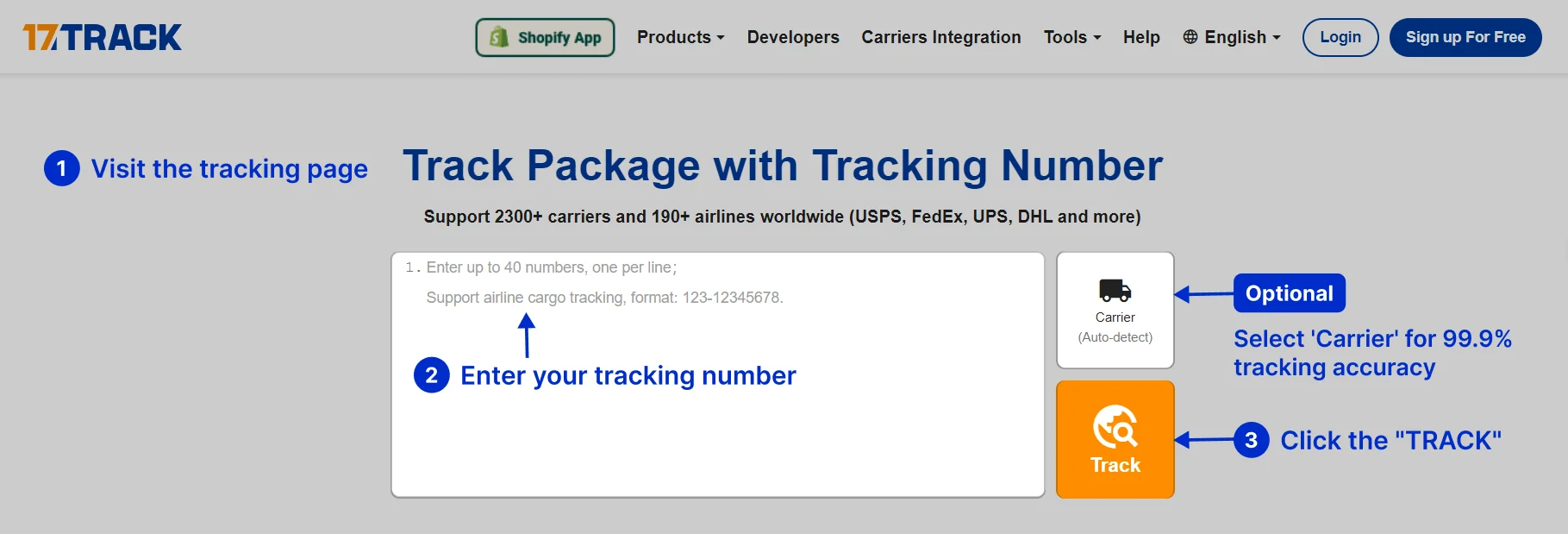
17TRACK1. Open 17TRACK. 2. Paste the parcel number. 3. Let the platform identify Packeta or select Packeta when prompted. 4. Read the available event history.
Find the numberPacketa says the parcel number can be found in the email it sends, in the Packeta app or in an SMS.
Number distinctionA tracking number identifies a shipment; an order number identifies a purchase. A merchant reference or delivery notice code may not be searchable as a Packeta parcel number.
No resultRecheck letters and digits, remove copied spaces, confirm that the shop has handed the parcel over, and ask the seller to verify the number if the issue continues.

Tracking Number Formats and Examples

The official Packeta tracker documents one visible format: a parcel number beginning with “Z” followed by digits. This is a masked structural example, not a live shipment number.

Tracking Number Format

Identifier familyNormalized pattern
Packeta parcel numberZ########
Merchant order or referenceMerchant-defined text or digits; it is not the documented Packeta parcel-number format.
Partner or last-mile identifierA partner may use a separate identifier; do not infer that the partner number was issued by Packeta.

Tracking Statuses and Meanings

StatusLifecycle stage
Label created or awaiting handoverPre-shipment. Electronic data may exist, but physical acceptance by Packeta has not necessarily occurred.
Accepted or receivedPacketa or an authorised intake point has recorded physical receipt; sorting normally follows.
In transitThe parcel is moving between operational locations; the latest scan identifies the current visible checkpoint.
Ready for pickupThe parcel has reached the selected collection location; use the pickup code sent by Packeta.
Out for deliveryThe parcel is in the final delivery stage; follow the official event and delivery instructions.
DeliveredA delivery event has been recorded. If the parcel is missing, check the destination, household, reception desk and seller immediately.
Exception, customs or returnAn intervention or handoff issue requires checking the event wording and contacting the seller or relevant Packeta support channel.

Services and Delivery Times

Packeta’s public service pages describe delivery methods and network coverage but do not establish one universal delivery promise for every origin, destination and partner carrier. Checkout conditions and the shipment record control the applicable estimate.

Service Comparison

ServiceService type
Pick-up point deliveryCollection and drop-off service through partner pick-up points across Europe.
Z-BOX deliveryContactless, self-service locker delivery available 24/7 through the Packeta app and Bluetooth.
Home deliveryResidential or workplace delivery through Packeta Home Delivery in Czechia and Slovakia, and partner carriers abroad.
Reverse logisticsReturn-parcel logistics for e-commerce flows.

Delivery Time

ServicePublished delivery standard
Pick-up point deliveryThe official page describes the delivery method but does not state one universal number of days.
Z-BOX deliveryDelivery timing depends on the selected route, capacity and local operating conditions.
Home deliveryTiming depends on origin, destination and the Packeta or partner-carrier service selected.

Destination Country Delivery Times

Destination Country / RegionPrimary service type
BelgiumPick-up point or partner-carrier delivery; confirm the route-specific estimate at checkout.
BulgariaPick-up point or partner-carrier delivery; confirm the route-specific estimate at checkout.
CzechiaPick-up point, Z-BOX or Packeta Home Delivery; confirm the selected service estimate.
DenmarkPartner-carrier delivery or collection point; confirm route conditions.
EstoniaPartner-carrier delivery or collection point; confirm route conditions.
FinlandPartner-carrier delivery or collection point; confirm route conditions.
FrancePartner-carrier delivery or collection point; confirm route conditions.
GermanyPartner-carrier delivery, collection point or locker route; confirm route conditions.
GreecePartner-carrier delivery or collection point; confirm route conditions.
HungaryPick-up point, Z-BOX or local delivery option; confirm the selected service.
IrelandPartner-carrier delivery; confirm route conditions.
ItalyPartner-carrier delivery or collection point; confirm route conditions.
LatviaPartner-carrier delivery or collection point; confirm route conditions.
LithuaniaPartner-carrier delivery or collection point; confirm route conditions.
LuxembourgPartner-carrier delivery or collection point; confirm route conditions.
NetherlandsPartner-carrier delivery or collection point; confirm route conditions.
PolandPartner-carrier delivery, collection point or locker route; confirm route conditions.
PortugalPartner-carrier delivery or collection point; confirm route conditions.
RomaniaPick-up point, Z-BOX or local delivery option; confirm the selected service.
SlovakiaPick-up point, Z-BOX or Packeta Home Delivery; confirm the selected service.
SloveniaPartner-carrier delivery or collection point; confirm route conditions.
SpainPartner-carrier delivery or collection point; confirm route conditions.
SwedenPartner-carrier delivery or collection point; confirm route conditions.
SwitzerlandPartner-carrier delivery; customs assistance may be relevant.
TurkeyPartner-carrier delivery; confirm destination service and customs conditions.
UkrainePartner-carrier delivery; Packeta states that it can assist with customs in Ukraine.
United Arab EmiratesPartner-carrier delivery; confirm destination service and customs conditions.
United KingdomPartner-carrier delivery; Packeta states that it can assist with customs in the United Kingdom.
United StatesPartner-carrier delivery; confirm destination service and customs conditions.

Common Tracking Problems and Solutions

Problem/status shownLikely cause and immediate action
Invalid numberCheck for a Z followed by digits, remove spaces, and ask the seller to confirm the parcel number.
No tracking eventsThe shop may have created data before handover; confirm dispatch with the seller.
Long gap or stuck in transitReview the last physical scan, allow for sorting or partner handoff, then contact the seller or Packeta support with the number.
Delivery exception or address issueRead the event instructions and contact the seller or regional customer-support channel; do not assume 17TRACK can change the address.
Pickup point or Z-BOX issueCheck the SMS, email, pickup code and selected location; a full Z-BOX can require the alternative handling described by Packeta.
Returned to senderAsk the merchant to confirm the return reason and arrange a new shipment or refund.
Delivered but missingCheck the delivery location, household members, reception desk and neighbours; then request seller or carrier investigation.
Lost or damagedKeep the packaging and contents, photograph the damage, preserve invoices and ask the contracting sender or merchant to start the applicable claim process.

International Shipping, Customs and Carrier Handoffs

Packeta combines its logistics platform with local carriers. A partner event can show electronic preparation, physical handover or destination delivery; those are different milestones and should not be treated as identical.

StageResponsible entity and customer action
Shop handoverThe online shop hands the parcel to Packeta; the first Packeta event confirms operational receipt rather than merely label creation.
Sorting and line-haulPacketa or its network moves the parcel through depots and international transport.
Customs declarationPacketa states that it can assist with customs in Ukraine, the United Kingdom and Switzerland; destination rules still determine required information and taxes.
Partner handoffA local carrier may become the physical last-mile custodian. An electronic pre-alert is not proof of physical receipt.
Last mileThe selected partner delivers to the address, pick-up point or locker; tracking visibility can change during the handoff.

Delivery Management and Post-shipment Options

OptionWho can use it and where
Pick-up point selectionThe customer selects a convenient point during checkout where the retailer offers Packeta delivery.
Z-BOX collectionThe recipient opens the locker with the Packeta app and Bluetooth; the service is designed for 24/7 self-service access.
Storage extensionPacketa states that a parcel storage period can be extended twice free of charge on the applicable pickup flow.
ReturnCustomers should inspect packaging at pickup and use the merchant or Packeta return process when the shipment is damaged or unwanted.

Lost, Damaged, Claims, Insurance and Refunds

A tracking inquiry, a carrier investigation, an insurance claim and a merchant refund are separate processes. The contracting sender or online shop is usually the most effective first escalation point for a consumer.

ProcessUse when and who acts
Tracking inquiryUse when an event needs explanation; the recipient can contact customer support, while the seller can verify dispatch data.
Loss or damage claimThe contracting customer should use the applicable Packeta support or claim route and retain tracking, value evidence, photographs, packaging and contents.
Merchant refundThe seller decides the commercial refund under the purchase agreement; 17TRACK cannot approve it.

Shipping Restrictions and Special Handling

CategoryOperational implication
Prohibited or restricted goodsEligibility depends on the selected country, service and current Packeta rules; verify the applicable terms before shipping.
Customs-controlled contentsIncomplete or inaccurate declarations can delay export, import or delivery.
Oversize or heavy parcelsThe official service page states that pick-up-point parcels can be up to 15 kg; other services may have different conditions.
Batteries, liquids and dangerous goodsCheck the current country and service rules before tendering; acceptance and transit can be limited.

Customer Service

ChannelVerified contact or best use
TrackingOfficial Packeta parcel tracking; use the Z-prefixed parcel number.
Customer contact formPacketa customer service; use it for parcel location and service questions.
Business emailbusiness@packeta.com; intended for online-store business enquiries.
Business hoursPacketa lists the business team as online Monday to Friday, 9:00–18:00 CET.
Pick-up pointsPacketa delivery options; use the official point-search route for locations and opening information.

Prepare the parcel number, order number, sender and recipient details, dispatch date, service type, latest scan, destination, photographs and proof of value before escalating.

Ecommerce and Business Tracking

Packeta’s official integration pages describe one-system logistics, label printing, tracking-number generation, automated data import and integrations for WooCommerce, PrestaShop, Adobe Commerce, VirtueMart, OpenCart and Shoptet.

Developer/API Comparison

OptionProvider
Packeta integrationPacketa
17TRACK API17TRACK

FAQ

Basic FAQs

1. How do I track my Packeta package?

Enter the Z-prefixed parcel number on the official Packeta tracker or use 17TRACK.

2. Where can I find my Packeta parcel number?

Packeta says it appears in the email, SMS or Packeta app.

3. What does a Packeta tracking number look like?

The official tracker describes a number beginning with Z followed by digits.

4. When will the first Packeta scan appear?

The first event normally depends on the online shop handing the parcel to Packeta and the intake scan being recorded.

5. Why is my Packeta tracking not updating?

A parcel may be between scans, awaiting handoff or still in the shop’s dispatch process; ask the seller to verify physical handover.

6. How long does Packeta delivery take?

The applicable estimate depends on the origin, destination, service and partner carrier selected at checkout.

7. What should I do after a Packeta delivery failure?

Read the latest event, check the address and contact the seller or the relevant Packeta support channel.

8. What should I do if Packeta says delivered but I have not received it?

Check the delivery location, household members, reception desk and neighbours, then ask the seller to pursue an investigation.

9. How do I report a lost or damaged Packeta parcel?

Keep the packaging and evidence, then contact the sender or merchant so the applicable Packeta claim route can be started.

10. How can I contact Packeta?

Use the Packeta customer-service contact form or the official regional support route.

Expert FAQs

11. Does a Packeta tracking result prove that Packeta issued the number?

No. A partner-carrier or merchant identifier can be associated with a Packeta shipment, so the issuing entity must be confirmed from the label or shipment record.

12. What is the difference between Packeta label creation and acceptance?

Label creation records electronic shipment data; acceptance requires a physical intake event and is the stronger indication that Packeta has received the parcel.

13. How does Packeta handle international carrier handoffs?

Packeta uses more than 60 international partner carriers, so the local last-mile carrier can vary by destination and available capacity.

14. Does arrival in a destination country mean customs clearance is complete?

No. Arrival and customs release are separate events; taxes, documents and destination-country controls can still affect delivery.

15. What is special about Packeta Z-BOX delivery?

Z-BOX is a self-service delivery and shipping locker intended for 24/7 access, opened with the Packeta app and Bluetooth.

16. Can Packeta support returns?

Yes. Packeta describes reverse logistics as part of its e-commerce services; the merchant’s return instructions determine the applicable process.

17. Can businesses integrate Packeta with an online shop?

Yes. Packeta publishes plugins and integrations for several shop platforms, including WooCommerce, PrestaShop, Adobe Commerce, VirtueMart, OpenCart and Shoptet.

18. Can 17TRACK change a Packeta delivery or approve a refund?

No. 17TRACK reports available tracking data but does not operate Packeta shipments or control delivery, claims and refunds.

Tracking API

// 1. Packeta official tracking API
// Current public official tracking API endpoint and authentication were not confirmed
// in the supplied official evidence. Use Packeta's current business documentation.

// 2. 17TRACK API
POST https://api.17track.net/track/v2.4/register
17token: YourKey
Content-Type: application/json

[
  {
    "number": "Z########",
    "carrier": "CARRIER_CODE"
  }
]

// Confirm the current Packeta carrier code in 17TRACK documentation
// before sending production requests.

Sources & References

17TRACK is an independent tracking platform and is not affiliated with Packeta.

A professional and stable global package tracking platform.

17TRACK
Loading