What Time Does Best Buy Usually Deliver? Delivery Windows by Order Type?
Best Buy does not have one delivery time that applies to every order. A shipped package may arrive at any point during the carrier’s delivery route, while same-day delivery and scheduled delivery for larger items follow the estimate or appointment shown for that order. For the most useful answer, check your Best Buy order details and any delivery updates rather than relying on a general cutoff time.
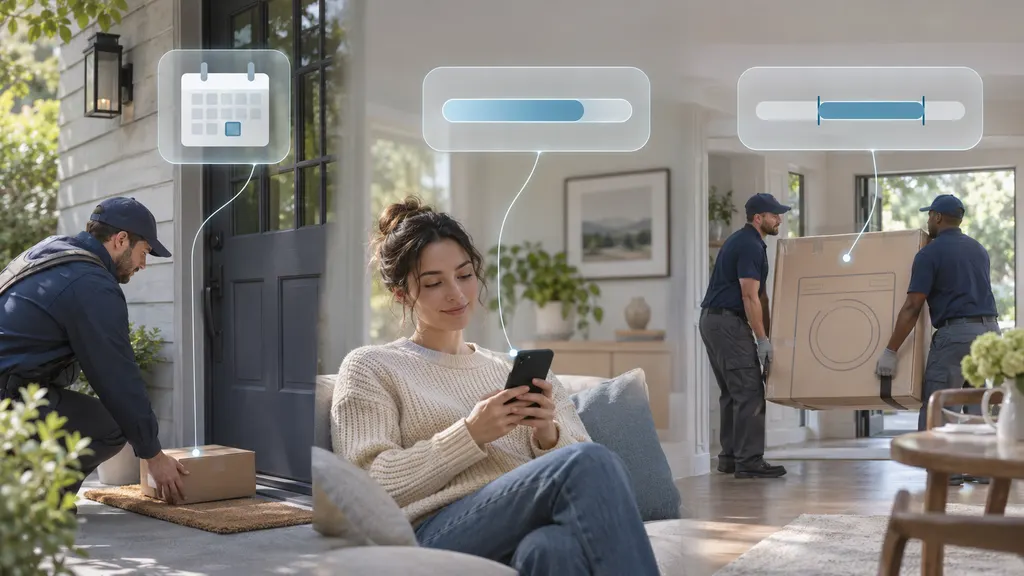
The distinction is between a delivery date and a delivery window. An estimated date tells you which day to expect an order; an appointment or time range tells you when to be available. The information you see can also change as an order moves from processing to shipment or from scheduling to dispatch.
Delivery timing by order type
Start with the fulfillment method in your order confirmation. Two purchases from Best Buy can have very different delivery arrangements, even if they were placed on the same day.
| Order type | What to use as your timing guide | What to watch for |
|---|---|---|
| Standard shipped package | The estimated arrival date in your order, followed by carrier tracking once available | A date alone is not an appointment or a promise of a particular hour. |
| Same-day delivery | The time estimate offered at checkout and subsequent order updates | Eligibility and timing depend on the item, address, availability and order conditions shown at checkout. |
| Scheduled delivery for a large item | The confirmed delivery date and appointment information | Be ready for any preparation or access requirements listed for your order. |
| Delivery with installation or another service | The confirmed service appointment and its instructions | Check whether delivery and the service are scheduled together or separately. |
| Store pickup | The ready-for-pickup notification and the store’s hours | A pickup estimate is not a delivery window or confirmation that the item is ready. |
These categories explain where to find the relevant time; they do not establish a universal Best Buy delivery schedule. If your order includes more than one item, inspect each item’s fulfillment details. One item may ship separately while another is assigned a delivery appointment.
Shipped packages: the carrier’s route determines the hour
For a small or parcel-sized item, Best Buy may provide an estimated delivery date before a carrier has the package. Once tracking becomes available, the carrier’s updates are often the better guide to what is happening on delivery day. They can indicate that a shipment is in transit, delayed or out for delivery. They may also show an estimated time range, but an estimate can move as the route progresses.
Do not read “arriving today” as “arriving this morning.” Likewise, “out for delivery” generally means the package is on a delivery route, not that the driver is minutes away. Without a confirmed time window for your particular shipment, there is no reliable hour to infer from the status alone. The hour can vary by carrier, destination, route and conditions on the day.
If you need to be present for a package, check whether your order or carrier tracking mentions a signature or other handoff requirement. Do not assume that every Best Buy package needs a signature, or that every package can be left unattended. For an apartment, gated property or workplace, make sure the address and delivery instructions are suitable for receiving the shipment. A building’s access hours can matter more to your plans than a general estimate for the carrier.
Same-day delivery: use the estimate offered for your address
“Same day” answers which day an eligible order is expected to arrive; by itself, it does not answer what time. The useful timing information is the option presented for your item and delivery address during checkout, followed by the order’s updates after purchase. If no time range is displayed, do not assume that ordering early guarantees arrival in a particular part of the day.
Before placing a time-sensitive order, verify the delivery choice on the final checkout screen. Look at the destination address, the item or items included in that option and the stated estimate. An item being available nearby does not, on its own, confirm that same-day delivery is available for your address or that a particular delivery hour can be reserved. If you need the item before a fixed appointment or departure, leave room for a change to the estimate or consider whether an available pickup option better fits your deadline.
After ordering, use the current order status instead of treating the original checkout estimate as a live location report. If the estimate changes, the updated order information is more relevant to your next step than the time you remember seeing when you paid.
Large-item and installation appointments: plan around the confirmed window
A large product that requires scheduled delivery is a different situation from a parcel moving through a carrier network. Your appointment information—not a typical package-delivery hour—is the starting point for planning when to be home. If installation, haul-away or another service is part of the purchase, read the order details to confirm what is included in the appointment and whether any part of the work is arranged separately.
Review any instructions associated with the appointment before delivery day. You may need to provide access to the property, clear a path or make sure someone who can receive the item is available. The relevant requirements depend on the product and service selected, so follow the instructions attached to your order rather than assuming the same preparation applies to every appliance or television.
If an appointment has not yet been confirmed, avoid treating an estimated delivery date as a booked time slot. If the assigned window does not work, check your order for scheduling or contact options as soon as possible. Changes may be constrained once a delivery is being prepared or dispatched, and the available alternatives are specific to the order.
How to find the most accurate time for your order
- Open the Best Buy order details. Sign in to your account or use the order information supplied in your confirmation. Identify whether the item is being shipped, delivered by appointment, prepared for pickup or provided through another method.
- Check each item, not just the overall order. Split shipments and separately scheduled services can have different dates and updates.
- Look for a time range, not merely a date. If the order only states a delivery day, you do not yet have a confirmed arrival hour.
- For shipped items, open the carrier tracking link if one is provided. Compare the latest carrier scan with Best Buy’s order status. A tracking number may exist before the carrier has posted useful movement.
- For scheduled delivery, check appointment messages. Confirm the window, the delivery address and any instructions for receiving the item.
- Recheck on delivery day. An estimate shown when the order was placed may have been updated during processing or transit.
Best Buy’s order lookup is a practical starting point if you need to find an order update. If the page does not show the timing you need, use the contact or help options associated with the order. For a shipped package already in a carrier’s network, the carrier’s tracking record can help clarify the latest delivery status; Best Buy remains the appropriate contact for questions about the purchase or an unresolved order issue.
What to do when the expected time changes
First, identify what has actually changed. An estimated arrival date moving is different from a confirmed appointment being rescheduled. A carrier time estimate moving later within the same day is different again. Check the newest timestamp and the specific item affected before making plans or reporting a problem.
If tracking says “out for delivery” but no package has arrived, keep watching for a final update rather than assuming the shipment is lost at a particular hour. If an appointment window has passed without an update, use the order’s contact options to ask about that scheduled delivery. If tracking shows “delivered” and you cannot find the parcel, check the stated delivery location, any receiving desk or household member who might have accepted it, and the order’s help options. These are different issues and may need different follow-up.
For a purchase needed at a specific time, the safest decision is made before checkout: compare the delivery information actually offered for your address with your deadline. A delivery date without a time window is a poor basis for an appointment that cannot move. After checkout, rely on the latest order and tracking updates, while keeping in mind that an estimated window is not a guaranteed minute of arrival.
FAQ
Does Best Buy deliver at a set time every day?
No single daily delivery hour applies to all Best Buy orders. Shipped parcels follow the carrier’s route, while scheduled large-item deliveries and services use order-specific appointment information. Check your order for the relevant date or window.
Does “out for delivery” mean my package will arrive soon?
Not necessarily. It indicates the package is on a delivery route, but it does not tell you your position on that route. Use any current carrier estimate as a guide and continue checking for updates.
Will same-day delivery arrive before the evening?
Do not assume so from the words “same day.” Check the estimate shown for your item and address at checkout and review any later order updates. If the timing is too uncertain for your deadline, choose a different available fulfillment option.
Is a Best Buy delivery date the same as an appointment?
No. An estimated date identifies a day; an appointment identifies a scheduled delivery or service arrangement. Look for a confirmed window in the order details before planning to be home for a specific period.
Can different items in one order arrive at different times?
Yes. Items may be fulfilled differently or shipped separately. Check the status and delivery method for each item rather than assuming the entire order shares one arrival time.
Where should I check if I cannot find a delivery time?
Start with your Best Buy order details. For a shipped item, follow its carrier tracking link if available. For scheduled delivery or installation, look for the appointment details and related messages. If the information remains unclear, use the help options for that order.