What Does Speedx “Last Mile Enroute” Mean? How It Differs from Out for Delivery?
“Last Mile Enroute” on a SpeedX shipment generally means the package is moving through the final-delivery part of its journey. It does not necessarily mean a driver has it for delivery today. “Out for Delivery” is the stronger indication that the package has entered a delivery route, although it is still not a guarantee that delivery will be completed that day.
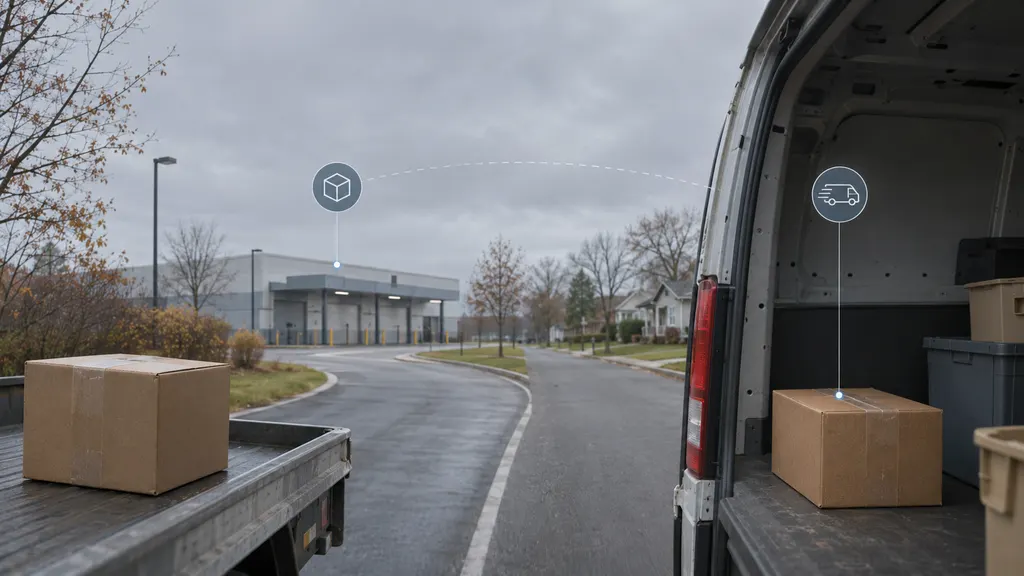
The distinction matters when you are deciding whether to wait for a driver or take action. Read the latest event alongside its timestamp and location, rather than treating either phrase as a promise of an arrival time.
Last Mile Enroute vs. Out for Delivery
| Status | Practical reading | What it does not confirm |
|---|---|---|
| Last Mile Enroute | The shipment is progressing toward the stage where it can be delivered to the recipient. | That it is already on a driver's route or will arrive today. |
| Out for Delivery | The shipment has been marked for a delivery run or an attempted delivery. | A guaranteed delivery time or a successful handoff. |
These are useful interpretations of tracking language, not a published, step-by-step guarantee for every SpeedX shipment. A package may need additional sorting, routing, or a later scan before it reaches the delivery run. Tracking events can also arrive after the physical movement they describe.
What “Last Mile Enroute” tells you
In parcel shipping, the “last mile” refers to the final leg toward the delivery address. “Enroute” indicates movement or progression rather than completion. Put together, “Last Mile Enroute” is best read as: your package is on its way through the final-delivery process, but the tracking record does not yet establish that delivery is underway at your address.
That leaves room for several ordinary next steps. The parcel might be traveling toward a local delivery facility, waiting to be processed there, or moving between points used to prepare a delivery route. The status alone cannot tell you which of those steps is happening, where the parcel physically sits at this moment, or when a driver will reach you. Use any accompanying scan location and timestamp for context, while recognizing that a location field may describe a processing event rather than the parcel's live position.
It is also worth separating “last mile” from “last scan.” A shipment can be in the final part of its journey without a new public scan appearing at every handoff. Conversely, a recently posted scan does not prove that the next event will be a delivery attempt. Tracking is a record of reported events, not a continuous live feed.
What changes when the status says “Out for Delivery”?
“Out for Delivery” is more specific about the next intended action. In ordinary tracking usage, it means the package has been assigned to, or is moving on, a delivery route. If you are expecting a parcel at home or at work, this is the point to check that someone can receive it if needed and that the delivery location is accessible.
Even then, delivery can fail to happen on that run. An access problem, an address question, a missed attempt, or an operational interruption may lead to another status instead of “Delivered.” Do not assume a fixed delivery hour from the phrase alone. If the tracking page provides a delivery estimate, treat that estimate separately from the status: one describes an expected timeframe; the other describes the latest reported shipping event.
Nor should you assume every tracking history will show both phrases in a tidy sequence. Public tracking displays depend on which events are reported and how they are presented. You may see “Last Mile Enroute” followed by “Out for Delivery,” or the next visible update may use different wording. A missing intermediate scan, by itself, is not evidence that the package is lost.
How to read your next update
- Confirm the tracking number. Copy it from your order confirmation or the seller's order page, rather than relying on a number in an unsolicited message.
- Check the newest event, not just the headline status. Compare the event text, timestamp, and any displayed location. The latest event may clarify whether the shipment is still moving, scheduled for delivery, or subject to an exception.
- Look for an actual delivery event. “Out for Delivery” signals an intended attempt; “Delivered” reports completion. If delivery is marked complete but the parcel is not where expected, that is a different problem from a package still en route.
- Compare the tracking page with your order information. Verify the destination details you supplied and check any delivery instructions or messages from the seller.
- Save the relevant details before contacting support. Have the tracking number, order number, latest event, and the date shown for that event ready. This makes it easier to explain the issue without guessing what happened between scans.
You can start with the tracking link supplied by your seller. If you use a separate tracking tool, 17TRACK's tracking page is another place to enter a parcel number and review available updates. A tracking tool can help you read reported events; it cannot confirm an unreported movement, dispatch a driver, or change a delivery attempt.
When should you contact someone?
If “Last Mile Enroute” appears and the shipment is still within the delivery timeframe shown on your order, a new scan may be the most useful next piece of information. There is no universal number of hours after this status at which a package must switch to “Out for Delivery.” The more meaningful question is whether the order has passed its stated delivery estimate or whether the tracking record contains a specific problem.
Contact the seller or the carrier's support channel when an indicated delivery window has passed without delivery, the latest event reports an exception, or the shipment appears to be going to the wrong destination. The seller is often the right starting point for an order or address issue because it holds the purchase details. Use the carrier's official contact route for questions about a reported delivery attempt or a parcel marked delivered that you cannot find.
If the status changes to “Out for Delivery” but no parcel arrives, check for a later scan before reporting it as missing. The next event may say that delivery was attempted or that the parcel has returned to a facility. If it says “Delivered,” look at any delivery details provided, check the usual safe locations and with anyone who might have accepted the package, and then raise the discrepancy promptly. Do not describe an “Out for Delivery” parcel as lost solely because it did not arrive at the time you expected.
A note on tracking messages and delivery requests
A routine status update should not require you to provide payment card details through a link in an unexpected text or email. If a message claims that your SpeedX delivery cannot proceed, open the tracking page from a trusted source or your original order instead of using the message's link. Check the actual tracking event before changing an address or sharing personal information. This precaution applies regardless of whether the displayed status is “Last Mile Enroute” or “Out for Delivery.”
The simplest decision rule is this: “Last Mile Enroute” means keep checking for the next meaningful scan; “Out for Delivery” means be ready for an attempt, but verify its outcome afterward. If the delivery estimate has passed or a problem is explicitly reported, use the order and tracking details to ask the seller or carrier for help.
FAQ
Does “Last Mile Enroute” mean my package will arrive today?
No. It indicates progress through the final-delivery stage, not a confirmed same-day delivery attempt. Look for a later “Out for Delivery” event or a delivery estimate if one is provided.
Can “Last Mile Enroute” appear before “Out for Delivery”?
Yes, that is a reasonable sequence: movement through the last-mile process can precede a reported delivery run. Public tracking may not show every intermediate step, however, so do not rely on seeing both labels for every parcel.
Why has my tracking not changed since “Last Mile Enroute”?
The next publicly visible scan may not have been reported yet. The status alone cannot tell you whether the parcel is moving, waiting for processing, or affected by a delay. Compare the event date with the delivery estimate for your order; if that estimate has passed, ask the seller or carrier to investigate.
Is “Out for Delivery” the same as “Delivered”?
No. “Out for Delivery” indicates an intended delivery run or attempt. “Delivered” is the status to look for when checking whether completion has been reported. If a parcel is marked delivered but is missing, review the delivery details and contact the appropriate support channel.
Who should I contact about an incorrect delivery address?
Start by checking the address on your original order. Contact the seller about an error in the order details, and use the carrier's official support route to ask whether any delivery instructions can still be addressed. Do not assume an address can be changed once the parcel is in the final-delivery process.
Sources
- 17TRACK Tracking — tracking page referenced for checking available shipment updates.
- 17TRACK — official consumer tracking site.