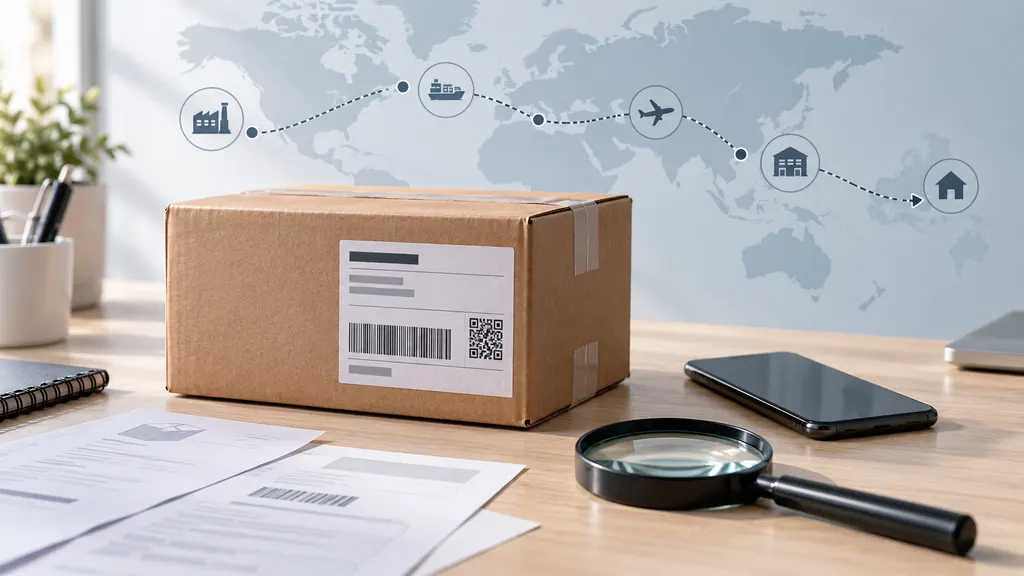
What Does "Shipment Information Received" Mean? How Long Until Your Package Ships?
“Shipment information received” usually means the sender has electronically submitted shipping details, but tracking does not yet confirm that the carrier has your package. A label may have been created before pickup or drop-off. There is no universal countdown to shipment: the next update depends on the seller’s handling schedule, the carrier handoff, and when a physical processing event appears in tracking.

If you are waiting for an order, the most useful distinction is between a shipment record being created and a package entering the delivery network. Check the seller’s promised dispatch date first. If that date has passed without a carrier acceptance update, ask the seller to confirm the actual handoff rather than relying on the tracking number alone.
What this tracking status tells you—and what it does not
Shipping systems can receive information before a parcel moves. A seller, warehouse, or shipping partner may transmit a tracking number, destination information, and service details while preparing an order. That electronic record makes tracking possible, but it is not necessarily evidence of physical collection.
Carriers use different wording for this stage. UPS, for example, explains that “Label Created” means it has received shipment details and billing information from the sender; the status changes after UPS has possession and the shipment is moving through its network. USPS distinguishes pre-shipment events, such as “Shipping Label Created, USPS Awaiting Item,” from acceptance and movement events.
“Shipment information received” should therefore be read as an information milestone, not a confirmed departure milestone. The exact meaning still depends on the carrier and any accompanying description.
- It generally confirms: An electronic shipment record exists.
- It does not by itself confirm: The parcel is packed, collected, accepted, or moving between facilities.
- It does not establish: That the package is lost, that the seller is dishonest, or that delivery will be late.
- It cannot reliably tell you: The remaining delivery time without additional shipment events and service information.
How long until your package actually ships?
There is no carrier-wide rule that a package must ship within a fixed number of hours after this message appears. The label might be created shortly before collection, or earlier in the seller’s order-processing workflow. A weekend, holiday, missed collection, or order issue can separate those two events.
For a useful answer, compare the tracking event with the seller’s stated handling period. An order advertised as dispatching within a certain number of business days should be assessed against that commitment—not against the moment the label appeared. Also check whether the promised date refers to dispatch or delivery; those are different commitments.
The following checkpoints are practical follow-up guidance, not carrier service guarantees:
| Your situation | What to do |
|---|---|
| The label appeared recently, and the seller is still within its handling window. | Check again after the next expected collection or business-day processing opportunity. |
| The promised dispatch date has passed with no acceptance event. | Contact the seller and ask whether the parcel was physically handed over. |
| The seller says it shipped, but tracking still shows only electronic information. | Request the handoff date, receiving carrier or partner, and any available acceptance evidence. |
| The promised delivery date has passed, or a purchase-protection deadline is approaching. | Raise the issue promptly through the seller or marketplace and check the applicable resolution rules. |
A displayed delivery estimate should also be treated cautiously while tracking shows only shipment information. Check whether it is a seller estimate, a carrier estimate, or a guaranteed service commitment. An electronic shipment record alone does not demonstrate that the package is on schedule.
Why the status can stay unchanged
The seller created the label before finishing fulfillment
Label creation can happen before packing is complete. The order may still be awaiting a warehouse processing step, an item, or an address check. Tracking cannot identify which of these applies. The seller is the appropriate source for the order’s preparation status and expected dispatch date.
The package is waiting for collection or drop-off
A prepared parcel may remain at the sender’s premises until the next collection. Business schedules and local holidays can affect that handoff. Creating a label outside the carrier’s operating hours does not mean a collection has already occurred.
The handoff happened, but there is no visible acceptance event yet
A missing first scan is possible, so the absence of an acceptance update is not absolute proof that the parcel remains with the seller. However, that possibility should not be treated as confirmation that it shipped. Ask for handoff evidence and watch for a later physical processing event.
A shipping partner is handling an earlier part of the journey
Some shipments pass through a consolidator or another logistics provider before reaching the delivery carrier. The destination carrier may receive electronic details before it receives the parcel. USPS, for example, has shipping-partner statuses that explicitly say USPS is awaiting the item.
For an international order, distinguish “the final-mile carrier has not received it” from “no logistics provider has received it.” Those are different situations. Ask the seller which company currently holds the shipment and whether an earlier-leg tracking number is available. Do not assume a customs delay unless a tracking event or the responsible provider identifies one.
Which update confirms that the package is moving?
Look for an event describing physical receipt or processing, rather than another electronic notification. Wording varies, but acceptance, collection, facility arrival, and departure events provide more useful evidence than label creation.
- Accepted or picked up: Indicates receipt by the named carrier or provider, subject to its status definition.
- Arrived at a facility or processed at a facility: Indicates a recorded handling event at that location.
- Departed a facility or in transit: Indicates a later transport stage, though “in transit” does not mean the parcel is continuously moving.
- Shipping partner event; delivery carrier awaiting item: May indicate progress with a partner, but not possession by the final delivery carrier.
Read the full event description, timestamp, location, and carrier name together. A broad summary at the top of a tracking page can be less informative than the detailed event history underneath it.
What to do if tracking is not updating
- Verify the tracking details. Copy the number directly from the order confirmation. Confirm that it is a tracking number rather than an order reference, and check which carrier the seller named.
- Read the carrier’s detailed history. Look beyond the headline status for acceptance events, partner references, or a second tracking number.
- Check the order commitment. Find the seller’s handling period, promised dispatch date, and delivery estimate. Note whether the stated period uses business days.
- Ask the seller a specific question. Request confirmation of physical handoff, not simply confirmation that a label exists.
- Set a follow-up point. If the seller gives a pickup date, check for a subsequent event after that collection opportunity. If the commitment is missed, request the next available remedy under the seller’s or marketplace’s rules.
- Keep records. Save the order confirmation, promised dates, tracking history, and correspondence if the delay remains unresolved.
You can also enter the tracking number on 17TRACK to check shipment updates, particularly when more than one carrier may be involved. For the meaning of a specific event or a disputed handoff, consult the responsible carrier and seller. A tracking tool cannot create a missing carrier scan or arrange the seller’s dispatch.
A message you can send to the seller
Hello, my order [order number] still shows “Shipment information received,” with no visible carrier acceptance event. Has the package been physically handed to the carrier or a shipping partner? Please confirm the handoff date, the provider that received it, and any available acceptance record. If it has not been handed over, please confirm the expected dispatch date and my options if that date cannot be met.
This wording separates order preparation from carrier possession and gives the seller a concrete issue to investigate.
Should you contact the seller or the carrier first?
Contact the seller first when the only event is shipment information received. The seller can check packing, pickup arrangements, and handoff records. A carrier that has received only electronic information may have little physical shipment history to investigate.
If tracking already confirms acceptance, the carrier becomes a more useful contact for movement questions. The seller may still need to open an investigation or handle a purchase-related remedy, depending on the service and marketplace rules. Do not assume that all carriers allow recipients to start the same kinds of claims.
If an order is time-sensitive, ask about cancellation or replacement options promptly rather than waiting for tracking alone to resolve the uncertainty. Neither option is automatically available; eligibility depends on the order’s actual status and the applicable terms.
FAQ
Does “shipment information received” mean my order has shipped?
Not necessarily. It usually means shipping details were submitted electronically. A carrier acceptance, pickup, or facility-processing event provides stronger evidence that the parcel has entered the physical delivery process.
Can a package arrive even if the first scan never appeared?
Yes, a missing initial scan does not make delivery impossible. A later processing or delivery event may appear instead. However, you should not assume that an unchanged pre-shipment status means the parcel is moving; verify the handoff if the seller’s dispatch commitment has passed.
Does this status mean the package is lost?
No. The status alone does not establish loss. First determine whether the parcel was handed over, which provider received it, and whether any physical handling events exist. Those facts help distinguish an unshipped order from a shipment that needs investigation.
Why does the store say “shipped” while the carrier is still awaiting the package?
The store’s notification may be triggered by label creation or an internal fulfillment step. The carrier’s status reflects its own shipment records. Ask the store whether “shipped” means the label was generated or the parcel was physically handed over.
Should I request a refund if the status does not change?
Base that decision on the missed commitment, the seller’s response, and the applicable purchase terms—not the status wording alone. If the seller cannot confirm dispatch or provide a workable resolution, review your marketplace or payment-provider options before any relevant deadline expires.
Sources
- UPS: Understanding Tracking Status — Definitions of label creation and later shipment stages.
- USPS: Where Is My Package? — Explanations of pre-shipment, acceptance, and shipping-partner tracking messages.
- 17TRACK: Package Tracking — Shipment-tracking entry point.