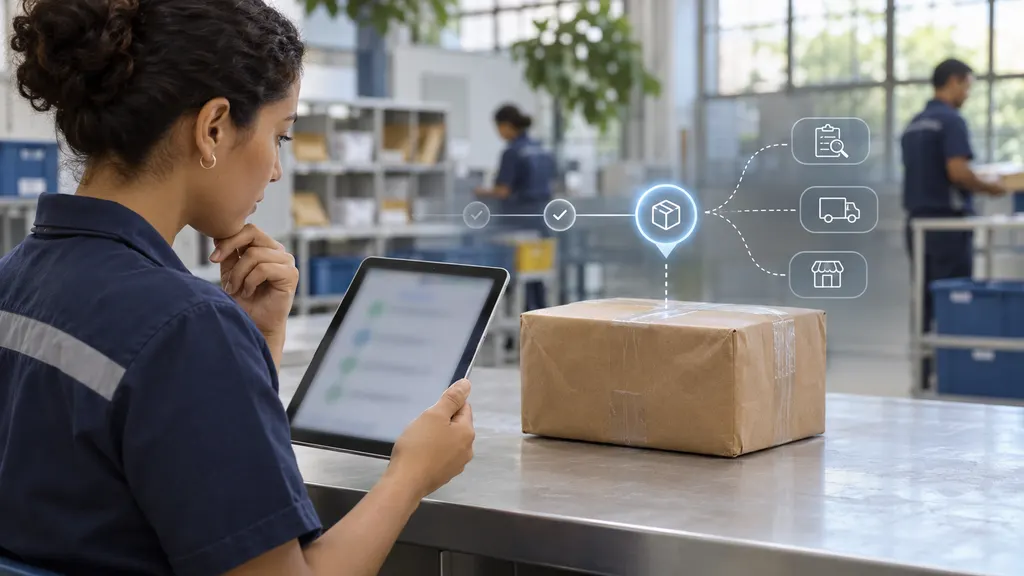
Tiktok Shop Order Status Meanings: from Unpaid to Delivered, Canceled, or Completed
TikTok Shop order statuses describe different parts of a purchase. Unpaid means payment has not been completed; shipped means the order has entered the delivery process; delivered means a delivery event has been recorded; canceled means the order will not proceed as originally placed; and completed generally means the order has reached a later, closed stage. The exact labels and transitions can vary by market, order type, and whether you are viewing the buyer or seller interface. For a specific order, open its details in TikTok Shop rather than relying on the status label alone.

The most useful distinction is between an order status, which describes the transaction, and a tracking update, which describes a shipment. They may update at different times. A delivered scan, for example, is evidence about a parcel’s movement; it does not by itself answer every question about a return, refund, or order dispute.
What the common TikTok Shop statuses mean
Think of the labels below as a guide to the stage of an order, not as a guaranteed sequence that every purchase will display. Some screens use different wording or show additional steps. If a label seems inconsistent with what happened, the order details and any available shipment history provide better context.
Unpaid or awaiting payment
Unpaid means the purchase has not reached a confirmed paid state. This can happen while checkout is unfinished or a payment has not been successfully confirmed. It does not mean the seller has already prepared or shipped the item.
If you intended to buy the item, check the order details and your payment method before trying checkout again. Avoid assuming that a charge you can see in a banking app proves the TikTok Shop order is paid: payment authorizations and final charges are not always displayed the same way. If you are unsure whether a second attempt would create another order, check your TikTok Shop order list and payment activity first.
Paid, processing, or awaiting shipment
These labels generally place the order between payment confirmation and dispatch. The seller may still need to confirm, prepare, pack, or hand over the item. Processing should not be read as proof that a carrier has the parcel.
For buyers, the practical check is whether the order details show a shipment, tracking number, or estimated delivery information. For sellers, the relevant next step is to review the order and fulfillment instructions in the applicable TikTok Shop seller tools. Do not infer a universal dispatch deadline from the status name; requirements can differ by market and order arrangement.
Shipped or in transit
Shipped indicates that the order has moved into the shipping stage. It does not necessarily mean the parcel is already moving between facilities at the moment you look. A shipment can have a tracking number before its first carrier scan appears, and the order page and carrier tracking history may not update simultaneously.
If tracking is available, look for the most recent event, its date, and its location rather than treating the word shipped as a delivery prediction. A lack of new scans for a short period is not, by itself, proof that a parcel is lost. If the estimated delivery window has passed or the details raise a concern, use the help options associated with that order.
Out for delivery
Out for delivery is a shipment-stage update that usually means the carrier has assigned the parcel to a local delivery run. It is more specific than shipped, but it is not confirmation that the recipient has the package. Delivery attempts can fail, and a carrier’s later scan may change the next expected step.
Check the carrier’s latest tracking event for delivery instructions or an attempted-delivery notice. If a delivery requires access to a building or collection from a designated point, the tracking details may be more useful than the short status shown in the order list.
Delivered
Delivered means a delivery event has been recorded. It does not always establish that the buyer personally received the parcel or that every item in a multi-item purchase is accounted for. Before reporting a missing delivery, review the delivery details, check the address and any designated safe place, and ask household members or building staff where appropriate.
If the package still cannot be found, use TikTok Shop’s order-specific help or support route. Keep the order details and tracking events together: the delivery scan is relevant evidence, but the resolution of a missing-package report is a separate matter. If an item arrived but is damaged, incorrect, or incomplete, describe that issue accurately rather than reporting it as a parcel that never arrived.
Completed
Completed generally indicates that the order has reached a later, closed stage in TikTok Shop’s transaction workflow. Do not treat it as a synonym for delivered. Delivery concerns whether the shipment reached a destination; completion concerns how the order is classified in the platform’s workflow. The point at which an order becomes completed may depend on the applicable process and the information shown in the order details.
A completed label also does not establish that the buyer is satisfied or that a separate return or refund request has been resolved. If there is a problem, open that order to see which support or after-sales actions are available. Do not rely on a general explanation of the label to determine eligibility or a deadline.
Canceled
Canceled means the order will not continue as originally placed. The important follow-up is to establish what was canceled and whether payment had been confirmed. A canceled, unpaid order calls for a different check from a paid order that was later canceled. Cancellation should not be treated as proof that money has already returned to the original payment method.
Open the order details for the cancellation reason and any payment or refund information shown there. If the parcel has already shipped, do not assume that pressing a cancellation option will stop it in transit. The available next step may instead involve delivery, a return, or support, depending on the order’s circumstances and the options TikTok Shop displays.
Why an order status and a tracking status can disagree
TikTok Shop organizes the purchase, while a carrier records physical shipment events. Those are related but distinct records. An order might say shipped while tracking has not yet shown an acceptance scan. A carrier may show delivered before the order page reflects a later transaction stage. Neither view should be used to invent an event that the other has not confirmed.
When the two views appear inconsistent, compare identifiers first. Make sure the tracking number belongs to the order and, if the order contains multiple parcels, that you are examining the relevant shipment. Then compare the latest dated carrier event with the TikTok Shop order details. A tracking number is useful for checking parcel movement, but a tracking site cannot confirm whether TikTok Shop has approved a refund or changed an order’s transaction status.
If the shipment uses a supported carrier, a parcel-tracking service such as 17TRACK Tracking may help you view tracking events using the tracking number. Use it as an additional way to inspect shipment movement, not as a replacement for TikTok Shop’s order details or support process. Without a valid tracking number, the order page is the better starting point.
What to do when a status seems stuck or wrong
Start with the question you need answered. Repeatedly refreshing a status label is less useful than checking the evidence tied to the particular problem.
- For an unpaid order: confirm whether checkout finished, whether the order appears once or more than once, and what your payment activity shows. Resolve an unclear payment state before placing another order.
- For a paid order awaiting shipment: check the order’s stated delivery information and messages. If the order has not progressed as expected, use its help or contact options rather than assuming the seller has already dispatched it.
- For a shipped order with no tracking movement: confirm the tracking number and look for a first carrier event. If the expected delivery information no longer makes sense, report the concern through the order.
- For a delivered order you cannot find: check the delivery location and anyone who might have accepted the parcel, then report the missing package with the relevant tracking details.
- For a canceled order with a payment concern: check the cancellation and refund information shown on the order, then compare it with your payment account. A cancellation label alone does not tell you the final payment outcome.
- For a completed order with an item problem: look for the after-sales options on that specific order and describe the item issue. Completion is not a substitute for examining the available return, refund, or support route.
For any support request, keep the order number, item details, relevant messages, tracking number, and dated tracking events together. Screenshots can help document a mismatch, especially if an order page and carrier page show different information. Share sensitive payment details only through the appropriate official support or payment channel.
FAQ
Does shipped mean my TikTok Shop order will arrive today?
No. Shipped places the order in the shipping stage; it is not a same-day delivery promise. Check the order’s delivery information and the most recent carrier event for a more useful indication of progress.
Can an order show delivered if I have not received it?
Yes. Delivered reports a recorded delivery event, which may not settle where the parcel was left or who received it. Check the delivery details and likely receipt locations, then report the issue through the order if you still cannot find it.
Is completed the same as delivered?
No. Delivered refers to a delivery event. Completed refers to a later classification of the transaction. If you need to address an item or delivery problem, check the actions available on the specific order rather than assuming either label settles the issue.
Does canceled mean I have already been refunded?
Not necessarily. Cancellation describes the order state, while a refund concerns payment. Review the order’s payment and refund details and your payment account; use order-specific support if they do not align.
Why does my tracking number show no updates after the order says shipped?
The shipment information and the first carrier scan may appear at different times. Confirm that you have the correct tracking number and check again for a dated carrier event. If the order remains inconsistent with its delivery information, seek help through TikTok Shop.
Sources
- TikTok Help Center — official entry point for buyer-facing account and TikTok Shop help; consult the guidance and options available for your market and order.
- TikTok Shop Academy — official seller guidance for order and fulfillment workflows; seller-facing labels and requirements may differ from the buyer view.
- 17TRACK Tracking — parcel-tracking page relevant to checking shipment events when a tracking number is available.