Shein Tracking Statuses Explained: What each Update Means, What Comes Next & When to Act
SHEIN tracking updates describe different stages of an order: preparation, shipment registration, transport, customs processing, local delivery, and completion. “Shipped” does not necessarily mean the delivery carrier has received the parcel, “in transit” does not promise delivery that day, and “delivered” needs immediate attention if you cannot find the package. To decide what comes next, read the latest event alongside its location, timestamp, carrier, and your order’s estimated delivery window.
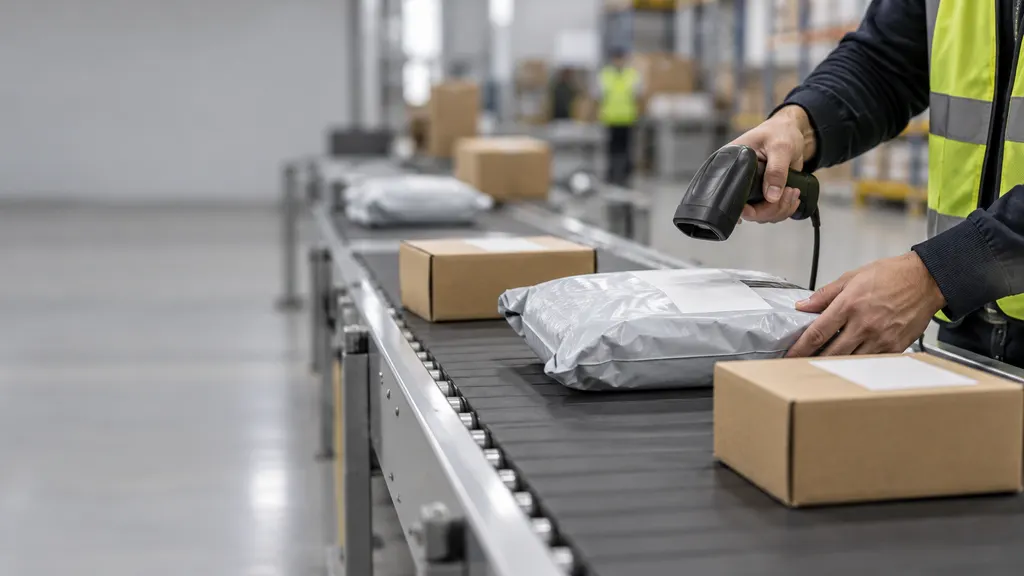
This guide explains common tracking wording you may encounter on a SHEIN shipment. Labels vary by destination, carrier, and translation, so the examples below are not a universal list of SHEIN’s exact status messages. Follow any specific instruction attached to your shipment rather than relying on the headline status alone.
Start with the individual package, not just the order status
Open your order in your SHEIN account and look for its tracking details. Check whether the order has more than one package or tracking number. If it does, inspect each shipment separately: one package being delivered does not establish that every item in the order has arrived.
Before interpreting an update, identify these details:
- Tracking number: This identifies a shipment in the carrier’s system. Your SHEIN order number serves a different purpose and may not work on a carrier tracking page.
- Carrier: Look for the company handling the current stage, especially the local delivery provider.
- Latest event and location: These are usually more informative than a broad progress bar.
- Event timestamp: Check when the event occurred, not merely when you opened the page.
- Estimated delivery window: Use the estimate shown for your own order and destination, not a general estimate from another shopper.
- Action request: An address problem, collection notice, or document request takes priority over passive monitoring.
For destination-specific shipping guidance, consult SHEIN’s shipping information and select the appropriate regional site. Do not apply another country’s delivery estimates or support conditions to your order.
SHEIN tracking statuses: meaning, next step, and action
A cross-border shipment can pass through several organizations. Some updates describe electronic information, others record physical handling, and others summarize a whole transport stage. Not every shipment displays every event below, and the sequence can differ.
| Status or similar wording | What it generally means | What may come next | When to act |
|---|---|---|---|
| Processing / Preparing order | The order is being prepared. This is an order-management update, not evidence of carrier possession. | Shipment confirmation or tracking details. | Contact SHEIN if the preparation estimate shown for your order passes or the order requests your attention. |
| Shipped / Dispatched | The order has entered the shipping stage in the seller’s system. Check carrier events to establish physical acceptance. | Carrier registration, pickup, or an origin-facility scan. | If acceptance never appears and the delivery window is at risk, ask SHEIN to investigate the handoff. |
| Label created / Shipment information received | Shipment details have been registered electronically. This does not establish that the carrier holds the package. | An acceptance or pickup event. | Check for an actual acceptance scan; contact SHEIN if the promised progress or delivery window passes. |
| Accepted / Picked up / Received by carrier | The carrier reports receiving the shipment. | Sorting, departure, or transfer to another facility. | Monitor unless an exception appears or the delivery estimate passes. |
| In transit / Departed facility | The parcel is progressing through the transport network. It may be moving or awaiting its next connection. | Another hub scan, international transport, or destination processing. | Investigate if the delivery window passes, the carrier flags a problem, or a stated follow-up date arrives. |
| Flight departure / Airline transport / Arrival at airport | The update concerns an air-transport stage. Airport arrival is not equivalent to release for local delivery. | Unloading, import processing, customs, or a logistics handoff. | Monitor the next processing event; do not arrange collection at the airport without explicit instructions. |
| Customs clearance in progress | The shipment is undergoing customs-related processing. The status alone does not mean seizure or a payment requirement. | Release, further examination, or a request for information. | Respond to a verified request. Otherwise, monitor and escalate if the estimate passes. |
| Customs cleared / Released by customs | The update reports completion of a customs step. Check the location to distinguish export from import clearance. | Transport onward or transfer into the destination delivery network. | Look for the next carrier event; clearance alone does not guarantee next-day delivery. |
| Handed to local carrier / Awaiting delivery partner | The shipment is entering a partner handoff. The wording may describe transfer preparation rather than confirmed receipt. | A local acceptance scan, sometimes under another tracking number. | Check the local carrier’s page and any additional shipment number. |
| Out for delivery | The carrier has assigned the shipment to a delivery operation. Successful delivery is not yet confirmed. | Delivery, an attempted-delivery event, or a revised update. | Keep access available. If delivery does not happen, check the carrier’s next update and instructions. |
| Delivery attempted / Available for pickup | Delivery was unsuccessful, or the parcel is awaiting collection at a designated location. | Redelivery, collection, or eventual return if unresolved. | Act promptly using the official notice. Check the collection location, identification requirements, and deadline. |
| Exception / Address issue / Held | An event has interrupted normal progress. The detailed reason determines whether you need to act. | Resolution, revised delivery, or a request for instructions. | Read the full event now. Contact the carrier for local delivery issues and SHEIN for seller-side intervention. |
| Delivered | The carrier has recorded delivery. Check the delivery location and any proof provided. | No further movement is normally expected. | If missing, check likely handoff locations and report the discrepancy promptly. |
| Returning to sender / Returned | The shipment is being routed back or has reached a return destination. This is not itself a refund confirmation. | Return transit, receipt, and a separate seller resolution. | Contact SHEIN to establish the next step; ask the carrier whether intervention remains possible. |
Why tracking can stop updating without proving the parcel is lost
Tracking is an event history, not continuous GPS. Between recorded handling points, a parcel may travel without generating a new public update. A cross-border handoff can also create a gap between one partner’s departure event and another partner’s acceptance scan.
Distinguish an information gap from a reported problem. An unchanged “in transit” status within the delivery window is different from “recipient action required,” an expired collection deadline, or an overdue shipment. None of these, by itself, establishes that a parcel is permanently lost.
Use this sequence when tracking appears stuck:
- Confirm that you are checking the correct package and tracking number.
- Open the named carrier’s official tracking page and read the detailed events.
- Look for a delivery partner or replacement tracking number.
- Compare the last event with your order’s estimated delivery window.
- Follow any stated action or follow-up date. If the estimate has passed without a resolution, contact SHEIN rather than continuing to refresh indefinitely.
There is no dependable universal rule that every SHEIN shipment should update within the same number of hours. Route, service, customs processing, and carrier handoffs differ. Avoid treating another shopper’s timeline as a deadline for your own parcel.
When SHEIN and the carrier show different information
First check whether the two pages refer to the same package. Then compare event times, locations, and detail rather than choosing whichever headline sounds more advanced. A seller’s “shipped” label and a carrier’s “label created” event can describe different administrative stages without proving that either page is wrong.
For local delivery questions, the final-mile carrier’s detailed record is usually the most useful operational source. Look there for an attempted-delivery notice, pickup address, delivery photograph, signature information, or address exception when those details are available. SHEIN remains the appropriate contact for order-level investigation and purchase-related resolution.
You can also enter the shipment number into 17TRACK’s tracking page as an additional way to check carrier tracking information. A tracking service does not physically handle the parcel or authorize a refund. If a summarized status is unclear, return to the underlying carrier event before deciding what to do.
When to wait, contact the carrier, or contact SHEIN
Monitor when there is no action request and the shipment is still within its estimate
Continue checking for meaningful changes if the parcel is progressing, or if a scan gap occurs without a stated exception. Keep the delivery estimate in view. Monitoring should have a checkpoint: the end of the delivery window, a carrier-provided follow-up date, or a new event requiring action.
Contact the carrier for a delivery operation it controls
The local carrier is the practical first contact for pickup arrangements, an attempted delivery, access difficulties, or clarification of a delivery location. Whether it can change an address or reschedule delivery depends on its service and the sender’s restrictions; do not assume either option is available.
Contact SHEIN for an overdue order, an unresolved handoff, or a purchase resolution
Ask SHEIN to investigate when the delivery window passes without receipt, shipment acceptance remains unresolved, tracking shows a return, or the carrier cannot resolve a missing-delivery report. The seller may need to initiate a carrier inquiry. Any refund or replacement depends on the circumstances and the terms applicable to your order, not the tracking label alone.
Send a compact evidence package: order number, relevant tracking number, latest event and timestamp, expected delivery window, screenshots, and any carrier case reference. State the problem precisely, such as “The carrier records delivery, but I have not received this package,” rather than simply “Where is my order?”
Delivered but missing: checks to make immediately
Open the detailed delivery record and check the date, location, and any photograph or recipient information. Inspect safe places around the property and ask household members, reception staff, or building management where appropriate. Check whether the event concerns a collection point rather than your home address.
If the parcel remains missing, contact the carrier and report the issue to SHEIN promptly. Save the tracking record and correspondence. Do not confirm receipt merely to clear an app notification, and do not let an informal suggestion to “wait a few days” cause you to miss an applicable reporting deadline.
For texts or emails requesting a redelivery or customs payment, independently open the official carrier website or your SHEIN account. A tracking-related message is not proof that a payment link is genuine. Whether a legitimate charge is payable depends on the shipment and applicable arrangements.
FAQ
Does “shipped” mean my SHEIN package is already on a plane?
No. “Shipped” is not proof of air transport. Look for carrier acceptance and subsequent transport events. Even an airport-related update needs its location and full wording to establish which stage it describes.
Why does my tracking number show “not found”?
Possible explanations include an entry error, selecting the wrong carrier, or shipment information not yet appearing in that carrier’s public tracking system. Copy the number directly from the order, check the carrier, and distinguish the tracking number from the order number. Ask SHEIN for clarification if the issue persists or the delivery window is approaching its end.
Does customs clearance mean I owe a fee?
No. A customs-processing update alone does not establish a payment obligation. If a charge or document request appears, verify it through the carrier’s official channel and check the terms for your order and destination before responding.
Can one SHEIN order have different delivery dates?
If your order is divided into separate packages, each package can have its own tracking history and delivery timing. Check the items assigned to each package before reporting that part of the order is missing.
Does “out for delivery” guarantee arrival today?
No. It indicates a delivery stage, not a completed delivery. Route disruption, access problems, or other exceptions can prevent completion. Follow the next carrier event if the parcel does not arrive.
Can a tracking website speed up delivery or issue a refund?
No. Tracking websites display shipment information; they do not control the physical delivery or your purchase agreement. Contact the carrier for operational delivery questions and SHEIN for order investigation or a purchase-related resolution.
Sources
- SHEIN — Shipping Information: destination-specific shipping guidance; use the regional site relevant to your order.
- UPS — Understanding Tracking Status: carrier terminology distinguishing label creation, movement, delivery, and exceptions. These definitions are carrier examples, not a claim that UPS handles every SHEIN shipment.
- DHL — Tracking FAQs: tracking visibility and shipment-event guidance. Carrier-specific guidance applies only where relevant to the actual shipment.
- 17TRACK — Package Tracking: shipment-number tracking as an additional information channel.