Pickup Exception Meaning: Why Collection Failed and How to Reschedule
A pickup exception means a carrier could not collect a shipment as planned, or the pickup record could not be completed normally. It does not usually mean the parcel has been lost. The most common causes are that the package was not ready, the address or pickup reference did not match the booking, the driver could not access the location, or the carrier’s collection schedule changed. The sender or the business that booked the pickup normally needs to investigate and arrange the next collection.
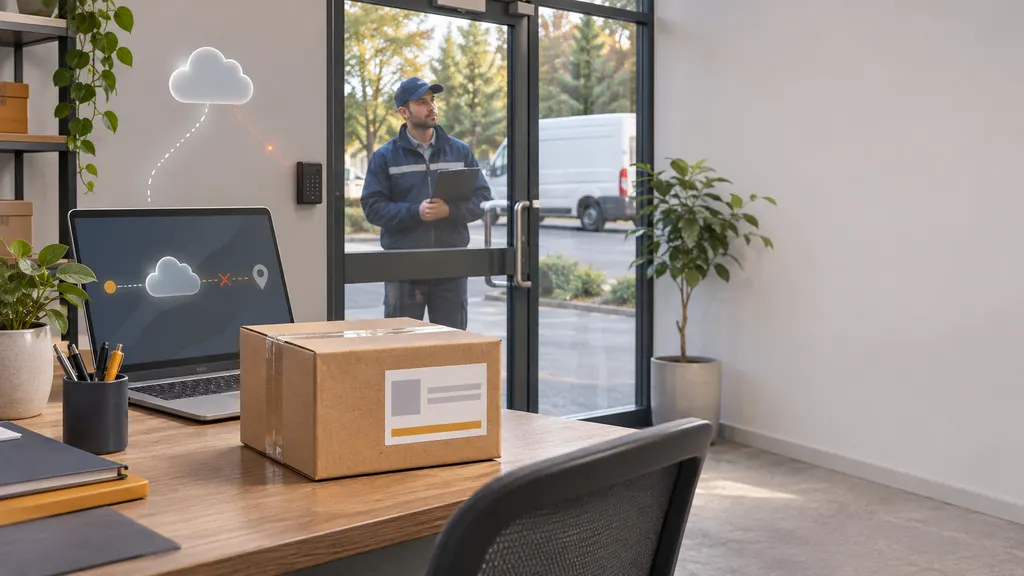
The exact wording is carrier-specific, so treat “pickup exception” as a signal to check the shipment details rather than as a complete explanation. The fastest solution is to identify whether a driver actually attempted collection, confirm that the parcel meets the booking requirements, and then reschedule through the carrier or the shipping platform used to create the label.
What does a pickup exception mean?
A pickup exception is a disruption before a parcel enters the carrier’s regular transportation network. In a typical shipment, the carrier receives a pickup request, sends a driver to the collection address, accepts the parcel, and records an origin scan. A pickup exception can occur at any point before that origin handoff is completed.
The status may indicate one of several situations:
- The driver arrived, but the shipment was not available for collection.
- The pickup location was closed, inaccessible, or difficult to identify.
- The parcel was not packaged, labeled, or presented in the required way.
- The pickup request contained an incorrect address, contact detail, date, or confirmation number.
- The carrier could not complete the route because of an operational disruption.
- The request was cancelled, changed, or rejected by the carrier or shipping system.
Some tracking systems use broad exception labels. The label alone may not reveal whether the carrier attempted to collect the parcel. Look for accompanying scan details, a driver note, a failed-attempt timestamp, an email, or a separate pickup confirmation.
Pickup exception versus delivery exception
A pickup exception happens near the beginning of the shipping process, before the carrier has successfully collected the parcel. A delivery exception happens later, when the parcel is already moving through the network or is being delivered to the recipient.
This distinction determines who should act. For a pickup exception, the sender, warehouse, retailer, or person who booked the collection usually has the most useful information and control. For a delivery exception, the recipient may need to provide access instructions, correct the delivery address, pay an outstanding charge, or contact the carrier.
Do not assume that a pickup exception means a delivery attempt failed. If the parcel has not received a carrier acceptance or origin scan, it may still be at the sender’s location.
Why a carrier pickup fails
1. The parcel was not ready
A driver may arrive during the scheduled window while the shipment is still being packed, waiting for documents, or stored in a location the driver cannot access. Multiple parcels may also be booked under one pickup request while only some are ready.
Check the carrier’s packaging and labeling rules before requesting another pickup. The label should be attached securely and the parcel should be sealed unless the service specifically requires an open inspection. If the carrier expects a manifest, collection code, or commercial invoice, prepare it before the next attempt.
2. The pickup address or reference was wrong
A small address error can prevent collection, particularly at a large building, campus, warehouse, or multi-tenant commercial site. Missing suite information, an incorrect postal code, an incomplete business name, or a mismatch between the booking and the label can all create confusion.
Compare the pickup request with the shipping label, order record, and carrier confirmation. Confirm the building entrance, loading bay, reception desk, floor, unit number, and contact telephone number where applicable.
3. The driver could not access the location
Locked gates, security procedures, restricted loading hours, construction, parking limitations, and an unattended residential address can all interfere with collection. A carrier may record the event as a missed or failed pickup even when the parcel itself was correctly prepared.
Give practical access instructions rather than relying only on the street address. For a business, state where the driver should report and during which hours. For a residence, follow the carrier’s instructions about safe placement, handoff, or required presence. Do not leave a parcel in an exposed location unless the carrier and the service terms allow it.
4. The pickup request did not match the shipment
Pickup bookings can contain details such as the number of packages, total weight, service type, account number, and requested date. If the actual shipment differs materially from the booking, the carrier may be unable to accept it or may require a new request.
Review the number of pieces and approximate dimensions and weight. Oversized, heavy, hazardous, temperature-sensitive, or otherwise restricted shipments may require a specialized service. A standard parcel pickup should not be used for a shipment that needs a different handling process.
5. The carrier experienced an operational disruption
Weather, vehicle problems, staffing constraints, local access restrictions, high shipping volumes, or system issues can affect a collection route. In this situation, the sender may have followed the instructions correctly, but the pickup still may not have occurred.
When the tracking record mentions a carrier delay rather than a sender problem, avoid changing the label immediately. First check whether the carrier has automatically moved the request to another date. If no new date appears, contact the carrier or create a new pickup request according to its instructions.
What to do after a pickup exception
Step 1: Check the full tracking event
Open the detailed tracking history, not only the headline status. Record the date, time, location, exact event text, and any reference number. If the shipment is tracked through a multi-carrier service such as 17TRACK, the detailed event can help you determine whether the parcel has received an origin scan. For carrier-specific instructions, use the carrier’s own tracking and pickup support channels because those are the places most likely to show booking-level notes.
Step 2: Confirm who booked the pickup
The person who buys the label does not always arrange the collection. A marketplace, fulfillment provider, warehouse, seller, or shipping platform may have created the pickup request. If another party booked it, ask for the pickup confirmation, account details, and cancellation or rescheduling instructions before submitting a second request.
Step 3: Check whether the parcel was collected anyway
Look for an acceptance scan, origin scan, receipt, driver signature, or handoff confirmation. A delayed scan can sometimes make the status appear inconsistent. If the parcel is physically gone but tracking still shows a pickup exception, contact the booking party and carrier promptly with the collection date, location, and package count. Do not create a duplicate label while the carrier is still investigating.
Step 4: Correct the practical cause
Before rescheduling, make the necessary change:
- Finish packing and attach the correct label.
- Prepare the required manifest, invoice, or pickup code.
- Correct the address, unit number, contact name, and phone number.
- Confirm the parcel count, weight, dimensions, and selected service.
- Arrange access to the loading area or collection point.
- Make sure someone is available when the service requires a handoff.
Step 5: Reschedule through the original channel
Use the carrier’s pickup-management page, the shipping platform that created the label, or the account used to book the service. The correct process depends on the carrier, country, account type, and service. For example, UPS provides online support for managing pickup services, while FedEx provides tools for scheduling and managing pickups. USPS also provides an online Package Pickup process for eligible services. These official pages should be checked for the current requirements because pickup options and eligibility can vary.
When the system does not offer a reschedule option, cancel the failed request only if the instructions allow it, then submit a new request. Keep the old confirmation number and the new one. A new pickup request does not necessarily correct an invalid label, unsuitable packaging, or an incorrect service selection.
Information to have ready when contacting the carrier
Support can usually investigate more efficiently when the request includes specific operational details. Prepare:
- Tracking number and pickup confirmation number
- Pickup address, including business name, unit, and access point
- Requested collection date and time window
- Number of packages and the shipment’s approximate weight and dimensions
- Whether the parcel was labeled, sealed, and ready at the scheduled time
- Any driver note, email, text message, or screenshot of the exception
- Whether the driver arrived or the location was inaccessible
Ask a precise question: “Was the pickup attempted, cancelled, or missed by the route, and should I reschedule the existing request or create a new one?” This is more useful than simply asking why the tracking status has not changed.
How to prevent another failed collection
Businesses can reduce repeat exceptions by treating pickup preparation as an operational checklist rather than a last-minute task. Print labels early enough to check the address and service. Stage all parcels together in a clearly marked area. Keep a manifest or package count available. Tell reception, security, warehouse staff, and the pickup contact what to expect.
For recurring collections, review the agreed pickup days and cutoff times. A regular pickup arrangement may not cover every package type or every address. If shipment volume changes, confirm whether the carrier needs a different vehicle, account setup, or service level.
Maintain a simple record of pickup requests, exceptions, driver notes, and successful handoffs. This helps distinguish isolated route problems from recurring address, packaging, or scheduling errors. It also gives the carrier concrete information if a service investigation becomes necessary.
When should you escalate?
Escalate when the parcel was collected but has no acceptance scan, when repeated pickup requests fail for the same location, when a time-sensitive shipment is approaching its service deadline, or when the tracking information conflicts with what happened physically. The sender should normally contact the carrier or the account holder that booked the pickup. A recipient may need to contact the seller if the seller controls the label and collection arrangement.
If the parcel contains regulated, high-value, perishable, or time-sensitive goods, follow the relevant service terms and insurance or claims process. Do not assume that a pickup exception automatically creates a loss claim. A claim generally requires evidence of the shipment, handoff, value, and applicable service conditions.
FAQ
Does a pickup exception mean my package is lost?
Usually not. It generally means the planned collection was not completed or could not be recorded normally. First confirm whether the parcel remains at the pickup address and whether an acceptance scan exists. If the parcel was handed to a driver but tracking has not updated, contact the booking party and carrier with the handoff details.
Who is responsible for fixing a pickup exception?
The sender or the party that booked the pickup normally takes the first action. If a marketplace, warehouse, or fulfillment provider arranged the collection, that organization may need to reschedule it. The recipient can contact the seller for assistance but may not be able to change the pickup directly.
Can I use the same label after rescheduling?
Often, a failed pickup does not by itself invalidate a label, but the correct answer depends on the carrier, service, label date, and reason for failure. Check the carrier’s instructions or ask the party that created the label. Do not print a second label unless the carrier or shipping platform tells you to do so.
How long should I wait for a tracking update?
There is no universal waiting period. Scan timing depends on the carrier and the point at which the parcel enters its network. Check the detailed event history and the carrier’s support guidance. If the parcel was physically collected, the service deadline is important, or the same exception repeats, contact the carrier rather than waiting indefinitely.
What if the driver never came?
Record that the parcel was ready, the location was accessible, and the scheduled window passed. Then check whether the carrier automatically moved the pickup to another date. If not, request a reschedule or contact support with the pickup confirmation number. Avoid making a duplicate request until you know whether the original remains active.