Ontrac Tracking Statuses Explained: from Label Created to Delivered & When to Contact the Retailer
OnTrac tracking generally moves from shipment information being created to carrier handling, local delivery, and a delivered scan. “Label created” does not by itself confirm that OnTrac has received the package, and “out for delivery” does not guarantee a completed delivery that day. Contact the retailer when the order has not entered the carrier network as expected, the promised delivery window has passed, or you need a replacement or refund. For an active delivery problem, use OnTrac’s official tracking and support options to report the issue.
The wording on your tracking page may differ from the descriptions below. Treat these as plain-English explanations of common shipment stages, not a verbatim list of every OnTrac status or a statement of its current service policies.
Start with the latest event, not just the order status
A retailer’s order page and a carrier’s tracking page answer different questions. The order page describes the seller’s fulfillment process; the carrier page records shipment information and delivery events. An order marked “shipped” by a retailer may still show only electronic shipment information on the carrier’s website.
Open the official OnTrac tracking page and check the full event history. Look for the latest event’s timestamp, whether there is a physical handling scan, any delivery estimate, and any instructions or exception details. A summary label without those details can be misleading.
- No physical handling event: Start by asking the retailer whether the parcel has actually been handed over.
- Movement followed by a delay: Check the latest carrier information and compare it with the retailer’s promised delivery window.
- Delivery attempt or access problem: Investigate the stated obstacle and use the carrier’s official support channel.
- Delivered but missing: Check the delivery location, report the discrepancy to the carrier, and notify the retailer.
What each tracking stage means
| Stage or similar wording | What it tells you | What to do |
|---|---|---|
| Label created / shipment information received | Shipment details exist; physical receipt is not established by this event alone. | Check the seller’s dispatch window and ask about handoff if it has passed. |
| Received / facility processing | A handling event indicates the parcel has entered an operational stage. | Read the event details and any updated estimate. |
| In transit | The shipment is progressing through the network, not necessarily toward your door yet. | Monitor the history; escalate if delivery commitments are missed. |
| Out for delivery | The package is in the local delivery stage. | Check access arrangements and watch for further updates. |
| Attempted delivery / exception | Something interrupted or prevented normal delivery. | Read the specific reason and contact the appropriate party. |
| Delivered | The carrier has recorded delivery. | Retrieve the parcel or investigate immediately if it is missing. |
| Returning to sender | The shipment is moving into a return process rather than normal recipient delivery. | Contact the retailer about the order’s next steps. |
Label created: the seller is usually your best starting point
A label event means electronic shipment information has been generated or transmitted. It does not prove when the parcel was packed, collected, or physically received by the carrier. A missing acceptance scan also does not prove that the retailer still has the parcel; the event history may be incomplete.
Check the order confirmation for the seller’s processing and dispatch terms. If that window has passed, ask: “Has this package physically been handed to OnTrac, and can you confirm the handoff date?” This is more useful than asking why the tracking number exists without movement.
If the retailer says it has dispatched the parcel but tracking remains unchanged, ask it to investigate the handoff. There is no single waiting period that fits every order, so use the seller’s stated commitments rather than an invented universal deadline.
Received or processing: distinguish a scan from an estimate
A facility or receipt event is stronger evidence of physical handling than label creation alone. Read its description carefully: electronic data receipt and package receipt are not interchangeable.
The location shown is the location associated with that event, not a live map of the package. A scan near your city also does not establish that the parcel is ready for collection. Do not travel to a facility unless OnTrac has explicitly confirmed an available pickup arrangement.
In transit: a gap is not automatically a loss
Tracking records discrete events, not continuous movement. A parcel can move between facilities without a new public scan appearing at every step. Conversely, an “in transit” summary alone cannot establish exactly where the parcel is at the moment you check.
Compare the latest event with the expected delivery window. If the shipment is still within that window and no action is requested, monitoring may be reasonable. If the promised window has passed, ask the retailer to investigate, even if the carrier page continues to show a broad transit status. A lack of updates is a reason to investigate, not enough evidence to declare the package lost.
Out for delivery: close to arrival, but not a guarantee
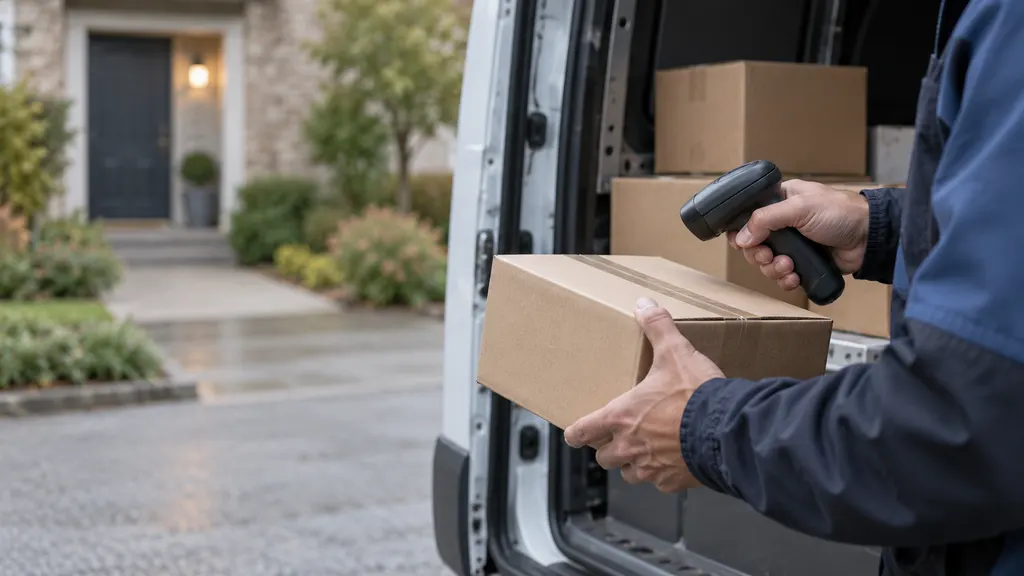
This stage generally indicates that the shipment has entered local delivery activity. It is not a precise arrival appointment. Route conditions, access difficulties, and other operational issues can prevent a delivery from being completed as expected.
Check that the building entrance, unit number, and delivery instructions are clear. If the day ends without a delivered scan, look for a revised event before assuming the parcel is missing. Contact support if an access issue needs correction, and notify the retailer if its delivery commitment has been missed.
Attempted delivery or exception: act on the reason
An exception describes an interruption, not a single outcome. The next step depends on the event details. An inaccessible entrance calls for a different response from a reported address problem, damage, or a return instruction.
- Access issue: Confirm the entrance, gate, intercom, or receiving-desk arrangements through an official support channel.
- Address issue: Compare the order confirmation with the intended address. Ask whether a correction is possible; do not assume a submitted request has changed the shipment.
- Damage or another shipment problem: Save the status details and contact the retailer about resolution.
- No explanation: Ask the carrier what action, if any, is required from you.
Do not assume that another delivery attempt, a reroute, or a hold is automatically available. Those options must be confirmed for the specific shipment.
Delivered: verify the location before closing the issue
A delivered scan records the carrier’s delivery event; it does not necessarily mean the package was handed directly to you. Check any delivery-location details or photo available in the tracking record. Then inspect the relevant entrance, mailroom, parcel locker, reception desk, and other plausible receiving areas.
If the parcel is still missing, report the discrepancy to OnTrac and notify the retailer promptly. A photograph of an unfamiliar doorway or a location description that does not match your property is useful information, but avoid guessing who received the parcel. Save screenshots and keep the support reference number.
Returning to sender: move the conversation to the retailer
A return-related status is not the same as a customer refund being processed. Ask the retailer whether it will arrange a replacement, wait for the return, or take another action under its order policy. Do not assume the carrier can reverse the return or that a refund is automatic.
When to contact OnTrac, the retailer, or both
Use the carrier for shipment-event questions; use the retailer for order remedies. OnTrac is the relevant contact for reporting a delivery-location discrepancy, clarifying an attempt, or asking about an active operational issue. The retailer is the relevant contact for fulfillment confirmation, replacement requests, refunds, and decisions about the purchase.
Contact the retailer when:
- The stated dispatch window has passed but tracking still shows only shipment information.
- The promised delivery window has passed without a clear resolution.
- The carrier directs you back to the shipper.
- The package is being returned, is reported damaged, or remains missing after a delivered scan.
- You need a refund, replacement, cancellation, or a decision about a time-sensitive order.
Contact both parties when the carrier needs to investigate the physical delivery and the retailer needs to resolve your purchase. You do not need to treat those as mutually exclusive conversations. However, report each party’s actual response accurately; an open support case is not confirmation that a package is lost.
What to include in a useful support request
Prepare the tracking number, retailer order number, latest event and timestamp, original delivery window, and a short account of what you have already checked. Include relevant screenshots or delivery evidence. Share your full address only through a private, official support channel, not in a public comment.
For a stalled label, you can write:
“Order [order number] shows label creation on [date], but I cannot see a physical receipt event. Your stated dispatch window has passed. Please confirm whether the parcel was handed to OnTrac and investigate the handoff if it was.”
For a delivered-but-missing parcel:
“Tracking [tracking number] shows delivered at [timestamp], but I have not located the parcel after checking [locations]. The delivery details show [relevant discrepancy, if any]. Please investigate and tell me the next steps for resolving the order.”
Keep the conversation focused on a specific request: confirm handoff, investigate an event, correct an access issue, or explain the available order remedy. If support provides a response timeframe, record it and follow up against that commitment. Avoid relying on an arbitrary waiting period found in an unrelated tracking guide.
FAQ
Why does the retailer say “shipped” while OnTrac shows only label creation?
The retailer may have completed an internal fulfillment step before a physical carrier scan appears. Those two statuses are not necessarily contradictory. Ask the retailer to confirm actual handoff if its dispatch window has passed.
How long should I wait before reporting an unchanged status?
Use the retailer’s dispatch or delivery commitment, the latest tracking instructions, and any response timeframe supplied by support. There is no universal waiting period that applies to every status. Report an actionable problem, such as an incorrect address or missing delivered parcel, promptly.
Can I change the delivery address after shipment?
Do not assume a change is available. Contact the retailer and use OnTrac’s official support options to ask what is possible for that shipment. Providing a corrected address does not itself confirm that the delivery destination has been updated.
Does “delivered” mean I signed for the package?
No. A delivered status alone does not establish that you signed or personally accepted the parcel. Review any available delivery evidence and report a discrepancy if the package cannot be found.
Who should I ask for a refund?
Start with the retailer because the refund concerns your purchase. The carrier can be involved in investigating shipment events, but reporting a delivery issue to the carrier is not the same as requesting or receiving a retailer refund. Eligibility depends on the circumstances and applicable terms and rights.
Sources
Use the official tracking record for shipment-specific events and the carrier’s website for support access. The explanations above are general reading and escalation guidance, not a complete official status dictionary or a guarantee of a particular delivery outcome.