How Long Does Gofo Take to Deliver? Delivery Times by Service and Route
Gofo delivery time varies by the service arranged for a shipment, the route, and when Gofo receives the parcel. There is no single delivery window that reliably applies to every Gofo package. For your order, the most useful estimate is the delivery date supplied by the seller or carrier, checked against the latest tracking events. If neither provides a date, the tracking history can show progress, but it cannot establish a dependable arrival day on its own.
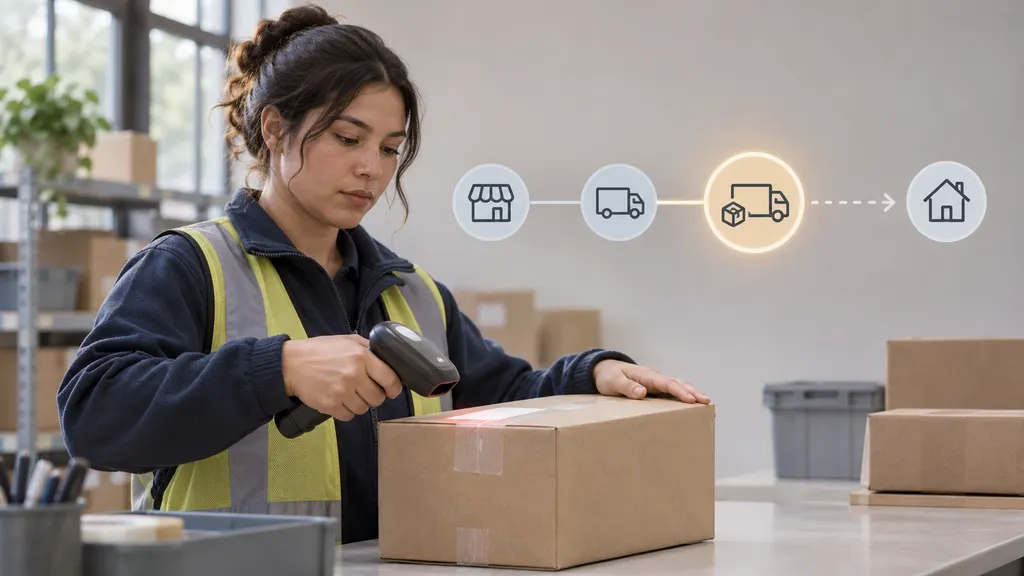
The distinction matters when an order is traveling through more than one shipping network. A seller’s dispatch date, a line-haul carrier’s arrival scan, and Gofo’s first scan may mark different stages of the same journey. Start by identifying which stage your parcel has reached before deciding whether it is late.
What determines a Gofo delivery estimate?
The service named at checkout is the starting point, but the promise attached to that service usually comes from the seller or shipping provider that arranged the delivery. Check your order confirmation for an estimated date or delivery window, and note whether it refers to dispatch, arrival in your country, or delivery to your address. Those are not interchangeable milestones.
Next, look at the handoff. A Gofo tracking number may appear in an order record before Gofo has physically received the parcel. Until there is a carrier acceptance or processing event, a Gofo-specific delivery estimate may have limited value. If the shipment began with another carrier, time spent in that carrier’s network is part of the overall wait, even though it may not appear as Gofo transit time.
Finally, the route affects what can happen between acceptance and delivery. A parcel moving through a local delivery network has fewer possible handoffs than an order that must first travel internationally. Address problems, delivery-access restrictions, attempted delivery, and periods when a facility is not processing parcels can also change the arrival date. Tracking helps identify which of these situations is relevant; it does not guarantee a particular outcome.
Delivery times by service and route: what you can reasonably infer
Publicly verified, route-by-route Gofo delivery commitments are not established here. Treat the categories below as a way to interpret your order, not as published Gofo service levels or guaranteed transit times.
| Shipment situation | Where to find the relevant estimate | What to check in tracking |
|---|---|---|
| A domestic order with Gofo handling the delivery | The checkout or order-confirmation delivery window, followed by any carrier estimate shown after acceptance | The first physical scan, movement through the network, and any out-for-delivery event |
| An international order handed to Gofo for a later delivery stage | The seller’s end-to-end estimate for the whole order; any estimate for the Gofo-handled stage applies only after handoff | Which carrier currently has the parcel and whether Gofo has recorded receipt |
| An order sold with an expedited delivery promise | The exact promise in the order confirmation and the seller’s terms | Whether the parcel was handed over in time for that promise to be plausible |
| A parcel with an address issue or attempted delivery | The carrier’s latest instructions rather than the original checkout estimate | Exception details, an attempted-delivery scan, or a request for action |
Do not assume that a short-looking route means a parcel will arrive the next day. The package may still be waiting for collection, sorting, or transfer. Equally, a long interval between order placement and the first Gofo scan does not necessarily mean Gofo has held the parcel for that entire period. The date of physical acceptance is the more useful reference point when assessing the Gofo-handled stage.
How to read the tracking timeline
Use tracking events as evidence of completed steps, not as a minute-by-minute map of the package. A status may remain unchanged while a parcel is moving between scans. Read the event description alongside its timestamp and location, if those details are supplied.
- Label created or shipment information received: Shipping details have been submitted, but this status alone does not confirm physical handover. If the order is newly placed, check the seller’s stated dispatch window before treating the lack of movement as a delivery problem.
- Accepted or received: This is a more useful starting point for judging time in the carrier’s network. Save the date if you need to ask about a missed estimate later.
- In transit or at a facility: The parcel is being processed or moved. A facility scan does not, by itself, reveal the exact date of the next scan or final delivery.
- Out for delivery: The parcel has reached a delivery stage, but a completed delivery is not assured until tracking records it. Keep an eye out for access or address-related messages.
- Delivery attempted or exception: Read the accompanying details promptly. The next step may depend on whether the carrier needs corrected information or provides another delivery instruction.
- Delivered: If you cannot find the parcel, check the delivery location or proof-of-delivery details if available, then contact the seller or carrier with the tracking number.
You can enter a tracking number on 17TRACK’s tracking page to inspect the available shipment updates. A tracking tool can help you read reported events, but it cannot turn a missing carrier scan into confirmation that a parcel has been received or delivered.
When is a Gofo package late?
Compare the package with the delivery commitment made for your order, not a transit-time figure quoted for an unrelated shipment. First confirm the promised date and whether it was an estimate or a guaranteed deadline. Then check when the parcel was dispatched, which carrier had it at each stage, and whether Gofo has recorded a physical handoff.
If the promised date has passed, save the order confirmation and the latest tracking history. Contact the seller when the issue concerns a checkout promise, delayed dispatch, a refund, or a replacement; the seller holds the order details and can explain what service was purchased. Contact the carrier through its official support channel when tracking indicates a delivery attempt, an address issue, or another shipment-specific action. You may need both parties if the parcel has moved between networks.
If there is no promised date, avoid declaring the parcel lost solely because tracking has not changed for a short period. Look instead for a meaningful exception, a missed estimate supplied later, or a gap that the seller or carrier cannot explain. When you ask for help, provide the tracking number, order number, destination postal code, last recorded event, and the date of that event. Do not post your full address or other personal details in a public tracking discussion.
A practical way to estimate your own arrival date
- Find the seller’s original delivery window. Check whether it is expressed as a calendar date, a range, or a number of business days. If it counts from dispatch rather than purchase, locate the dispatch confirmation.
- Identify the current carrier. For an international order, do not assume Gofo is responsible for movement that occurred before the parcel reached its network.
- Locate the first physical handoff scan. Separate it from label creation. This helps distinguish seller processing time from carrier transit time.
- Check for a newer estimate or exception. A later carrier message about an attempted delivery or address issue may be more useful than the original prediction.
- Act on a missed commitment. If the delivery window has passed, ask the seller to investigate the order and use the tracking history to describe exactly where progress stopped.
This approach will not produce a precise date when the shipment record lacks one. It will, however, show which part of the journey is uncertain and who is best placed to resolve it. For most shoppers, that is more useful than applying a generic Gofo delivery-time claim to a route or service that may not match their order.
FAQ
Does the delivery clock start when my Gofo tracking number is created?
Not necessarily. A tracking number or electronic shipping notice can be generated before the parcel is physically handed over. Check for an acceptance or receipt scan, and use your seller’s dispatch terms when assessing the time before that scan.
Why does my international order show Gofo but no Gofo movement?
Gofo may be identified for a later stage while the package is still with a seller or another shipping provider. Confirm the most recent physical scan and the carrier named in that event. If the seller’s delivery window is approaching or has passed, ask the seller to clarify the handoff.
Will “out for delivery” mean my parcel arrives today?
It indicates that the shipment has reached a delivery stage, not that delivery has been completed. Watch for a delivered, attempted-delivery, or exception update, and follow any instructions the carrier provides.
Can I use another customer’s Gofo delivery time to predict mine?
Only as a loose anecdote. The service purchased, route, handoff point, dispatch timing, and delivery conditions may differ. Your own order promise and tracking events are better guides.
Who should I contact if my Gofo shipment misses its estimated date?
Start with the seller for an order-level delivery promise or a refund request. If tracking shows an attempted delivery or an issue requiring shipment-specific instructions, contact the carrier through an official channel as well. Keep your order confirmation and tracking number ready.
Sources
- 17TRACK Tracking — tracking-number lookup referenced in the guidance above. No Gofo service-level delivery time is attributed to this source.