How Long Do Best Buy Orders Take to Arrive? Delivery Times by Method
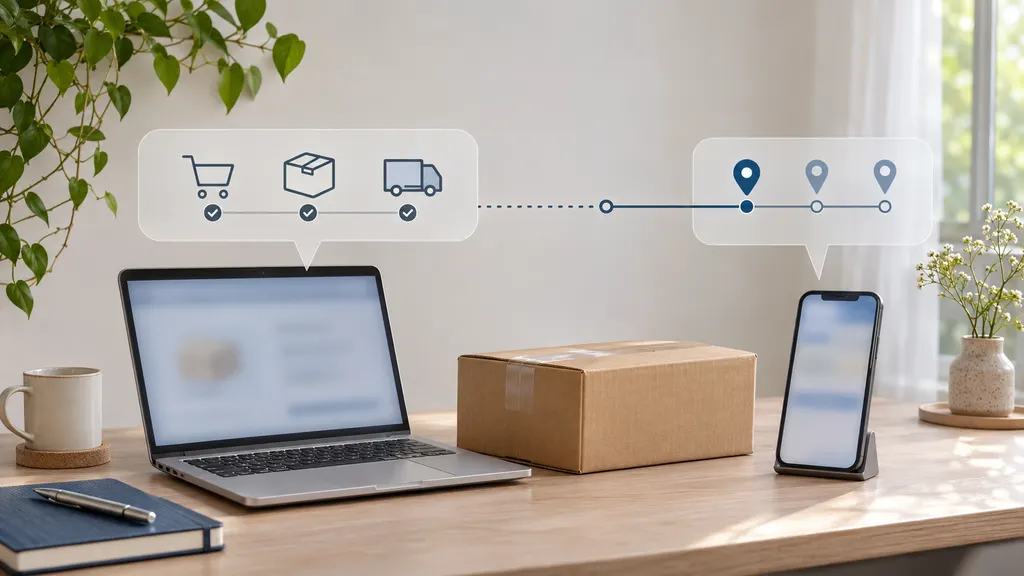
Best Buy orders do not have one standard arrival time. The estimate depends on the item, delivery address, inventory, and method selected at checkout. Standard shipping may take several days, while faster shipping or same-day delivery may be offered for eligible orders. Store pickup and scheduled delivery work differently: pickup depends on a ready-for-pickup notice, and scheduled delivery depends on an available appointment. For a specific order, use the date or time shown at checkout and in your order status rather than a general shipping estimate.

The distinctions below explain what each method’s estimate means, where delays can occur, and what to check if your order has not arrived.
Best Buy delivery times by method
| Method | What determines when you receive the order | What to check |
|---|---|---|
| Standard shipping | The estimated delivery date for the item and address, followed by carrier transit and delivery | The checkout estimate, order details, and tracking once the package ships |
| Faster shipping, if offered | The eligible service displayed at checkout and the order’s processing and carrier handoff | The exact date or window shown before placing the order |
| Same-day delivery, if offered | Local eligibility, the time the order is placed, inventory, and available delivery capacity | The offered delivery window and subsequent order updates |
| Store or curbside pickup | When the selected store confirms that the order is ready | The ready-for-pickup notification, not just the initial estimate |
| Scheduled delivery for eligible items | The appointment selected or confirmed for the item and address | The order’s appointment details and any delivery instructions |
This is a comparison of how the methods work, not a promise that every method is available for every product or location. Best Buy shows the applicable choices during shopping and checkout. If an item has a fixed deadline, the most useful comparison is between the actual dates and windows offered for that item at your address.
What the shipping estimate does—and does not—tell you
A delivery estimate is the expected time to receive an order, not necessarily the time it takes the carrier to move a package after pickup. Before transit begins, Best Buy may need to confirm the order, allocate inventory, and prepare the item for shipment. An order can therefore remain in a preparing or processing stage before a carrier tracking page shows movement. That gap does not, by itself, establish that the promised delivery date has been missed.
The estimate can change with the item and destination. A product available for delivery to one ZIP code may have different options at another. Items in the same cart may also have different fulfillment paths, so do not assume that everything will arrive together. Review each line item if the checkout page or order details show separate dates, shipments, or pickup arrangements.
Pay close attention to the wording attached to a date. An estimated arrival date is not the same as a confirmed pickup notice or a scheduled delivery appointment. If timing matters more than the particular method, compare the date you can actually select or see at checkout rather than assuming that a service name guarantees a particular speed.
Standard and faster shipping
For a shipped order, the checkout estimate is the starting point. Standard shipping is generally the option to consider when you do not need the item urgently. If a faster option appears, check both its estimated arrival and any additional terms shown at checkout before deciding whether it helps. A faster shipping service does not necessarily mean the order leaves immediately; order preparation still matters.
Once the order ships, a carrier tracking number can provide more detail about transit. Early tracking updates may be limited while the carrier receives or scans the parcel. Use Best Buy’s order page for the retailer’s current order status and the carrier’s tracking page for package movement after handoff. If the two appear to differ briefly, check when each was last updated before treating the difference as a problem.
Same-day delivery
Same-day delivery is useful only when it is offered for the specific item and address and you can meet the displayed ordering conditions. It should not be treated as a nationwide or all-product option. Availability may depend on local stock and delivery capacity, and a later order may no longer show the same choice. The checkout window is more reliable for planning than a general statement that same-day service exists.
If you need an item today, confirm the final delivery window before submitting payment. After ordering, watch for updates rather than assuming that a same-day label means the driver has already collected the item. If the offered window will not meet your deadline, check whether pickup at a nearby store is available instead.
Store and curbside pickup
Pickup removes carrier transit, but it is not the same as walking into a store immediately after placing an online order. The store must prepare the purchase and send a ready-for-pickup notification. An estimated ready time helps with planning; the notification is the signal to make the trip. Going before it arrives can mean the order is not yet available to hand over.
Confirm the selected store carefully, especially if several locations are nearby. Check the order’s pickup instructions and any requirements shown in your confirmation before leaving. If your plans change, use the options available in the order details or contact Best Buy rather than assuming another store can fulfill the same pickup order.
Scheduled delivery for larger items
Some products are handled through a scheduled delivery process rather than ordinary parcel shipping. In that case, the relevant time is the appointment shown for your order, not a typical small-package transit estimate. Read the delivery instructions and confirm the address, contact details, and appointment information. If installation or another service is included in your purchase, verify its timing separately in the order details; do not assume every service occurs at the same time as delivery.
For a purchase tied to a move, event, or replacement of an essential appliance, leave room for changes in the appointment. A displayed appointment is the right planning reference, but it is still worth monitoring the order for updates before rearranging other commitments around it.
Why two Best Buy orders can arrive on different days
Even when orders are placed close together, several factors can change the result. The first is inventory: an item may be available for shipping, pickup at a particular store, or local delivery through different fulfillment paths. The second is location: delivery options depend on where the item is going or which store you choose. The third is timing: placing an order later can affect which delivery or pickup windows are still offered.
Order contents matter as well. A cart containing multiple items may not move as one shipment. One product could be ready for pickup while another is still being shipped. A large item may require an appointment while an accessory travels as a parcel. When planning around a deadline, inspect the estimate for each item rather than relying on a single date for the cart.
Finally, a carrier’s estimated delivery date can evolve after shipment. Tracking is useful for following progress, but it does not replace the retailer’s order record for questions about changes, cancellations, or unshipped items. Checking the right source for the right stage prevents a common mistake: looking for carrier scans before Best Buy has marked the item as shipped.
How to check when your order will arrive
- Find the order confirmation. Check the email or account used for the purchase. For a multi-item order, identify which product and fulfillment method each update concerns.
- Open the order details on Best Buy. Look for the current estimated delivery date, pickup status, or scheduled appointment. This is the best starting point if the order has not shipped.
- Check carrier tracking after shipment. If a tracking link is available, use it to follow transit and the latest delivery scan. A newly created tracking number may not yet show a physical carrier scan.
- Wait for the pickup confirmation before traveling. A placed order or estimated pickup time is not the same as a ready-for-pickup notice.
- Review updates if the deadline passes. Confirm that you are viewing the right item and address, then contact Best Buy through its customer-service options if the order details do not explain the delay.
For questions about an unshipped order, an incorrect address, a missing item, or a change to pickup or delivery arrangements, start with Best Buy’s order details and customer service. For a shipped parcel that appears delayed in transit, carrier tracking can help identify its last reported movement, but Best Buy remains the appropriate contact for resolving an issue with the purchase.
Which method should you choose?
Choose based on the deadline you actually have. If the item is not urgent, compare the standard shipping estimate with any other available options and select the one that fits your plans. If you need it soon and can travel, store pickup may avoid shipping transit—but only if the selected store offers a suitable ready time and you can wait for confirmation. If you need delivery today, select same-day delivery only when checkout offers a window that works for you. For an eligible large item, plan around the confirmed delivery appointment rather than a general shipping timeframe.
For a gift, trip, or urgent replacement, build in a margin instead of ordering against the last possible hour. The practical answer to “How long will my Best Buy order take?” is the item-level date or window Best Buy shows for your address, followed by the latest update in your order details. General timelines are helpful for comparing methods, but they cannot predict the arrival of a particular order as well as its own status can.
FAQ
Does Best Buy deliver the same day?
Same-day delivery may be offered for eligible items and locations. Enter your address and check the options displayed for the product. If the method is not offered at checkout, do not plan on same-day arrival for that order.
How long does Best Buy take to prepare an order for pickup?
There is no single preparation time that applies to every store and item. Check the estimate for your selected store, then wait for the ready-for-pickup notification before going there.
Why does my Best Buy order say it is preparing to ship?
The order may still be in processing or preparation before carrier handoff. Check the item’s estimated delivery date and later order updates. If the estimate passes without a clear update, contact Best Buy about that specific order.
Can items from one order arrive separately?
They may. Check each item’s fulfillment method, shipment information, and estimated date in the order details rather than assuming one delivery applies to the entire purchase.
Is the tracking number the same as the Best Buy order number?
No. An order number identifies the purchase in Best Buy’s system. A carrier tracking number, when one is provided, identifies a shipped parcel for transit updates. Use the order details to find the appropriate tracking link.