Can You Track USPS Priority Mail? Tracking Number, Updates, and Common Statuses?
Yes. USPS Priority Mail can generally be tracked with the shipment’s tracking number. USPS includes tracking with Priority Mail, so the sender or recipient can enter the number on the official USPS tracking page to view available scan events. You can also track USPS shipments through 17TRACK when you want a consolidated view across carriers.
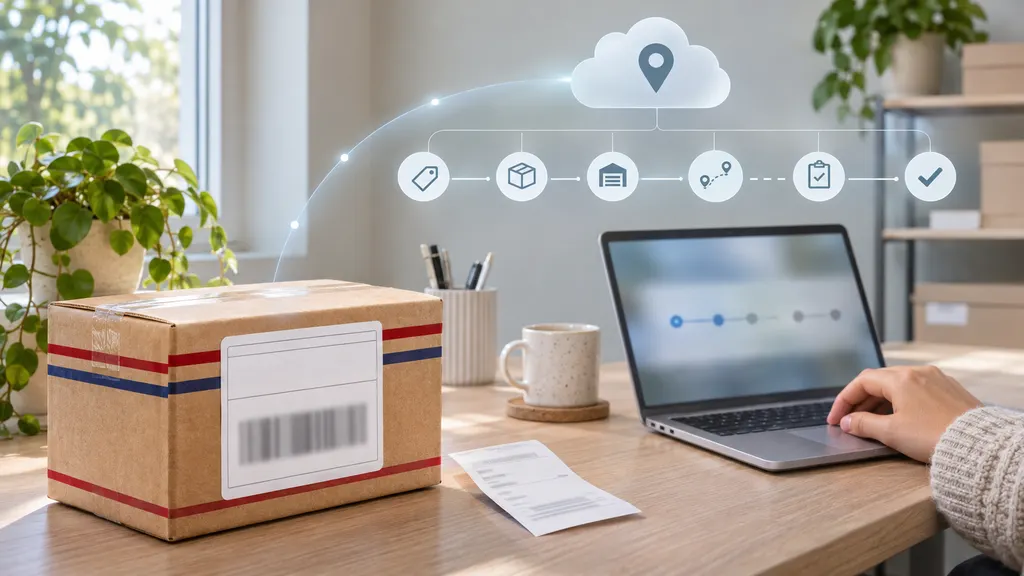
The most useful information is not just the latest status. A tracking record can show whether USPS has received the parcel, where the latest scan occurred, whether the package is moving through the network, and whether delivery has been attempted. Scan timing is not always continuous, so a period without a new event does not automatically mean that the package is lost.
How to Track USPS Priority Mail
Start with the tracking number supplied by the sender. It may appear on a mailing receipt, shipping label, online order page, shipment confirmation email, or USPS electronic receipt. Enter the number without adding spaces or punctuation unless the tracking page specifically instructs you otherwise.
- Open the official USPS tracking page.
- Enter the tracking number in the search field.
- Review the latest event, the event date and time, and the location shown.
- Expand the tracking history when you need to see earlier scans or delivery attempts.
- Compare the latest event with the expected delivery window shown by the sender or USPS.
For a purchase, the seller is usually the best first contact if the number does not work or the parcel has not received its first scan. The seller can confirm whether the label was created correctly, whether the package was actually handed to USPS, and whether a replacement or support process applies.
What Does a USPS Priority Mail Tracking Number Look Like?
USPS tracking numbers vary by service and mailing method. Many domestic USPS tracking numbers are long numeric strings, while some international or specialized services use combinations of letters and numbers. The format alone should not be treated as proof of the service, delivery date, or current location.
A valid tracking number may still return limited information when the shipping label was recently created. In that situation, the number can be recognized before USPS has recorded an acceptance scan. If a number returns no result, check these points:
- Confirm every digit and letter with the sender.
- Remove spaces, commas, or copied text around the number.
- Check that the number belongs to USPS rather than another carrier.
- Allow time for the first physical scan if the label was created recently.
- Ask the sender to verify that the parcel was handed to USPS.
A receipt number, order number, or seller reference is not necessarily the USPS tracking number. If the seller provides several numbers, use the one explicitly identified as the carrier tracking number.
Common USPS Tracking Statuses Explained
USPS tracking language describes the latest recorded event. It is not a live location signal, and the same parcel may remain under one status while it moves between facilities. The following interpretations are practical rather than guarantees of what will happen next.
| Status or message | What it usually means | What to do |
|---|---|---|
| Pre-Shipment | A shipping label or electronic record exists, but USPS may not yet have recorded acceptance of the physical package. | Ask the sender when and where the parcel was tendered to USPS. |
| USPS In Possession of Item | USPS has recorded an acceptance or possession scan. | Continue monitoring the next processing or transit event. |
| Arrived at USPS Regional Facility | The parcel was scanned at a USPS processing location. | The location may not be the destination post office; the package can still require additional routing. |
| In Transit to Next Facility | USPS has recorded the item as moving through its network, although a new facility scan may not yet be available. | Allow time for another scan and compare the event date with the service expectation. |
| Arriving Late | The shipment may be behind the expected movement or delivery schedule. | Check for later updates and contact the sender if the delay affects a deadline. |
| Out for Delivery | The parcel has been assigned for delivery from the local facility. | Watch for delivery, an attempted-delivery notice, or a subsequent exception. |
| Delivered | USPS has recorded delivery at the location indicated in the tracking details. | Check the delivery location, mailbox, front desk, household members, and any secure placement area. |
| Notice Left or Available for Pickup | Delivery could not be completed normally, or the item is being held for collection. | Follow the notice or the pickup instructions shown in the tracking record. |
How Often Does USPS Priority Mail Update?
Tracking updates appear when USPS records relevant events, such as acceptance, processing, transportation, arrival at a facility, delivery assignment, or delivery. There may be no new scan during every part of the journey. A package can be moving between facilities while the tracking page continues to show the previous event.
A missing update can have several explanations: the parcel is between scans, a scan was delayed, the label was created before handoff, a facility is processing a high volume of mail, or the tracking record has not yet synchronized. Do not infer loss from one quiet period alone. Look at the last confirmed event, the service expectation, and whether the parcel has exceeded a reasonable delivery window.
For merchants, avoid promising a delivery date solely from a tracking scan. USPS describes Priority Mail delivery timing as an expected service standard rather than a universal guarantee; the applicable expectation can depend on origin, destination, mailing date, and operational conditions. Use the estimate as a planning reference and communicate uncertainty when a shipment is time-sensitive.
What to Do When Tracking Has Not Updated
Use a staged check instead of repeatedly refreshing the same page.
- Verify the number. Compare it with the label, receipt, or order record. One incorrect character can produce no result or show a different shipment.
- Check the first scan. A Pre-Shipment message may mean the electronic label was created but acceptance has not been recorded.
- Review the latest confirmed location. A facility scan is more informative than a label-created event because it confirms physical handling.
- Consider the delivery context. Weekends, holidays, weather, transportation disruption, address issues, and high mail volume can affect movement.
- Contact the sender. The sender can confirm mailing details and may be the party authorized to begin a USPS inquiry or claim process.
- Use official help channels when appropriate. USPS provides guidance for delayed or missing mail, but the correct next step depends on the status and mailing service.
If tracking says Delivered but the recipient cannot find the package, check the exact delivery date and location first. Ask household members, neighbors, a building reception desk, or a mailroom. Also check areas where a carrier may have placed the parcel for security. If it remains missing, the recipient should contact the sender promptly; the sender may need to work with USPS or provide a replacement under the store’s policy.
Can You Track Priority Mail Without the Number?
Normally, a recipient cannot reliably retrieve a USPS tracking record without the tracking number. The sender may be able to find it in the mailing receipt, shipping software, marketplace order, or fulfillment record. Some USPS account-based features can provide notifications for eligible mail, but availability depends on the service and account setup.
If you are the buyer, contact the seller with the order number and delivery address. If you are the merchant, keep the tracking number attached to the order record and share it with the customer after fulfillment. This reduces repeated support requests and gives both parties the same reference when reviewing a delay.
A Better Tracking Workflow for Online Orders
A carrier page is sufficient for checking one parcel. Businesses handling multiple USPS shipments may need a broader workflow that connects the tracking number to the order, customer, destination, and support history. A multi-carrier tracking service such as 17TRACK can be useful when customers receive shipments from different carriers or when a merchant wants one tracking interface for cross-border orders.
That does not replace the carrier’s own record. For a dispute, claim, delivery exception, or address issue, compare the aggregator’s event with the official USPS record. The carrier remains the primary source for USPS-specific scan details. A tracking platform is most useful for organizing shipment visibility, sharing updates, and reducing the need to check multiple carrier sites manually.
Key Takeaways
- USPS Priority Mail generally includes tracking, and the tracking number is the main reference for shipment updates.
- A label-created status does not necessarily prove that USPS has received the physical parcel.
- Tracking events are scans, not continuous GPS positions, so gaps can occur during transit.
- “Arriving Late” calls for monitoring and follow-up, but it does not by itself establish that a package is lost.
- For a missing, delayed, or misdelivered order, the sender is usually the best first point of contact.
- Use the official USPS record for carrier-specific verification and a multi-carrier tool when managing many shipments.
FAQ
Is USPS Priority Mail automatically trackable?
USPS lists tracking as included with Priority Mail. You still need the shipment’s tracking number to view the available scan history, and the record may be limited until USPS records the first physical scan.
Why does my Priority Mail tracking say Pre-Shipment?
Pre-Shipment generally indicates that a label or electronic manifest was created, while an acceptance scan has not yet appeared. Ask the sender whether the package was handed to USPS and when.
Does “In Transit” mean the package is moving right now?
It means the latest recorded event indicates movement through the USPS network. It does not provide continuous location data, so the parcel may not receive another update until a later processing or delivery scan.
What should I do if USPS says Delivered but I did not receive the package?
Check the delivery location in the tracking details, mailbox, safe placement areas, household members, neighbors, and building staff. Then contact the sender promptly if the parcel is still missing.
Can I use 17TRACK to check a USPS Priority Mail shipment?
Yes, you can enter the USPS tracking number into 17TRACK for a consolidated tracking view. For official USPS investigations, claims, or carrier-specific verification, also check the USPS tracking record.
Sources
- USPS Priority Mail — service information and included tracking details.
- USPS Tracking — official tracking lookup page.
- USPS Tracking: The Basics — tracking availability and status guidance.
- USPS: Where is my package? — guidance for delayed, missing, or delivered-but-not-received mail.
- 17TRACK — multi-carrier tracking service.