Arrived at Gofo Delivery Station: Delivery Timing and When to Worry
“Arrived at Gofo Delivery Station” means your parcel has been recorded at a Gofo facility associated with the delivery stage. It does not mean the parcel is on a vehicle or that delivery is guaranteed today. Check for an “out for delivery” update before expecting an imminent arrival. If the status remains unchanged beyond the delivery estimate, or a later scan suggests a problem, start with the seller and use the carrier’s support channel when you need help locating the parcel.
What the delivery-station scan tells you
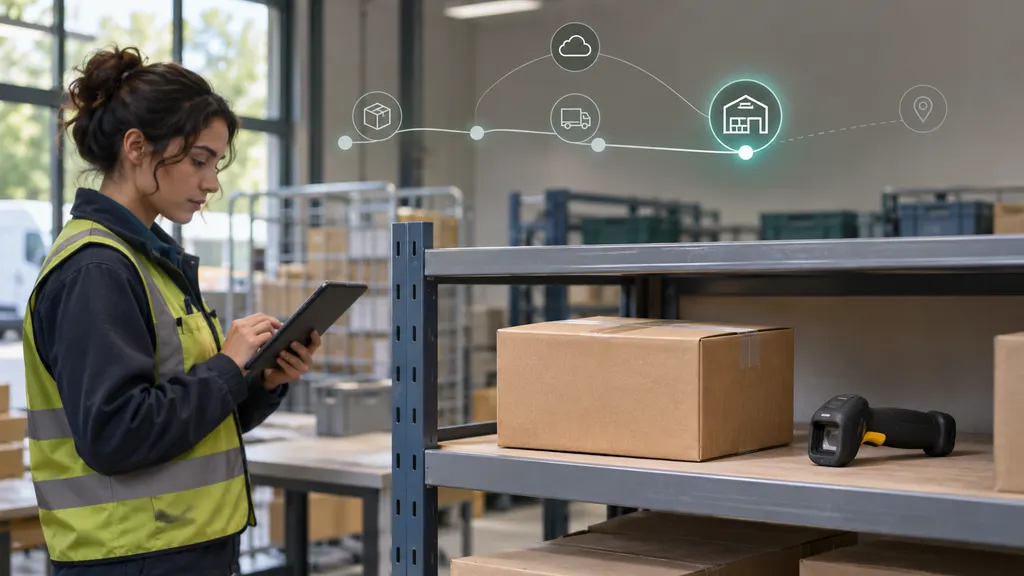
A delivery station is a point in the carrier’s delivery network, not your address. An arrival scan indicates that the parcel has reached that location in the tracking record. It may still need to be sorted, assigned to a delivery route, and processed for the next step. Those activities do not necessarily generate a separate scan that you can see.
The distinction matters because tracking describes recorded events, not everything happening to the parcel in real time. “Arrived at Gofo Delivery Station” is a useful sign of progress, but it is not proof that a driver has the package. An “out for delivery” scan is a stronger indication that a delivery attempt is approaching. Even then, a delivery can be delayed or rescheduled.
Read the whole tracking sequence rather than treating one line as a promise. The scan’s date, any later events, the destination shown in your order, and the seller’s delivery estimate all provide context. If your order has a separate estimated delivery date, remember that an estimate is not the same as a confirmed appointment.
When should the package arrive?
There is no reliable delivery countdown that can be calculated from this status alone. The remaining time depends on when the parcel was scanned, whether it is ready for a route, the station’s workload, the delivery address, and any operational interruptions. A scan late in the day should not be read the same way as an “out for delivery” event, and a scan before a weekend or holiday may be followed by a longer visible gap.
For a useful expectation, compare three pieces of information in this order:
- The latest carrier event. Look for a newer “out for delivery,” delivery-attempt, exception, or delivered scan. A newer event takes precedence over the arrival scan.
- The delivery estimate attached to your order. Check the seller’s order page or dispatch email. It may tell you when to follow up if the parcel has not arrived.
- The age of the last update. A short pause at a station is not, by itself, evidence of a lost parcel. A pause becomes more worth investigating when the stated delivery window has passed or other information conflicts with the tracking record.
A parcel can also move before the next public-facing update appears. Conversely, a recent station scan does not prove that a delivery route has already been assigned. If you need to arrange for someone to receive the package, wait for a more specific delivery update where possible and avoid making plans around the station scan alone.
How to decide whether to wait or follow up
Use the delivery estimate and the type of tracking event, rather than a universal number of hours at the station. This keeps an ordinary pause from becoming a false alarm while still giving you a clear point at which to act.
- Still within the stated delivery window, with no exception: Keep watching the tracking. Confirm that you are reading the latest event, especially if the order page updates less frequently than the carrier record.
- The estimated delivery date has passed and the parcel remains at the station: Contact the seller through your order page and ask them to check the shipment. You can also use Gofo’s official support route shown on your tracking or order information, if one is available.
- A delivery exception or failed attempt appears: Read that event first. It may call for an address check, access instructions, another delivery attempt, or direct contact with the delivery provider. Do not assume that “arrived at station” is still the operative status.
- The tracking says “delivered,” but the parcel is missing: Treat it as a missing-delivery question, not a station delay. Verify the address, any available delivery details, and whether someone at the location accepted the parcel. Then report the discrepancy promptly through the seller or carrier support channel.
- There are conflicting locations or a destination that appears wrong: Save the tracking history and ask for a check. A scan can require clarification; do not conclude from an unfamiliar facility name alone that the parcel has been misrouted.
If the seller’s stated delivery window is broad or has been revised, use the most recent order information you can verify. For a time-sensitive item, you do not need to wait for a particular number of additional scans before asking the seller what options are available. Explain the deadline and the tracking status without presenting the station scan as proof of a missed delivery.
Check the status before contacting support
A few checks can prevent an avoidable support exchange and make a genuine inquiry easier to resolve. First, copy the tracking number from your order confirmation and make sure you have not opened an older shipment from the same seller. If an order was split into multiple parcels, each parcel may have its own number and status.
Next, compare the latest update on the order page with the carrier tracking record, if the seller provides a carrier link. You can also enter the number on 17TRACK’s tracking page to view available shipment updates. A tracking tool can help you read the reported scan history, but it cannot assign a driver, change a delivery address, or confirm an unrecorded delivery time. If two displays differ, check their timestamps and ask the seller or carrier to clarify a discrepancy that affects your delivery.
Check the address saved to the order, particularly the apartment or unit number and any access information. Use the seller’s or carrier’s official process if a correction is needed; changing an address may not be possible at every stage. Avoid posting your full address or tracking number in public comments when asking for help.
When you do contact support, provide the tracking number privately, the most recent status and scan time, the order’s estimated delivery date, and a concise description of the issue. For example: “My order was expected by the date shown on my order page. The latest tracking event says ‘Arrived at Gofo Delivery Station,’ and I have not received another update. Can you check the shipment and advise on the next step?” This gives support a concrete question to investigate rather than asking them to predict delivery from a single scan.
What a tracking pause does—and does not—mean
A stationary status can be frustrating, but it has several possible explanations. The parcel may be waiting for sorting or route assignment, the next event may not yet have been reported, or the displayed tracking history may have a delay. Without a newer scan or confirmation from the parties handling the shipment, you cannot reliably distinguish those possibilities from the arrival status alone.
Likewise, a station arrival is not proof that the package is lost if it does not arrive the same day. The more meaningful warning signs are a missed delivery estimate, a specific exception, an incorrect or disputed delivery result, or a tracking history that the seller or carrier cannot reconcile. Those are reasons to seek an answer, not reasons to assume a particular cause.
If you are waiting for an essential item, keep the order details and relevant messages together. Note the date on which the promised delivery window ends and the date you first contacted the seller. A clear record helps if you later need to request a delivery investigation or discuss the order’s resolution. Any refund, replacement, or claim options depend on the seller’s terms and the circumstances of the shipment; the station scan alone does not establish the outcome.
FAQ
Does “Arrived at Gofo Delivery Station” mean it will arrive today?
No. It shows an arrival at a delivery-stage facility in the tracking record. Look for a later “out for delivery” update and consult your order’s delivery estimate. Neither a station scan nor an estimate guarantees a particular delivery time.
Why is my package still showing the same station status?
The next step may not have produced a visible update yet, or the parcel may still be awaiting processing for delivery. The status alone cannot tell you which. If the stated delivery window has passed, or an exception appears, ask the seller or carrier to check rather than relying on a guessed timeline.
Should I contact Gofo or the seller?
The seller is a practical starting point when the order is overdue, because they have the order details and can advise on the purchase. If your tracking information provides an official Gofo support channel, use it for a carrier-side question about the parcel’s movement or a delivery attempt. Keep your tracking number and latest scan handy for either conversation.
Can I pick up the parcel from the delivery station?
Do not assume the station offers customer collection. A tracking scan does not establish pickup availability, opening hours, or permission to enter a facility. Ask through an official support channel whether collection is an option for your particular shipment before making a trip.
What if the tracking changes to “delivered” but nothing has arrived?
Check the address and any delivery details first, including whether someone else at the location received it. If you still cannot find the parcel, report the missing delivery to the seller or carrier. Save the delivered status and the time you reported the problem.
Sources
- 17TRACK — Package Tracking. Reference for the tracking option described above.