W

Wakefit

https://www.wakefit.co

Enter a tracking number that can be used for shipment tracking to check the logistics history of your Wakefit order.

About Wakefit

Wakefit is an India-focused home and sleep products brand and online retailer selling mattresses, furniture and home essentials through its official website at wakefit.co. For tracking, the most reliable starting point is the Wakefit account/order area or the official order tracking page, because Wakefit order numbers and carrier tracking numbers are different identifiers.

Brand Entity & Order Ownership

Entity / order partyRole in the order
WakefitBrand retailer and order owner for purchases made on wakefit.co.
View all details for Wakefit
What it controlsOrder record, product availability, order status shown in the customer account, cancellation or return eligibility, and customer support workflow.
What it cannot controlEvery carrier scan after handoff, local delivery constraints, or a carrier website outage.
Why it matters to trackingIf only an order number is available, Wakefit is the place to find the shipment or carrier tracking information when issued.
Buyer accountHolds order history, contact details and delivery address used at checkout.
View all details for buyer account
What it controlsAccess to private order information, invoices, delivery updates and post-purchase actions where available.
What it cannot controlCarrier movement, warehouse dispatch speed or refund approval by itself.
Why it matters to trackingLogin may be required before Wakefit can show order-specific shipment details.
Seller or merchantFor wakefit.co orders, Wakefit is generally the merchant; marketplace purchases may involve a separate marketplace record.
View all details for seller or merchant
What it controlsThe order channel where the purchase was placed and the support path for that purchase.
What it cannot controlA marketplace seller cannot update the Wakefit website account for a marketplace-only order.
Why it matters to trackingUsers should track and request support in the same channel where they purchased.
Fulfillment partyWarehouse, delivery partner or service team that prepares and dispatches the item.
View all details for fulfillment party
What it controlsPacking, shipment creation, handoff readiness and some large-item delivery coordination.
What it cannot controlFinal carrier scans once the package is physically with a transport network.
Why it matters to trackingLarge furniture and multi-box items can have a preparation stage before carrier tracking becomes visible.
Carrier or last-mile carrierMoves the shipment and records transport scans when a carrier tracking number exists.
View all details for carrier or last-mile carrier
What it controlsPickup scans, in-transit events, out-for-delivery scans, attempted delivery and delivery confirmation.
What it cannot controlWakefit refunds, item replacement decisions or order cancellation after merchant rules apply.
Why it matters to tracking17TRACK can display carrier events only when the identifier is a supported carrier tracking number.
Payment/refund channelThe payment method or checkout channel used to collect and return funds.
View all details for payment or refund channel
What it controlsSettlement path after Wakefit or the order channel approves a refund.
What it cannot controlCarrier movement or whether a return parcel has reached the warehouse.
Why it matters to trackingRefund status and return tracking are separate; delivered return scans do not automatically prove refund approval.
17TRACK relationshipIndependent tracking platform for supported carrier tracking numbers.
View all details for 17TRACK relationship
What it controlsTracking lookup, carrier auto-detection where possible, and display of available tracking events from logistics data sources.
What it cannot controlWakefit order records, address changes, delivery appointments, cancellations, refunds, returns or seller communication.
Why it matters to trackingUse 17TRACK after you have a carrier tracking number; use Wakefit for private order actions.

Quick Answer

To track a Wakefit order, sign in to your Wakefit account or open the official order email/SMS, check the order details, and look for shipment status, delivery updates, courier information or a tracking number. If a carrier tracking number is available, you can paste it into 17TRACK to check supported carrier events.

If you only have a Wakefit order number, use Wakefit first. An order number identifies the purchase inside Wakefit, while a tracking number identifies a physical shipment with a carrier. 17TRACK cannot view private Wakefit order details, modify an order, start a refund, change an address, or contact Wakefit on your behalf.

Pro Tip: For bulky furniture, mattresses or split shipments, check whether Wakefit has created more than one shipment for the same order. One order can require separate delivery updates for separate items.

How to Track Wakefit Orders

Start with Wakefit’s own order record, then use carrier or 17TRACK lookup only after a carrier tracking number is issued. This avoids confusing order confirmation, shipment creation and carrier acceptance.

Tracking Path Comparison

Tracking pathUse when
Official account / My OrdersYou purchased on wakefit.co using an account or the same contact details.
View all details for official account tracking
Identifier neededLogin email or phone and the Wakefit order record.
What you can seeOrder status, shipment or delivery status when available, item-level updates and post-purchase options.
Best next stepOpen the order, check each item or shipment, and copy any carrier tracking number shown.
Important limitationPrivate account details are not visible to 17TRACK or to a carrier unless a shipment number exists.
Official order email or SMSYou need the order number, delivery link or dispatch notification quickly.
View all details for official email or SMS tracking
Identifier neededOrder confirmation message, dispatch message, registered phone number or email inbox.
What you can seeOrder reference, delivery estimates, shipment link or courier details when Wakefit sends them.
Best next stepSearch your inbox and SMS for Wakefit, order, shipped, dispatched, delivery or invoice.
Important limitationAn email saying the order was placed does not prove the package has been handed to a carrier.
17TRACKYou have a carrier tracking number, not only a Wakefit order number.
View all details for 17TRACK tracking
Identifier neededCarrier tracking number from Wakefit, the carrier, or a delivery notification.
What you can seeAvailable carrier tracking events and carrier auto-detection when supported.
Best next stepPaste the tracking number, confirm the detected carrier if needed, and compare the latest event with Wakefit order status.
Important limitation17TRACK cannot unlock Wakefit account data, refund decisions, return eligibility or delivery appointment tools.
Carrier websiteWakefit provides the courier name and tracking number.
View all details for carrier website tracking
Identifier neededCarrier tracking number and, sometimes, destination phone or PIN code for proof-of-delivery features.
What you can seeCarrier scan history, delivery attempt notes and local delivery contact options when supported by that carrier.
Best next stepUse the carrier for delivery-attempt or local route questions; use Wakefit for order or item problems.
Important limitationThe carrier usually cannot approve merchant refunds or replacements.
Marketplace order pageYou bought a Wakefit item on a third-party marketplace instead of wakefit.co.
View all details for marketplace tracking
Identifier neededMarketplace order ID and marketplace account login.
What you can seeMarketplace shipment status, seller messages, return windows and platform support options.
Best next stepTrack inside the marketplace first and contact the marketplace seller or platform if the shipment does not update.
Important limitationA marketplace order may not appear in a Wakefit website account.
Guest or gift routeSomeone else placed the order or you do not have the purchasing account.
View all details for guest or gift tracking
Identifier neededOrder link, order number, registered email or phone, and recipient delivery details if Wakefit support requests verification.
What you can seeOnly the information available in the shared message or the verified support flow.
Best next stepAsk the purchaser for the dispatch message or carrier tracking number.
Important limitationWakefit may restrict private billing and refund information to the purchaser or account holder.

Typical official tracking steps: sign in on Wakefit, open the account or order section, select the relevant order, check each item or shipment, look for shipment status, courier details and tracking number, then use the carrier site or 17TRACK if a carrier number is available.

Order Numbers, Tracking Numbers and Where to Find Them

A Wakefit order number proves that an order record exists in Wakefit’s system. A carrier tracking number proves that a shipment has been created with a logistics provider and may be trackable outside Wakefit.

Identifier & Tracking Number Guide

Identifier typeWhere users find it
Wakefit order numberOrder confirmation page, email, SMS, invoice or Wakefit account order details.
View all details for Wakefit order number
Looks like / exampleExample only: WKF-ORDER-12345 or an order reference shown by Wakefit.
Who issues itWakefit or the purchase channel.
Can 17TRACK use it?Usually no; use it with Wakefit to locate shipment details.
What it can and cannot proveIt identifies the purchase, but it does not prove carrier pickup or delivery.
Shipment or carrier tracking numberDispatch email/SMS, order details, carrier notification or delivery partner message.
View all details for shipment or carrier tracking number
Looks like / exampleExample only: TRK123456789IN. Actual formats vary by carrier.
Who issues itThe carrier, courier aggregator or delivery network after shipment creation.
Can 17TRACK use it?Yes, when it is supported by 17TRACK and carrier events are available.
What it can and cannot proveIt can show logistics events; it does not prove refund approval or item condition.
Return tracking numberReturn pickup confirmation, return label, courier message or return request details.
View all details for return tracking number
Looks like / exampleExample only: RTN123456789. Actual format depends on the return courier.
Who issues itReturn carrier or Wakefit’s return logistics process.
Can 17TRACK use it?Only if it is a supported carrier tracking number.
What it can and cannot proveIt shows return parcel movement, not whether Wakefit has approved the refund.
Return authorization or case IDReturn request screen, support conversation or email about cancellation, return or replacement.
View all details for return authorization or case ID
Looks like / exampleExample only: CASE-12345 or RMA-12345 if the channel uses a case reference.
Who issues itWakefit support or the marketplace support system.
Can 17TRACK use it?No, unless it is also a carrier tracking number.
What it can and cannot proveIt identifies a support request; it does not show parcel movement.
Gift or shared order linkForwarded order email, SMS or message from the purchaser.
View all details for gift or shared order link
Looks like / exampleA Wakefit or marketplace link shared by the purchaser; do not post it publicly.
Who issues itWakefit, the purchase channel or the buyer forwarding the message.
Can 17TRACK use it?No; extract the carrier tracking number if one appears.
What it can and cannot proveIt may help identify the order, but account privacy may limit billing and refund visibility.
Marketplace order IDAmazon, Flipkart or another marketplace order page if the Wakefit item was bought there.
View all details for marketplace order ID
Looks like / exampleMarketplace-specific order reference; format varies by platform.
Who issues itThe marketplace, not necessarily Wakefit’s website system.
Can 17TRACK use it?Usually no; use marketplace tracking or the carrier number shown there.
What it can and cannot proveIt proves the marketplace purchase record but may not map to a Wakefit account order.

Fulfillment, Sellers and Carriers

Wakefit orders may involve warehouse dispatch, item-specific delivery handling, courier pickup and local last-mile delivery. Carrier names and tracking visibility can vary by product, city, seller channel and delivery option.

Fulfillment & Carrier Relationship

Fulfillment modelWho ships it
Wakefit website orderWakefit’s fulfillment process or assigned logistics partner.
View all details for Wakefit website order
Typical carriers or delivery networkCarrier varies by order, region, item type and delivery option unless Wakefit names one in the order details.
Who updates trackingWakefit updates order status; the carrier updates transport scans after handoff.
Who handles delivery issuesCarrier for route or attempt questions; Wakefit for order, product or support decisions.
What the customer should check firstWakefit order details and the latest official message.
Large or bulky item deliveryWakefit or a specialized delivery partner may coordinate dispatch and delivery.
View all details for large or bulky item delivery
Typical carriers or delivery networkVaries; bulky items may not behave like small parcel courier tracking.
Who updates trackingWakefit and the assigned delivery network, depending on order status visibility.
Who handles delivery issuesWakefit support if scheduling, access or product-specific delivery questions arise.
What the customer should check firstDelivery date messages, address accuracy, phone availability and item-level shipment status.
Split shipmentDifferent boxes or items may be dispatched separately.
View all details for split shipment
Typical carriers or delivery networkOne order can have different delivery references or carriers for different items.
Who updates trackingEach carrier or delivery partner updates its own parcel events.
Who handles delivery issuesWakefit if one item is missing from a split order; carrier if a specific parcel scan shows an exception.
What the customer should check firstWhether every item has the same shipment status or separate shipment details.
Marketplace purchaseThe marketplace, marketplace seller, or marketplace fulfillment network may ship it.
View all details for marketplace purchase
Typical carriers or delivery networkCarrier depends on the marketplace and seller fulfillment method.
Who updates trackingMarketplace order system and the assigned carrier.
Who handles delivery issuesUse the marketplace order help path first, because the payment and refund record is there.
What the customer should check firstMarketplace order page, seller name, promised delivery window and tracking ID.
Store pickup / pickup pointCurrent public Wakefit order tracking sources do not confirm a universal pickup-point model for all orders.
View all details for store pickup or pickup point
Typical carriers or delivery networkUse only if the checkout or order details explicitly offers pickup or store collection.
Who updates trackingWakefit or the pickup location, if the option is available for that order.
Who handles delivery issuesWakefit support or the store/pickup contact shown in the order details.
What the customer should check firstOrder confirmation, pickup instructions and identity requirements shown by Wakefit.

Tracking Statuses and Meanings

Read Wakefit order status and carrier shipment status together. A merchant status describes the purchase lifecycle; a carrier scan describes package movement.

Status Quick Lookup

Status shownLifecycle stage
Order placed / confirmedCheckout and order creation.
View all details for order placed or confirmed
What it usually meansWakefit has received the order record; shipping may not have started.
Who is responsible nowWakefit order system and payment channel.
What happens nextOrder validation, allocation and preparation.
What the customer should doSave the order number and check contact details.
Processing / preparingWarehouse or fulfillment preparation.
View all details for processing or preparing
What it usually meansThe item is being readied, packed, assigned or scheduled.
Who is responsible nowWakefit fulfillment or seller channel.
What happens nextShipment creation or dispatch message.
What the customer should doWait for dispatch details unless the promised window has passed.
Shipped / dispatchedShipment created or handed to logistics.
View all details for shipped or dispatched
What it usually meansWakefit has created or initiated shipment; first carrier scan may appear later.
Who is responsible nowWakefit until carrier acceptance is visible; carrier after pickup scan.
What happens nextPickup, origin scan or in-transit scan.
What the customer should doUse the carrier tracking number when available and allow time for the first scan.
In transitCarrier movement between facilities.
View all details for in transit
What it usually meansThe package is moving or waiting for the next scan in the carrier network.
Who is responsible nowCarrier or delivery partner.
What happens nextDestination facility arrival, out for delivery or exception.
What the customer should doMonitor the latest carrier event and compare it with the expected delivery message.
Out for deliveryLast-mile delivery attempt stage.
View all details for out for delivery
What it usually meansThe package is assigned for delivery on a route.
Who is responsible nowLast-mile carrier or delivery team.
What happens nextDelivered, attempted, delayed or rescheduled scan.
What the customer should doKeep phone accessible and check delivery instructions or building access.
DeliveredCarrier says the delivery was completed.
View all details for delivered
What it usually meansThe carrier recorded delivery at the address, handoff point or receiving party.
Who is responsible nowCarrier for proof of delivery; Wakefit for order support if the item is missing or damaged.
What happens nextAcceptance, investigation or support case if not received.
What the customer should doCheck delivery area, family, reception, neighbors and proof-of-delivery notes before escalating.
Exception / attempted deliveryDelivery could not proceed normally.
View all details for exception or attempted delivery
What it usually meansAddress, access, contact, weather, routing or operational issue may have interrupted delivery.
Who is responsible nowCarrier for delivery attempt details; Wakefit for order-level intervention if needed.
What happens nextReattempt, return, hold, address confirmation or support investigation.
What the customer should doContact the carrier when a route issue is shown and notify Wakefit if the order risks return.
Return / refund statusPost-delivery or cancellation support lifecycle.
View all details for return or refund status
What it usually meansA return, exchange, cancellation or refund process is being reviewed or processed.
Who is responsible nowWakefit or the marketplace support/refund channel.
What happens nextPickup, inspection, approval, replacement, refund initiation or closure.
What the customer should doKeep return tracking, photos, invoice and support case ID.

Delivery Time and Delay Factors

Wakefit delivery timing should be taken from the product page, checkout, order details or official delivery message for that specific order. Avoid treating a generic estimate as a delivery guarantee.

Delivery Time & Delay Factors

Scenario/serviceTypical timing source
Standard Wakefit deliveryProduct page, checkout estimate, order confirmation or Wakefit order details.
View all details for standard Wakefit delivery
What can delay itAvailability, dispatch queue, city coverage, address confirmation, carrier capacity or local restrictions.
When tracking may updateAfter shipment creation and again after carrier pickup or local delivery scans.
Who to contact firstWakefit if the order has not dispatched; carrier if a carrier exception is visible.
Important caveatUse the order-specific date shown by Wakefit rather than a general estimate.
Large furniture or mattressOrder details and delivery appointment or dispatch communication if provided.
View all details for large furniture or mattress
What can delay itSpecial handling, building access, delivery slot availability, installation coordination or route planning.
When tracking may updateLess frequently than small parcels if a delivery team handles the item outside standard courier scans.
Who to contact firstWakefit support for scheduling or delivery coordination questions.
Important caveatBulky goods may show fewer carrier-style scans even when the order is progressing.
Split shipment or multi-item orderItem-level order details and separate dispatch messages.
View all details for split shipment or multi-item order
What can delay itDifferent inventory locations, different item sizes or different carriers.
When tracking may updateEach shipment updates independently.
Who to contact firstWakefit if one item is missing from the order page or has no dispatch progress.
Important caveatOne delivered item does not mean every item in the order has delivered.
Marketplace Wakefit itemMarketplace delivery promise and marketplace order tracking.
View all details for marketplace Wakefit item
What can delay itMarketplace fulfillment capacity, seller dispatch, payment verification, local carrier handoff or platform-specific restrictions.
When tracking may updateAccording to the marketplace’s tracking feed and carrier scan timing.
Who to contact firstThe marketplace seller or platform support path.
Important caveatWakefit.co may not control the order record if the purchase was not made there.
Peak season, holidays or local disruptionLatest order message, carrier event and official support communication.
View all details for peak season or local disruption
What can delay itHigh order volume, weather, traffic, strikes, restricted access or operational backlog.
When tracking may updateAfter backlog movement or when the carrier next scans the package.
Who to contact firstCarrier for route-level exception; Wakefit if the order-specific date is missed without explanation.
Important caveatEstimated dates can change when operational conditions change.

Common Problems and Next Steps

Most tracking issues come from using the wrong identifier, expecting carrier scans before pickup, or contacting the wrong party for the lifecycle stage.

Problem & Next Step

Problem shownCheck first
No tracking numberWhether Wakefit has dispatched the item or only confirmed the order.
View all details for no tracking number
Likely causeShipment not created yet, bulky-item scheduling, split shipment pending, or marketplace order tracked elsewhere.
Immediate actionCheck Wakefit order details and dispatch messages; do not enter the order number into carrier tracking.
When to escalateWhen the order-specific dispatch or delivery estimate has passed without update.
Who to contactWakefit for wakefit.co orders; marketplace support for marketplace purchases.
Tracking number not workingWhether the number is a carrier tracking number and whether the carrier name is correct.
View all details for tracking number not working
Likely causeEarly shipment creation, wrong identifier, carrier data delay, typo or unsupported carrier feed.
Immediate actionCopy the number exactly from the official message and try the named carrier site as well as 17TRACK.
When to escalateIf there are still no scans after the expected handoff period or Wakefit shows conflicting information.
Who to contactWakefit or marketplace seller for identifier correction; carrier for scan feed questions after pickup.
Order says shipped but no scansWhether the carrier has physically accepted the shipment.
View all details for shipped but no scans
Likely causeLabel created before pickup, delayed first scan, handoff batching or large-item delivery process.
Immediate actionMonitor order details and carrier tracking; keep the dispatch message.
When to escalateIf the promised delivery window is at risk or Wakefit has no further update.
Who to contactWakefit before first carrier pickup scan; carrier after carrier custody is visible.
Package stuck or delayedLatest scan location, event date and Wakefit delivery estimate.
View all details for package stuck or delayed
Likely causeCarrier backlog, sorting delay, route hold, address issue, local restriction or missing scan.
Immediate actionCheck carrier site for exception notes and compare with Wakefit order status.
When to escalateWhen the expected delivery date has passed or the carrier asks the sender to intervene.
Who to contactCarrier for route exception; Wakefit for sender-side intervention.
Delivery attemptedAttempt reason, phone availability, address and building access.
View all details for delivery attempted
Likely causeRecipient unavailable, access blocked, address incomplete, COD or verification issue if applicable.
Immediate actionFollow the carrier’s reattempt instructions and keep your phone reachable.
When to escalateIf multiple attempts fail or the package is being returned.
Who to contactCarrier for reattempt; Wakefit if order support or address correction is required.
Address problemShipping address, PIN code, contact number and any carrier exception note.
View all details for address problem
Likely causeIncomplete address, wrong phone number, inaccessible location or mismatch between order and carrier data.
Immediate actionContact Wakefit quickly if the order has not delivered; contact carrier if a local correction option is shown.
When to escalateBefore the shipment is returned to sender.
Who to contactWakefit for order address authority; carrier for local delivery instructions when permitted.
Delivered but not receivedDelivery place, family, reception, neighbors, proof of delivery and latest carrier event.
View all details for delivered but not received
Likely causeReception handoff, safe-place delivery, neighbor receipt, scan error or wrong-address delivery.
Immediate actionCheck all delivery locations, ask household/building staff/neighbors, request proof of delivery if available, then contact Wakefit or the marketplace with evidence.
When to escalateIf the parcel cannot be found after local checks and the carrier confirms delivery conflict.
Who to contactCarrier for proof-of-delivery details; Wakefit or marketplace support for order resolution. Refunds are not automatic.
Split shipment missing itemItem-level statuses and whether the missing item has a different shipment.
View all details for split shipment missing item
Likely causeItems shipped separately, partial dispatch, backorder or packing issue.
Immediate actionCompare delivered items with invoice and order item list; save package photos.
When to escalateIf all shipments show delivered but an item is missing.
Who to contactWakefit support with order number, photos and item details.
Wrong, lost or damaged itemInvoice, packaging, item photos, delivery scan and support eligibility.
View all details for wrong lost or damaged item
Likely causeCarrier damage, packing error, delivery issue or product mismatch.
Immediate actionPhotograph packaging and item condition, keep invoice, and open Wakefit or marketplace support promptly.
When to escalateWhen support requests evidence or carrier investigation is needed.
Who to contactWakefit or marketplace seller for product resolution; carrier only for delivery damage documentation if requested.
Return not updating or refund pendingReturn pickup status, return tracking, warehouse receipt and refund case status.
View all details for return not updating or refund pending
Likely causeReturn pickup delay, carrier scan delay, inspection pending, refund approval pending or payment settlement time.
Immediate actionTrack the return parcel separately and check the Wakefit return/refund case.
When to escalateIf the return is delivered but the refund case has no update after the channel’s stated processing path.
Who to contactWakefit or marketplace refund support; 17TRACK can only help view return logistics events.

Returns, Exchanges and Refunds

Use Wakefit’s official return, cancellation and support policy for eligibility. Return tracking is a logistics question; refund status is a merchant/payment question.

Returns & Refunds

ScenarioWhere to start
Return requestWakefit account order details, official return policy page or customer support.
View all details for return request
Who can start itThe buyer or verified account holder, subject to Wakefit policy and product eligibility.
Identifier neededOrder number, product details, invoice and account contact information.
Return shipping/trackingUse the return pickup or return tracking number if one is issued.
Refund timing dependencyDepends on return eligibility, pickup, inspection, approval and payment channel processing.
Important limitationDo not assume every product or condition is returnable; confirm in official policy.
Exchange or replacementWakefit support or order-specific support option.
View all details for exchange or replacement
Who can start itBuyer or verified recipient depending on Wakefit verification and policy.
Identifier neededOrder number, photos, item issue description and invoice.
Return shipping/trackingReplacement may involve pickup of the original item and a separate replacement shipment.
Refund timing dependencyMay not involve a refund if a replacement is approved.
Important limitation17TRACK cannot approve replacement or determine product eligibility.
CancellationWakefit order details or official support before the order reaches a non-cancellable stage.
View all details for cancellation
Who can start itBuyer or account holder, subject to order stage and Wakefit policy.
Identifier neededOrder number and account verification details.
Return shipping/trackingIf already shipped, cancellation may become a return or refusal process instead.
Refund timing dependencyDepends on cancellation approval and payment channel settlement.
Important limitationA carrier cannot cancel a Wakefit order or approve refund.
Return trackingReturn pickup message, courier link or return case details.
View all details for return tracking
Who can start itAnyone with the valid return carrier tracking number can check public parcel events.
Identifier neededReturn carrier tracking number, not only a refund case ID.
Return shipping/tracking17TRACK may show supported return parcel movement.
Refund timing dependencyRefund may wait for warehouse receipt, inspection and approval.
Important limitationDelivered return tracking does not mean refund approved.
Marketplace returnMarketplace order page, return center or seller message center.
View all details for marketplace return
Who can start itMarketplace buyer account holder under marketplace rules.
Identifier neededMarketplace order ID, seller name, item details and return authorization if issued.
Return shipping/trackingUse the marketplace-provided return label or carrier tracking.
Refund timing dependencyDepends on marketplace policy, seller response, return receipt and payment method.
Important limitationWakefit.co support may not be able to change marketplace refund records.

Customer Service and Escalation

Choose the support channel based on where the order was placed and what stage the shipment is in. Prepare evidence before contacting support.

Customer Service

ChannelBest for
Wakefit account / order detailsTracking a wakefit.co order, checking item status, cancellation or return options.
View all details for Wakefit account or order details
Where to accesswakefit.co account or order area.
Information to prepareOrder number, registered email or phone, shipping address and item name.
Who should use itBuyer or account holder for official Wakefit website purchases.
Important limitationOnly the purchase channel can show private order data.
Wakefit contact or help pageSupport cases about delayed, missing, damaged, return or refund issues.
View all details for Wakefit contact or help page
Where to accessOfficial contact or help links on Wakefit Contact Us, if available for your region.
Information to prepareOrder number, tracking number, latest tracking event, photos, invoice, product issue details and support case ID.
Who should use itBuyer, verified recipient or account holder needing Wakefit order support.
Important limitationDo not rely on unofficial phone numbers or social posts for payment/refund requests.
Carrier supportDelivery attempt, local route, proof-of-delivery or address access notes after pickup.
View all details for carrier support
Where to accessThe carrier website or contact path named in the Wakefit dispatch message.
Information to prepareCarrier tracking number, recipient phone, delivery address and latest carrier event.
Who should use itRecipient dealing with a delivery attempt or route exception.
Important limitationThe carrier usually cannot approve refunds, replacements or merchant cancellations.
Marketplace supportOrders bought on a marketplace rather than wakefit.co.
View all details for marketplace support
Where to accessMarketplace order page, seller message center, return center or dispute/help center.
Information to prepareMarketplace order ID, seller name, tracking number, screenshots, photos and delivery evidence.
Who should use itMarketplace buyer account holder.
Important limitationMarketplace refund rules may differ from Wakefit website policy.
17TRACKChecking available carrier tracking events with a supported carrier tracking number.
View all details for 17TRACK support scope
Where to access17TRACK tracking tools or API for shipment tracking lookup.
Information to prepareCarrier tracking number and carrier name if auto-detection needs confirmation.
Who should use itBuyers, sellers and support teams checking logistics events.
Important limitation17TRACK cannot contact Wakefit, edit orders, verify account identity or approve refunds.

Seller, Marketplace and Buyer Responsibility

Wakefit’s official website is not treated here as an open marketplace. This section applies when the buyer purchased a Wakefit-branded item from a third-party marketplace or a seller page outside wakefit.co.

Marketplace Responsibility

IssueBuyer action
Seller has not shippedCheck the marketplace delivery promise and message the seller or platform.
View all details for seller has not shipped
Platform roleShows order promise, seller status and escalation tools.
Seller roleConfirms dispatch or provides tracking if seller-fulfilled.
Carrier roleNo role until a shipment is created and handed over.
Evidence to keepOrder ID, seller messages and promised delivery date.
Wrong tracking providedAsk the seller or marketplace to verify the carrier and tracking number.
View all details for wrong tracking provided
Platform roleMay enforce seller tracking rules and provide dispute options.
Seller roleCorrects wrong or recycled tracking data.
Carrier roleShows events for the number it recognizes.
Evidence to keepScreenshots of tracking mismatch, order address region and seller response.
Item not receivedFollow the marketplace item-not-received path after checking delivery evidence.
View all details for marketplace item not received
Platform roleHandles platform claim or dispute workflow.
Seller roleProvides proof of dispatch, proof of delivery or resolution proposal.
Carrier roleProvides delivery scan or proof-of-delivery information.
Evidence to keepTracking screenshots, delivery location checks and communication history.
Item not as described or damagedOpen a marketplace return or issue report with photos and invoice.
View all details for item not as described or damaged
Platform roleApplies marketplace buyer protection or return rules.
Seller roleResponds to product issue and accepts or contests the return request.
Carrier roleMay provide damage evidence if delivery damage is alleged.
Evidence to keepUnboxing photos, packaging photos, label, invoice and product defect photos.

Brand App, Notifications and Delivery Options

Wakefit order updates may be available through the official website account and order messages. Use only delivery options shown at checkout or in the order details for your specific order.

App, Notifications and Delivery Options

FeatureUse case
Email and SMS notificationsReceive order confirmation, dispatch and delivery updates when Wakefit sends them.
View all details for email and SMS notifications
Where to enableUse accurate email and phone details at checkout and in the Wakefit account.
When it appearsAfter order placement, shipment creation or carrier delivery events, depending on Wakefit and carrier messaging.
What it can changeIt can help you find order and tracking identifiers faster.
LimitationsMessages may be delayed, filtered or unavailable if contact details are wrong.
Website account updatesCheck private order status and item-level fulfillment progress.
View all details for website account updates
Where to enableSign in or verify the contact details used for the order.
When it appearsWhen Wakefit updates the order lifecycle or shipment information.
What it can changeMay expose cancellation, return or support options for eligible orders.
Limitations17TRACK cannot access these private account updates.
Delivery instructions or schedulingCoordinate delivery for bulky items or access-sensitive addresses when the order flow allows it.
View all details for delivery instructions or scheduling
Where to enableCheckout, order details, delivery message or carrier contact path if offered.
When it appearsOnly when available for the product, address and delivery partner.
What it can changeMay help with contact availability, access notes or delivery coordination.
LimitationsNot all shipments allow address changes, rescheduling or special instructions after dispatch.

Business, Seller or Developer API

A current public official Wakefit order tracking API for external developers is not confirmed from the public sources used for this page. Businesses that need shipment visibility should use carrier tracking numbers with a tracking platform such as 17TRACK, or use any private Wakefit/marketplace integration only if Wakefit or the marketplace grants access.

Developer/API Comparison

OptionPrimary use
Wakefit public order tracking APICurrent public official order tracking API not confirmed.
View all details for Wakefit public order tracking API
ProviderWakefit, if privately offered.
Order/tracking coverageNot publicly confirmed for external developer use.
Authentication/accessNot publicly confirmed.
Webhook/batch capabilityNot publicly confirmed.
Current documentationNo public documentation confirmed from the official pages referenced here.
Important limitationDo not build against guessed URLs or undocumented endpoints.
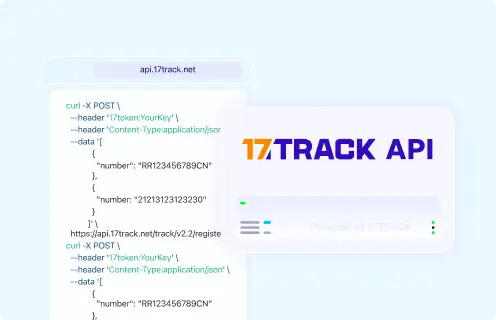
17TRACK Tracking APIRegister carrier tracking numbers and retrieve available shipment tracking events.
View all details for 17TRACK Tracking API
Provider17TRACK.
Order/tracking coverageCarrier tracking numbers; not Wakefit order numbers, payment IDs or invoice numbers.
Authentication/accessAPI token using the documented 17token header.
Webhook/batch capabilityUse current 17TRACK API documentation for supported endpoints and limits.
Current documentation17TRACK API Documentation.
Important limitationUsers must first obtain a carrier tracking number from Wakefit, the marketplace or the carrier.

FAQ

Basic FAQs

1. How do I track my Wakefit order?

Sign in to your Wakefit account, open the order details, and use the available shipment or carrier tracking number with the official carrier or 17TRACK when carrier tracking is available.

2. Where can I find my Wakefit tracking number?

Look in the Wakefit order details, dispatch email, SMS notification or carrier message. If you only see an order number, the shipment may not have a carrier tracking number yet.

3. Can I track Wakefit with only an order number?

Usually you need Wakefit’s own website or support to use an order number. 17TRACK and carrier websites normally require a carrier tracking number, not a merchant order reference.

4. Why does my Wakefit order have no tracking number?

The order may still be processing, the item may require special delivery handling, or the tracking number may not have been issued yet. Check the order-specific dispatch estimate before escalating.

5. Why is my Wakefit tracking number not updating?

Tracking may pause before first carrier pickup, between carrier facilities or during a local delivery backlog. Verify the carrier name, copy the number exactly, and compare 17TRACK with the named carrier site.

6. How long does Wakefit delivery take?

Use the delivery estimate shown on the product page, checkout, order confirmation or order details for your specific order. Timing can vary by item, city, stock status and delivery partner.

7. What should I do if Wakefit says delivered but I did not receive it?

First check the delivery location, family members, reception, security desk, neighbors and proof-of-delivery notes. If the parcel is still missing, contact the carrier for delivery evidence and Wakefit or the marketplace for order resolution.

8. Can 17TRACK track a Wakefit return?

17TRACK can help track a Wakefit return only when you have a supported carrier return tracking number. A return request ID or refund case ID is not enough for carrier tracking.

9. Does return delivered mean my Wakefit refund is approved?

No, return delivered only means the return parcel appears delivered by the carrier. Refund approval may still depend on Wakefit’s return eligibility, warehouse receipt, inspection and payment processing.

10. How do I contact Wakefit about an order?

Use the official Wakefit account, order details or contact/help page and prepare your order number, tracking number, registered contact details, latest tracking event, invoice and photos if there is damage or a missing item.

Expert FAQs

11. Why does my Wakefit order show different statuses on Wakefit and the carrier?

Wakefit order status and carrier scan status describe different systems. Wakefit may show dispatch or processing while the carrier has not yet recorded pickup, and the carrier may show delivery before Wakefit closes the order record.

12. Can one Wakefit order have multiple tracking numbers?

Yes, a multi-item or bulky order can be split into separate shipments. Check each item line in the order details and track each carrier number separately if Wakefit provides more than one.

13. What if I bought a Wakefit item from a marketplace?

Track and request support in the marketplace account first because the marketplace controls the order ID, seller communication, return workflow and refund channel. A marketplace purchase may not appear in your Wakefit website account.

14. Who is responsible when a Wakefit carrier scan conflicts with the order page?

The carrier is responsible for transport scan details, while Wakefit or the marketplace is responsible for order resolution. Keep screenshots from both systems and escalate through the purchase channel if the conflict affects delivery or refund.

15. Can a gift recipient track a Wakefit order?

A gift recipient can track public carrier events if they receive the carrier tracking number. Private billing, cancellation and refund information may remain restricted to the purchaser or verified account holder.

16. Does Wakefit have a public developer tracking API?

A current public official Wakefit order tracking API is not confirmed from the public sources used here. For logistics tracking, businesses can use the 17TRACK API with carrier tracking numbers, not Wakefit order numbers.

Tracking API

The 17TRACK API registers carrier tracking numbers for shipment visibility. It does not register Wakefit order numbers, payment IDs, invoice numbers, return authorization IDs or private account references. If you only have a Wakefit order number, first use Wakefit’s order page or order messages to find the carrier tracking number.

POST https://api.17track.net/track/v2.4/register
Headers:
  17token: YourKey
  Content-Type: application/json

Body:
[
  {
    "number": "TRACKING_NUMBER"
  }
]

Sources & References

17TRACK is an independent tracking platform and is not affiliated with Wakefit.
Loading