What Time Does Target Open on Black Friday 2026? Hours and Online Order Tracking?
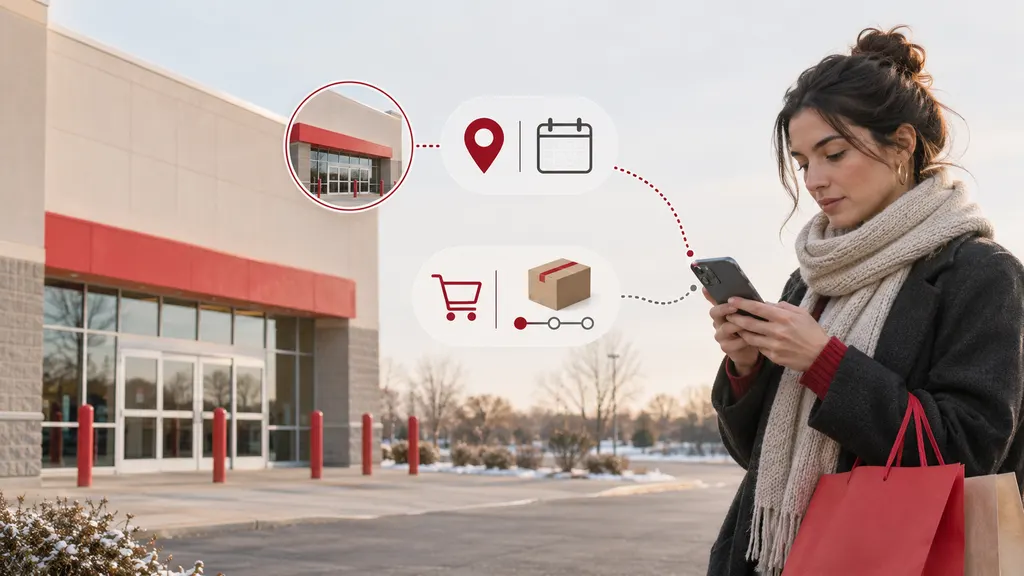
Black Friday 2026 falls on Friday, November 27. Target’s opening time for that day is not confirmed here, and hours may vary by store. Before you leave, check your location in Target’s store locator. If you are shopping online, track an existing order through your Target account; store opening hours do not determine when a shipped order will arrive.
How to check Target’s Black Friday 2026 opening time
For a store visit, the useful answer is the hours for the specific Target location you plan to visit. A general Black Friday opening time, even if published later, may not settle the question for every store. Local schedules can differ, and holiday hours are more relevant than a store’s ordinary Friday schedule.
- Open Target’s store locator and search by city, state, or ZIP code.
- Select the exact store. Check its hours for Friday, November 27, 2026, rather than relying on the hours shown for the current day.
- Look for a holiday-hours notice. If you see only regular Friday hours, treat the Black Friday schedule as unconfirmed.
- Check again shortly before traveling. If the listing remains unclear, contact the store using the details on its Target listing.
Be especially careful with search-result snippets and older articles. A result that answered the question for a previous Black Friday may still appear prominently, but last year’s opening time is not a verified schedule for 2026. Likewise, a store’s usual opening time does not establish its holiday opening time.
If you are planning to shop at more than one location, check each listing separately. The store nearest your home may not be the store where an item is available for pickup, and its hours may not answer when you can collect an order elsewhere.
Does Black Friday change when you can shop online?
Store hours and online shopping are separate questions. You can browse Target’s website without waiting for a physical store to open. That does not mean every Black Friday offer begins at the same moment, remains available all day, or applies to every fulfillment option. The relevant product page and promotion terms should tell you whether an item can be shipped, picked up, or obtained through another available option.
Before placing an order, check the item, selected store if applicable, fulfillment method, and estimated timing shown at checkout. Those details are more useful than an assumed store opening time. An item that appears available for shipping is not necessarily available for immediate pickup, and an item shown at one store should not be assumed to be in stock at another.
For pickup or another store-based order, wait for Target’s confirmation that the order is ready. An order confirmation shows that your request was placed; it is not the same as a ready-for-pickup message. If you plan to collect an order on Black Friday, compare the pickup location’s posted hours with the pickup instructions in your order.
How to track a Target online order
The best starting point is Target’s order page. Sign in with the account used for the purchase, or follow the instructions in your order email if you checked out without signing in. Open the individual order to see its current status, fulfillment method, and any shipment details Target provides.
The next step depends on how you chose to receive the item:
- Shipped to your address: Look for a shipping update and tracking link in the order details or shipment email. If an order contains multiple items, check whether they have separate shipment updates.
- Store pickup: Watch for the ready-for-pickup notification and follow its instructions. A shipping-carrier tracking number is not the right way to monitor an order that will be collected at a store.
- Another local fulfillment option: Use the status and instructions shown for that option in your Target order. Do not interpret a shipping estimate as a collection time or a ready notification as a carrier delivery scan.
If you placed the order but cannot find it, first check that you are using the same account or email address associated with the purchase. Search your inbox for the order confirmation and check the order number before contacting support. If you have more than one order from a sale, match the item and order number rather than assuming the newest notification applies to everything you bought.
What if the tracking number shows no movement?
An order can be marked as shipped before a carrier’s tracking page displays a detailed movement history. Start by checking whether Target has supplied a tracking number and whether the carrier’s page has an initial scan. If tracking has only just appeared, check again later rather than treating an empty or unchanged page as proof that the parcel is lost.
Separate three signals: Target’s order status, the carrier’s scan history, and the delivery estimate. They answer related but different questions. A label or tracking number indicates that shipment information exists; carrier scans provide evidence of movement; an estimate is a forecast, not a delivery confirmation. If the displayed delivery window passes or the status presents a problem, use the help options linked from your Target order or visit Target’s Help Center.
If you have a carrier tracking number, a parcel-tracking service such as 17TRACK Tracking can be an additional way to view shipment updates. Enter the tracking number, not the Target order number. Use Target’s order details as your reference for the purchase itself, including item-level order issues, pickup instructions, cancellations, and support. A parcel tracker cannot confirm when a store opens or replace Target’s order-management information.
A practical plan for Black Friday shopping and delivery
If your goal is an in-store visit, decide which location you will use before checking its November 27 hours. Save the store listing so you can recheck it before leaving. If you are traveling a long distance, calling the location when the posted holiday hours are ambiguous is safer than relying on a third-party hours listing.
If your goal is a specific item, look at the product’s current availability and available fulfillment choices before building a trip around it. Availability can change during a busy sale. An online listing, a cart, and a completed order are different stages; do not treat an item in your cart as reserved unless Target explicitly says so in the checkout flow.
If your goal is to receive an online purchase by a particular day, use the delivery estimate presented for your address and selected item at checkout. Once the order ships, follow its shipment details. The time a physical store opens on Black Friday does not establish a shipping cutoff, a carrier pickup time, or a guaranteed delivery date.
Finally, keep the order confirmation and any subsequent ready-for-pickup or shipment emails. They make it easier to identify the correct order, distinguish a pickup from a shipped parcel, and give Target support the details needed to investigate a problem. This matters particularly when sale purchases are split across multiple orders or shipments.
FAQ
Is every Target store open at the same time on Black Friday 2026?
Do not assume so. Check the holiday hours for the individual store you intend to visit. A general announcement or another store’s listing is less useful than the selected location’s posted schedule.
Can I place a Target online order before stores open?
Target’s website is not the same as a store entrance, so physical opening time is not the right guide to online ordering. Check the live product listing and checkout for the item’s availability, fulfillment choices, and any applicable offer terms.
Where do I find my Target order’s tracking number?
Open the order in your Target account or check its shipment email. A tracking number may appear once shipment information is available. A store-pickup order instead relies on Target’s pickup status and instructions.
Why does my order say shipped while carrier tracking has no new scan?
The order status and carrier scan history are separate updates. Check the carrier link in your order details again later. If the delivery window passes or Target reports an issue, contact Target through the order or Help Center.
Can I use my Target order number on a parcel-tracking website?
Usually, the number a parcel tracker needs is the carrier tracking number, not the retailer’s order number. Find the shipment details in your Target order first. For a pickup order, use Target’s ready-for-pickup notification instead.
Sources
- Target Store Locator — for checking an individual location’s posted hours.
- Target Orders — for accessing order status and shipment details.
- Target Help Center — for order and fulfillment assistance.
- 17TRACK Tracking — for the optional carrier-tracking-number lookup discussed above.