About Sunsky
Sunsky is an online electronics and accessories retailer and wholesale supplier. Orders are placed through the Sunsky website and may be fulfilled from the seller’s or Sunsky’s available inventory, depending on the item, destination, and selected shipping service.
Official website: https://www.sunsky-online.com/. Public order information should be checked in the Sunsky account, order email, or the relevant shipping carrier record.
Brand Entity & Order Ownership
| Entity or order party | Role and tracking relevance |
| Sunsky | Retailer and order-system party; may show payment, fulfillment, shipment, and after-sales information. |
View all details for Sunsky| What it controls | Order records and the customer-service process described in its current website terms and help content. |
|---|
| What it cannot control | Carrier scans, customs decisions, or a carrier’s physical delivery route. |
|---|
| Why it matters | An order can be paid or marked shipped before a carrier has recorded its first physical scan. |
|---|
|
| Buyer account | Stores the purchaser’s order history and available shipment details. |
View all details for buyer account| What it controls | Access to the buyer’s private order information and requests. |
|---|
| What it cannot control | Carrier events or another person’s private account. |
|---|
|
| Fulfillment party | Packs the order and hands it to a shipping provider when the shipment is ready. |
View all details for fulfillment party| Responsibility | Item availability, packing, dispatch information, and handover evidence. |
|---|
| Limitation | Preparation or “shipped” status is not the same as a carrier acceptance scan. |
|---|
|
| Carrier and 17TRACK | The carrier records transport events; 17TRACK aggregates available tracking events. |
View all details for carrier and 17TRACK| Carrier role | Controls scans, delivery attempts, proof of delivery, and physical handling. |
|---|
| 17TRACK role | Can identify and display available carrier tracking events, but cannot modify the order, request a refund, or contact Sunsky for the customer. |
|---|
|
Quick Answer
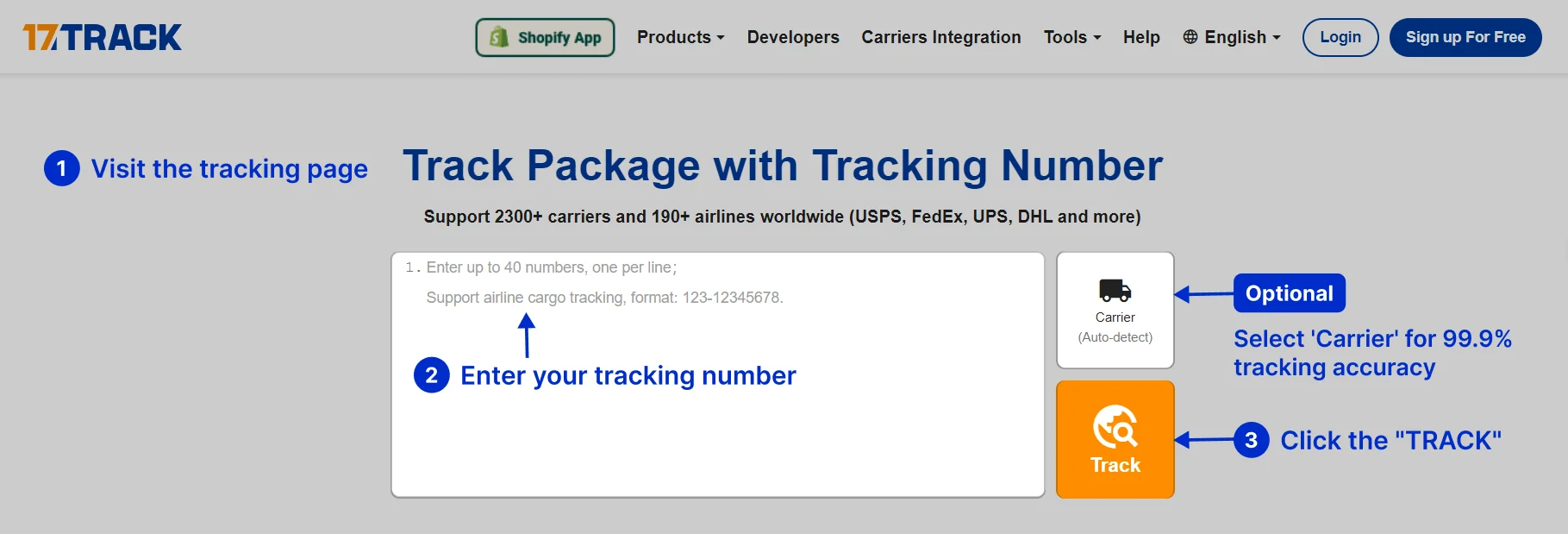
To track a Sunsky order, sign in to the Sunsky website and open the order details. Look for shipment, delivery, or tracking information, then copy the carrier tracking number into the official carrier site or 17TRACK.
The Sunsky order number identifies the purchase in the retailer’s system; it normally is not a carrier tracking number. If no tracking number is shown, check the dispatch email and allow for fulfillment or carrier handover before asking Sunsky about the shipment.
Pro Tip: 17TRACK can help with a usable carrier tracking number or carrier recognition. It cannot view private Sunsky order details, change an address, cancel an order, start a refund, or contact a seller.
How to Track Sunsky Orders
Use the official Sunsky order record first. Log in, open the order list, select the relevant order, choose the shipment or order-status view, and check whether the order has one shipment or several packages. Then use each available tracking number separately.
Tracking Path Comparison
| Tracking path | Use when |
| Sunsky account | You purchased while signed in. |
View all details for Sunsky account| Identifier needed | Account access or the order reference requested by Sunsky. |
|---|
| What you can see | Order status, shipment details, and any available tracking number. |
|---|
| Best next step | Copy the carrier number into 17TRACK or the carrier website. |
|---|
| Limitation | Private order information is not available to 17TRACK. |
|---|
|
| Order email or message | You need the dispatch or delivery information sent for the order. |
View all details for order email or message| Identifier needed | The order email, shipment notice, or carrier number contained in it. |
|---|
| What you can see | Information released by Sunsky or the shipping provider. |
|---|
| Limitation | A dispatch notice may precede the first carrier scan. |
|---|
|
| 17TRACK or carrier site | A carrier tracking number is available. |
View all details for 17TRACK or carrier site| What you can see | Available transport scans, movement, exceptions, and delivery events. |
|---|
| Best next step | Compare the latest event with the destination and delivery instructions. |
|---|
| Limitation | Neither service can alter Sunsky’s order, payment, return approval, or refund decision. |
|---|
|
| Guest, gift, or another person’s order | You received the parcel but did not place the order. |
View all details for guest, gift, or another person’s order| Feasible route | Ask the purchaser for the carrier tracking number or ask Sunsky to assist through the purchaser’s order record. |
|---|
| What is not feasible | 17TRACK cannot reveal private order details from only a recipient name or address. |
|---|
|
Order Numbers and Tracking Numbers
Find identifiers in the Sunsky order page, confirmation email, dispatch notice, package label, return authorization, or carrier receipt. A purchase reference and a transport number serve different systems.
Identifier & Tracking Number Guide
| Identifier type | Where users find it |
| Sunsky order number | Order confirmation, account order list, or support correspondence. |
View all details for Sunsky order number| Example | A fictional reference such as SUN-#######; do not treat it as an official format. |
|---|
| Who issues it | Sunsky’s order system. |
|---|
| Can 17TRACK use it? | Usually no. Use a carrier tracking number instead. |
|---|
| What it proves | It helps locate the purchase; it does not prove carrier custody or delivery. |
|---|
|
| Carrier tracking number | Shipment notice, order details, label, or carrier receipt. |
View all details for carrier tracking number| Example | Use only a clearly fictional value such as TRACK-1234-EXAMPLE. |
|---|
| Who issues it | The shipping provider or fulfillment system. |
|---|
| Can 17TRACK use it? | Yes, when it is a supported carrier identifier. |
|---|
| What it proves | It can connect to transport events; it does not by itself prove refund approval. |
|---|
|
| Return tracking number | Return label, drop-off receipt, or carrier return receipt. |
View all details for return tracking number| Who issues it | The return carrier or label provider. |
|---|
| Can 17TRACK use it? | Often, if the carrier is supported and the number is valid. |
|---|
| Limitation | Return movement is separate from Sunsky’s inspection, approval, exchange, or refund status. |
|---|
|
| Seller reference or payment reference | Invoice, payment record, or seller correspondence. |
View all details for seller or payment reference| Can 17TRACK use it? | Not normally; it is not a transport identifier unless the carrier explicitly uses it. |
|---|
| What to do | Give it to Sunsky support when locating an order, while separately requesting the carrier tracking number. |
|---|
|
Fulfillment, Sellers and Carriers
The carrier varies by order, destination, item, warehouse, and delivery option. A cross-border parcel may pass through more than one logistics provider, and the first visible number may not show every handover.
Fulfillment & Carrier Relationship
| Fulfillment model | Who ships it |
| Sunsky warehouse fulfillment | The fulfillment operation selected for the item and destination. |
View all details for Sunsky warehouse fulfillment| Tracking updates | The carrier updates transport events after handover. |
|---|
| Delivery issue owner | Check the carrier for route or delivery events and Sunsky for order, item, or after-sales issues. |
|---|
| Customer action | Confirm the shipment number, destination address, and latest scan. |
|---|
|
| International or cross-border shipment | A shipping provider and possibly a destination-country delivery partner. |
View all details for international or cross-border shipment| Typical events | Export handling, transit, customs processing, handover, and last-mile delivery. |
|---|
| Who handles customs | Customs authorities decide clearance; the carrier or broker may request information or payment. |
|---|
| Limitation | Estimated delivery dates can change because of clearance and local handover. |
|---|
|
| Split shipment | Separate packages may leave at different times. |
View all details for split shipment| Tracking updates | Each package can have a separate tracking number and status. |
|---|
| Customer action | Compare item lines with every shipment before reporting a missing item. |
|---|
|
| Pickup, digital item, or service | Not applicable unless Sunsky explicitly provides a pickup or delivery record. |
View all details for pickup, digital item, or service| Tracking route | Use the order or service status rather than assuming a parcel tracking number exists. |
|---|
| Limitation | 17TRACK cannot create physical tracking events for a non-parcel order. |
|---|
|
Tracking Statuses and Meanings
Status Quick Lookup
| Status shown | Lifecycle stage and next action |
| Pending or processing | The order is being paid, reviewed, or prepared; check Sunsky first. |
View all details for pending or processing| Responsible now | Sunsky or the fulfillment operation. |
|---|
| What happens next | Shipment information may be issued after preparation and handover. |
|---|
| Customer action | Check payment, stock, address, and the order record. |
|---|
|
| Shipped or in transit | A shipment was released or has transport events; follow the latest carrier scan. |
View all details for shipped or in transit| Responsible now | The carrier for movement scans; Sunsky remains relevant for order questions. |
|---|
| Important distinction | “Shipped” may be a retailer status and does not necessarily mean a physical scan has occurred. |
|---|
|
| Out for delivery or delivered | The local carrier is attempting delivery or has recorded delivery. |
View all details for out for delivery or delivered| Customer action | Monitor the delivery window and check safe locations, household members, reception, and neighbors. |
|---|
| Important distinction | A delivered scan is a carrier event, not automatic proof that a refund is approved. |
|---|
|
| Exception, return, or refund | An issue, reverse shipment, or financial process needs separate review. |
View all details for exception, return, or refund| Responsible now | Carrier for transport exceptions; Sunsky for order and return decisions; payment channel for posting the approved refund. |
|---|
| Customer action | Save screenshots, tracking events, labels, photos, and case references, then use the correct support channel. |
|---|
|
Delivery Time and Delay Factors
There is not one universal Sunsky delivery time for every order. Use the delivery estimate shown for the specific item, destination, stock position, and shipping option. An estimate is not a guarantee.
Delivery Time & Delay Factors
| Scenario or service | What can affect timing |
| In-stock order | Handling, payment review, warehouse workload, destination, and selected service. |
View all details for in-stock order| When tracking may update | After a shipment number is created and the carrier receives or scans the parcel. |
|---|
| Contact first | Sunsky for an order or stock question; the carrier after a carrier event exists. |
|---|
|
| Cross-border delivery | Export processing, customs, taxes or documents, international transit, and local handover. |
View all details for cross-border delivery| When tracking may update | Events can pause between export, customs, and destination-country scans. |
|---|
| Important caveat | Customs authorities, not 17TRACK or Sunsky, decide clearance. |
|---|
|
| Pre-order, backorder, or split shipment | Stock availability and different package release dates can change the delivery sequence. |
View all details for pre-order, backorder, or split shipment| Customer action | Review every item and shipment line in the Sunsky order record. |
|---|
| Contact first | Sunsky for availability or missing-package questions. |
|---|
|
Common Problems and Next Steps
Problem & Next Step
| Problem shown | Check first |
| No tracking number | Order details, dispatch email, stock status, and whether fulfillment is complete. |
View all details for no tracking number| Likely cause | The order is still being prepared or a number has been created but not released to the customer. |
|---|
| Immediate action | Ask Sunsky for shipment status and the carrier tracking number. |
|---|
| Escalate to | Sunsky, not 17TRACK, because 17TRACK needs a transport identifier. |
|---|
|
| Tracking number not working | Remove spaces, confirm the number, and try the carrier named in the order. |
View all details for tracking number not working| Likely cause | Number creation before first scan, typo, unsupported carrier, or an inactive label. |
|---|
| Immediate action | Wait for the stated processing stage, then request confirmation from Sunsky if it remains invalid. |
|---|
|
| Stuck, delayed, attempted, or customs hold | Read the latest event, location, exception wording, and any requested action. |
View all details for stuck, delayed, attempted, or customs hold| Immediate action | Follow carrier instructions for address, documents, duties, or redelivery; contact Sunsky for order-level assistance. |
|---|
| Limitation | Tracking gaps do not by themselves establish loss or entitle an automatic refund. |
|---|
|
| Delivered but not received | Check the delivery location, household, reception desk, neighbors, photo, and proof of delivery. |
View all details for delivered but not received| Priority action | Contact the carrier about the delivery scan and then Sunsky with the order number, tracking number, and evidence. |
|---|
| Do not assume | A delivered scan does not automatically mean Sunsky has approved a refund. |
|---|
|
| Wrong, damaged, lost, or missing item | Photograph packaging and contents, compare all shipments, and preserve invoice and tracking evidence. |
View all details for wrong, damaged, lost, or missing item| Immediate action | Use Sunsky’s current after-sales or support route and provide the requested evidence. |
|---|
| Carrier role | The carrier can investigate transport and delivery events; Sunsky decides the applicable order remedy under its policy. |
|---|
|
| Return not updating or refund pending | Check return tracking separately from the Sunsky return case and payment record. |
View all details for return not updating or refund pending| Immediate action | Give Sunsky the return tracking number, drop-off proof, return case, and payment reference. |
|---|
| Important distinction | 17TRACK can show return movement, but cannot confirm inspection, approval, or payment posting. |
|---|
|
Returns, Exchanges and Refunds
Start a return, exchange, cancellation, or refund request through the current Sunsky order or support process. Eligibility, labels, costs, inspection, and payment timing depend on the applicable Sunsky policy and order circumstances.
Returns & Refunds
| Scenario | Where to start |
| Return or exchange request | Sunsky order support or the applicable return route. |
View all details for return or exchange request| Identifier needed | Order number, item information, reason, and requested evidence. |
|---|
| Limitation | Do not send goods to an unconfirmed address; follow the current return instructions. |
|---|
|
| Return parcel in transit | Use the return carrier tracking number and keep the drop-off receipt. |
View all details for return parcel in transit| What 17TRACK can do | Display available return-carrier events. |
|---|
| What it cannot do | Approve the return, inspect the item, or determine refund timing. |
|---|
|
| Refund pending | Check the Sunsky case and the payment channel used for the purchase. |
View all details for refund pending| Dependency | Refund approval, return receipt or inspection where applicable, and payment-provider posting. |
|---|
| Customer action | Ask Sunsky for the case status and refund reference, then check the payment account. |
|---|
|
| Gift or cross-border return | Use the purchaser’s order record or Sunsky support with authorization from the purchaser where required. |
View all details for gift or cross-border return| Important limitation | Recipient access, customs, return postage, and refund destination depend on the order and current Sunsky instructions. |
|---|
|
Customer Service and Escalation
Use Sunsky’s current website support or order-contact route for account, product, fulfillment, return, and refund matters. Use the carrier for address correction, delivery attempts, local scans, or proof of delivery when its tracking record is available.
Customer Service
| Channel | Best for |
| Sunsky order or account support | Order status, missing tracking, item, cancellation, return, or refund questions. |
View all details for Sunsky order or account support| Where to access | Use the current contact or help route on https://www.sunsky-online.com/ or the order record. |
|---|
| Prepare | Order number, account email, item, address, latest event, photos, invoice, return label, and case reference. |
|---|
| Limitation | Support cannot control a carrier’s scan system or customs decision. |
|---|
|
| Carrier support | Delivery attempt, address issue, local route, proof of delivery, or physical damage in transit. |
View all details for carrier support| Information to prepare | Carrier tracking number, destination, latest event, and delivery evidence. |
|---|
| Limitation | The carrier cannot normally change Sunsky’s refund or product remedy decision. |
|---|
|
| Payment provider | An approved refund is not visible in the payment account. |
View all details for payment provider| Use after | Sunsky confirms that a refund was approved or submitted. |
|---|
| Prepare | Payment reference, refund reference, transaction date, and account statement. |
|---|
|
Seller and Buyer Responsibility
Sunsky is presented here as a retailer and wholesale supplier rather than a general multi-seller marketplace. If an order or message identifies a separate merchant, treat that merchant as the first party for dispatch or item questions and use Sunsky’s current support process for platform or order escalation.
Marketplace Responsibility
| Issue | Buyer action |
| No dispatch or wrong tracking | Save the order record and message; ask Sunsky or the identified merchant to correct the shipment information. |
View all details for no dispatch or wrong tracking| Platform or retailer role | Order and support records may be available through Sunsky. |
|---|
| Carrier role | Confirms whether the number has scans and whether delivery occurred. |
|---|
| Evidence to keep | Order number, tracking number, screenshots, messages, and promised or estimated information. |
|---|
|
| Item not received or not as described | Contact Sunsky through the order support route and retain photos and delivery evidence. |
View all details for item not received or not as described| Responsibility boundary | The carrier investigates transport events; Sunsky handles the order remedy under its applicable policy. |
|---|
| Important limitation | A carrier delivery scan does not itself decide a product or refund dispute. |
|---|
|
App, Notifications and Delivery Options
The Sunsky website may provide account or order communications, but a current public Sunsky feature set for map tracking, lockers, delivery instructions, rescheduling, or a dedicated mobile application was not confirmed for this guide. Check the order page and the carrier’s own options for the specific shipment.
Available Information by Channel
| Feature or channel | How to use it |
| Sunsky account and order messages | Check the order record and the email address used for purchase. |
View all details for Sunsky account and order messages| Use case | Order confirmation, shipment information, and support communication. |
|---|
| Limitation | Availability and message timing depend on the order record and current Sunsky systems. |
|---|
|
| Carrier notifications and delivery options | Open the carrier’s official tracking page when a recognized tracking number is available. |
View all details for carrier notifications and delivery options| Use case | Local delivery alerts, delivery instructions, pickup, or redelivery where that carrier offers them. |
|---|
| Limitation | Options vary by carrier, destination, parcel, and local rules; 17TRACK does not create them. |
|---|
|
Business, Seller or Developer API
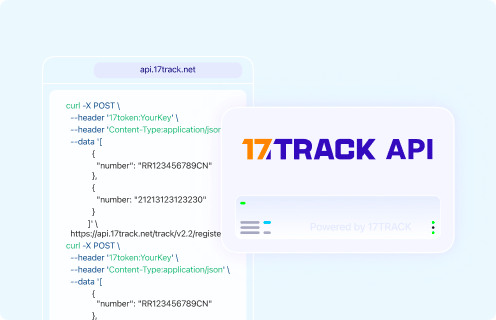
A current public official Sunsky order-tracking API, webhook, or seller integration was not confirmed from the public materials used for this page. Businesses should ask Sunsky directly about any private or account-specific integration. 17TRACK provides a separate tracking API for carrier numbers.
Developer/API Comparison
| Option | Primary use |
| Sunsky public order API | Current public official documentation not confirmed. |
View all details for Sunsky public order API| Provider | Sunsky, if access is granted directly. |
|---|
| Coverage | Not stated here because a current public specification was not verified. |
|---|
| Limitation | Do not infer an API endpoint, authentication method, webhook, or batch capability from the website URL. |
|---|
|
| 17TRACK API | Register and query carrier tracking numbers for logistics visibility. |
View all details for 17TRACK API| Authentication | 17token header and JSON request format described in the official documentation. |
|---|
| Coverage | Carrier tracking events, not private Sunsky order, payment, return approval, or customer-service data. |
|---|
| Documentation | https://api.17track.net/en/doc |
|---|
|
FAQ
Basic FAQs
1. How do I track my Sunsky order?Sign in to Sunsky, open the order details, and use the available carrier tracking number on the carrier website or 17TRACK.
2. Where can I find my Sunsky tracking number?Check the shipment section of the Sunsky order page and the dispatch email; if it is absent, ask Sunsky for the carrier number.
3. Can I track a Sunsky order number on 17TRACK?Usually no, because an order number identifies the purchase while 17TRACK uses a carrier tracking number.
4. What should I do if Sunsky has not provided tracking?Check whether the order is still processing, then contact Sunsky with the order reference and request shipment status and the carrier number.
5. Why is my Sunsky tracking number not updating?The label may exist before the first scan, or the parcel may be between logistics handovers; verify the number and ask Sunsky or the carrier if the gap continues.
6. How long will a Sunsky order take to arrive?Timing depends on the item, stock, destination, shipping service, and any cross-border processing, so use the estimate shown for your specific order.
7. What if my Sunsky package says delivered but I cannot find it?Check safe locations, household members, reception, neighbors, delivery photos, and proof of delivery, then contact the carrier and Sunsky with the evidence.
8. How do I track a Sunsky return?Use the return tracking number on the return label or receipt with the carrier or 17TRACK, while monitoring the return case separately in Sunsky.
9. Can 17TRACK show my Sunsky refund status?No, 17TRACK can show return transport events but cannot show Sunsky’s inspection, approval, or payment-provider posting status.
10. How do I contact Sunsky about an order?Use the current support or order-contact route on Sunsky’s official website and prepare your order number, account email, tracking number, and latest event.
Expert FAQs
11. Does “shipped” mean a carrier has accepted my Sunsky parcel?Not necessarily; Sunsky may mark an order shipped when fulfillment releases shipment information, while carrier acceptance is established by a carrier scan.
12. Can one Sunsky order have several tracking numbers?Yes, an order may be split into packages, and each package can have its own carrier number and delivery sequence.
13. Who handles a customs hold on a Sunsky shipment?Customs authorities control clearance, while the carrier or broker may communicate requests; follow that instruction and contact Sunsky for order assistance.
14. Can a Sunsky gift recipient track an order?A recipient can use a carrier number supplied by the purchaser, but private order details and return permissions may require the purchaser’s account.
15. What does 17TRACK need to track a Sunsky shipment?It needs a carrier tracking number or another supported transport identifier, not a Sunsky order number, invoice number, or payment reference.
Tracking API
curl --request POST \
--url https://api.17track.net/track/v2.4/register \
--header '17token: YourKey' \
--header 'Content-Type: application/json' \
--data '[{"number":"TRACKING_NUMBER"}]'
Use a carrier tracking number with the 17TRACK API. A Sunsky order number, payment number, invoice number, or internal order ID normally must first be matched to a carrier number through the Sunsky order record.
Sources & References
17TRACK is an independent tracking platform and is not affiliated with Sunsky.